D2
Active and stableRuns locally ✓No paid APITurn system descriptions into automatically laid-out diagrams that teams can review in Git and export to SVG, PNG, PDF, or PPTX.
brew install d2Ideal use for this tool
For developers and small teams that want architecture and data-flow diagrams close to the repository and reviewable as text. Use it when relationships matter more than pixel-perfect placement; not for free-form marketing design or exact manual positioning.
Details and illustrated features
You draw a system once, then a service or connection changes and the picture starts drifting from reality. D2 turns the diagram into a text file that can be reviewed with code in Git, automatically lays out the nodes and relationships, and exports the result for documentation or presentations. Its practical value is not merely a nicer picture: it gives a solo developer or small team a reproducible diagram source without manually dragging every box.
🧭 What is D2 and how will you use it?
D2 is an open-source diagram scripting language and command-line tool. You describe components and relationships in a .d2 file, then run d2 to produce SVG by default or another supported format. It is not a cloud drawing editor, an AI agent, or a tool that discovers your architecture automatically. You decide what information belongs in the diagram; D2 parses the text and arranges it.
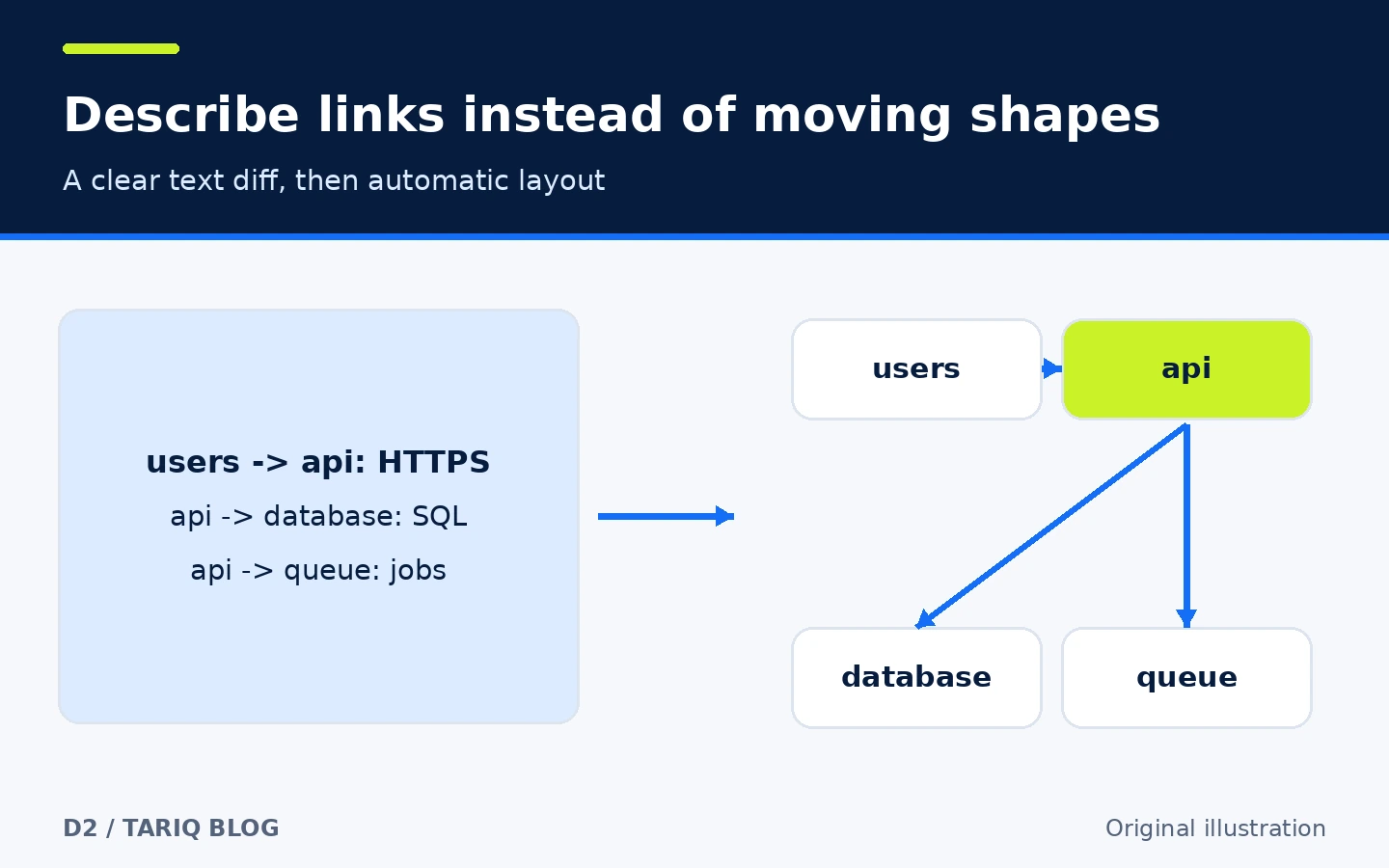
users -> api: HTTPS
api -> database: SQL
api -> queue: jobs
worker -> queue: consume
worker -> database: update
Save it as architecture.d2, then run d2 architecture.d2 architecture.svg. The source can live with the documentation, and a changed relationship can be reviewed as text. This is an educational example, not a production test.
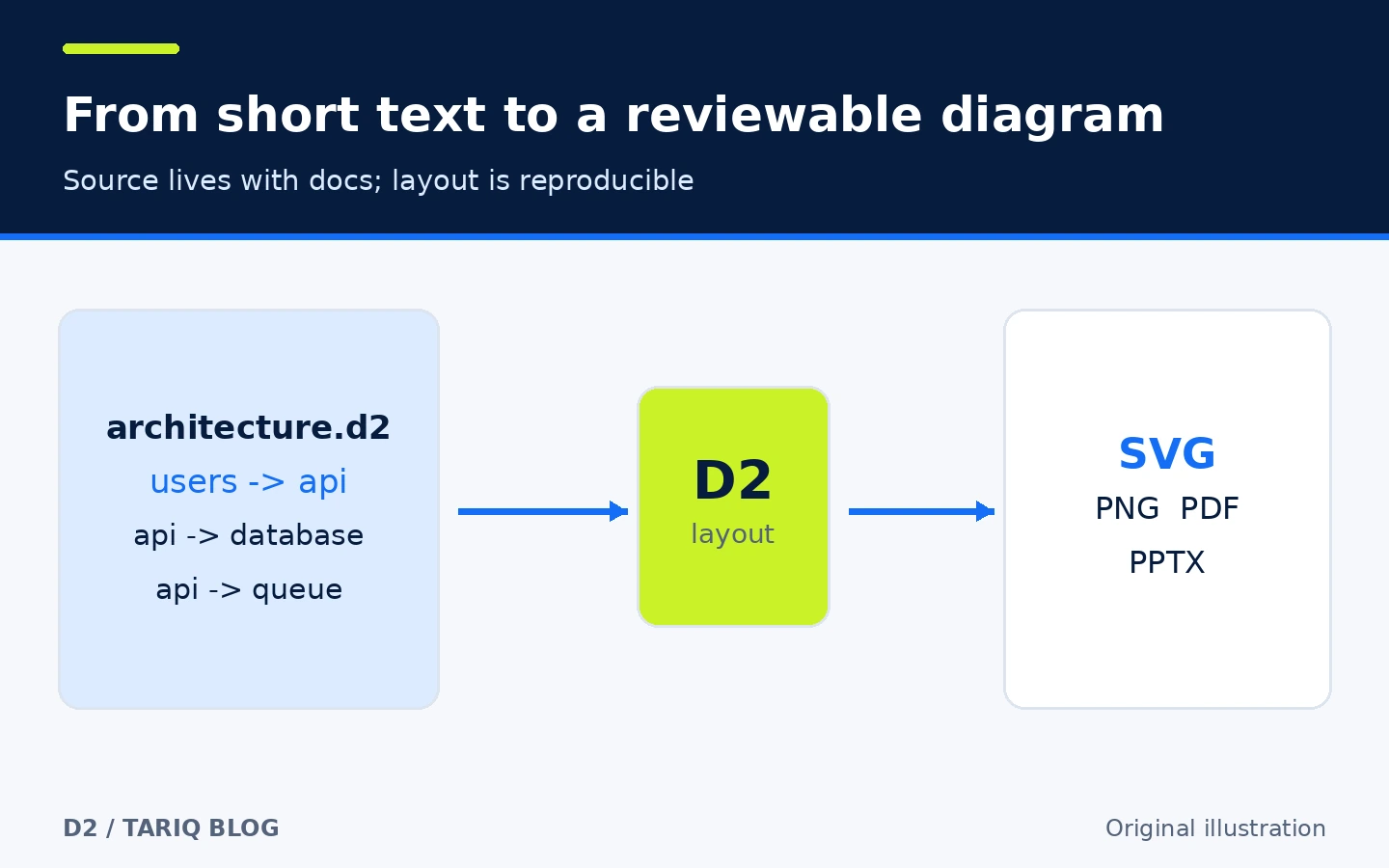
🎯 Ideal use and added value
D2 suits a developer, platform engineer, or small team that wants architecture and data-flow diagrams close to the repository. Use it when relationships matter more than pixel-perfect placement: service maps, request flows, data models, sequences, or diagrams supporting a technical decision. Do not choose it for free-form marketing artwork or exact manual positioning; automatic layout is intentional and may move items when the source changes.
The added value is a reviewable text source, repeatable output, and separation between information and visual arrangement. It does not prevent stale documentation by itself. The team must still update the .d2 source when the system changes.
🌟 Features and workflow
1. Describe relationships instead of moving boxes
The core syntax is compact: a -> b creates two nodes and a directed connection. You can add labels, shapes, styles, containers, reusable classes, and comments. A review can show a new service or removed connection as lines of text rather than requiring someone to compare two images.
- How to use it: start with the main nodes, add relationships, generate the diagram, and refine.
- Benefit: the source becomes searchable, copyable, and reviewable with code.
- Limit: text does not prove the architecture is accurate; review it with system owners.
2. Select a layout engine
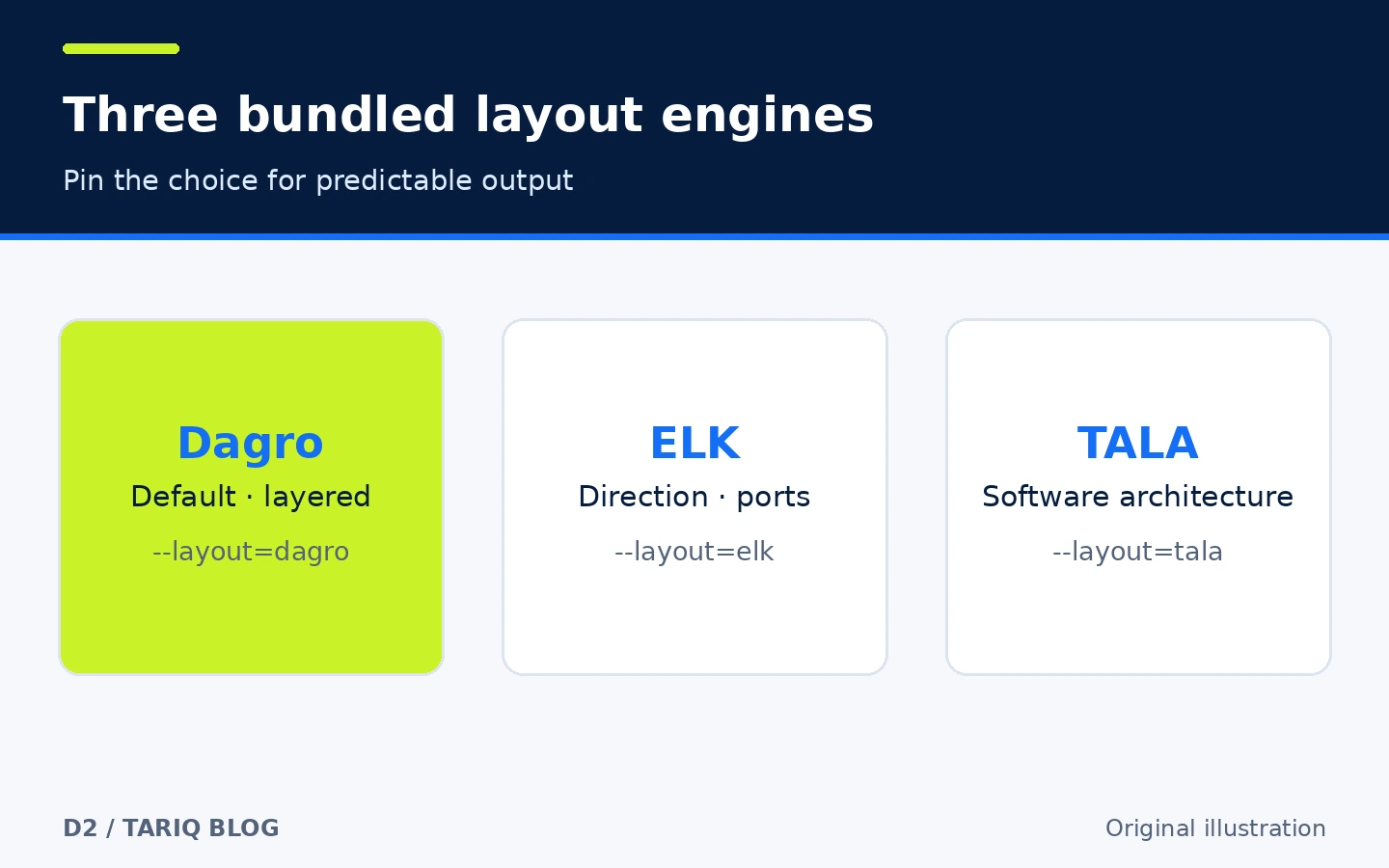
The checked version bundles three engines: Dagro by default, ELK, and the bundled opt-in TALA. d2 layout lists available engines. Select one with --layout=elk or record vars.d2-config.layout-engine in the source. The documentation describes Dagro for layered general layouts, ELK for directed node-link diagrams and ports, and TALA for software architecture diagrams.
These are layout choices, not a promise that every graph will look ideal. Test the real diagram and pin the choice in source or the build command so teammates do not generate unexpectedly different layouts.
3. Export for the destination
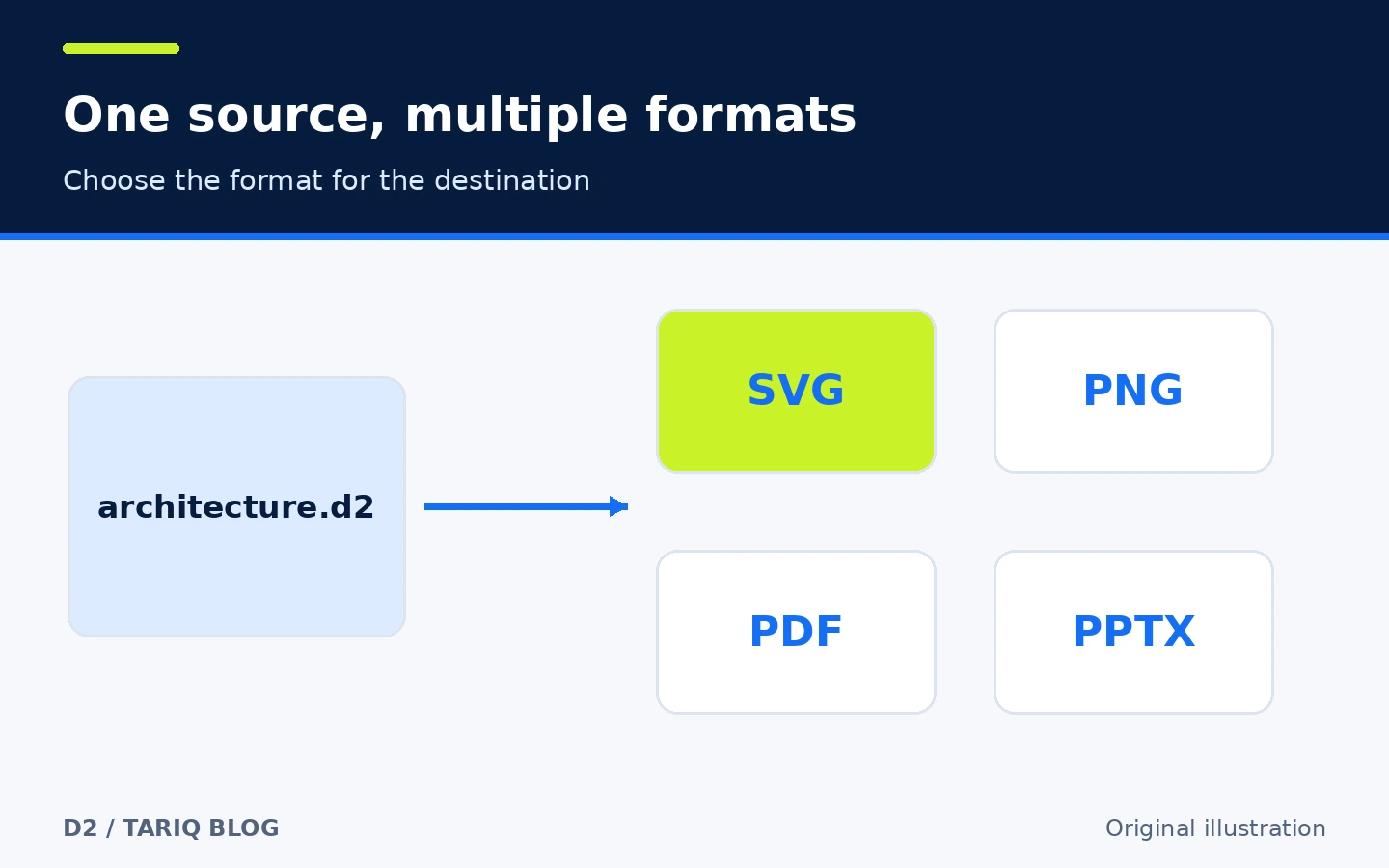
D2 documents SVG, PNG, GIF, PDF and PPTX output, while ASCII export is described as beta. SVG fits web documentation, PNG helps when a surface does not handle SVG, and PDF or PPTX may suit documents and decks. Features are not identical across formats; links, fonts, and motion behave differently, and ASCII is less expressive.
d2 architecture.d2 architecture.svg
d2 architecture.d2 architecture.png
d2 architecture.d2 architecture.pdf
Current v0.9.0 documentation says PNG export is direct and does not need Chromium. Visually review the result before publishing, especially fonts and long labels.
4. Format, validate and preview changes
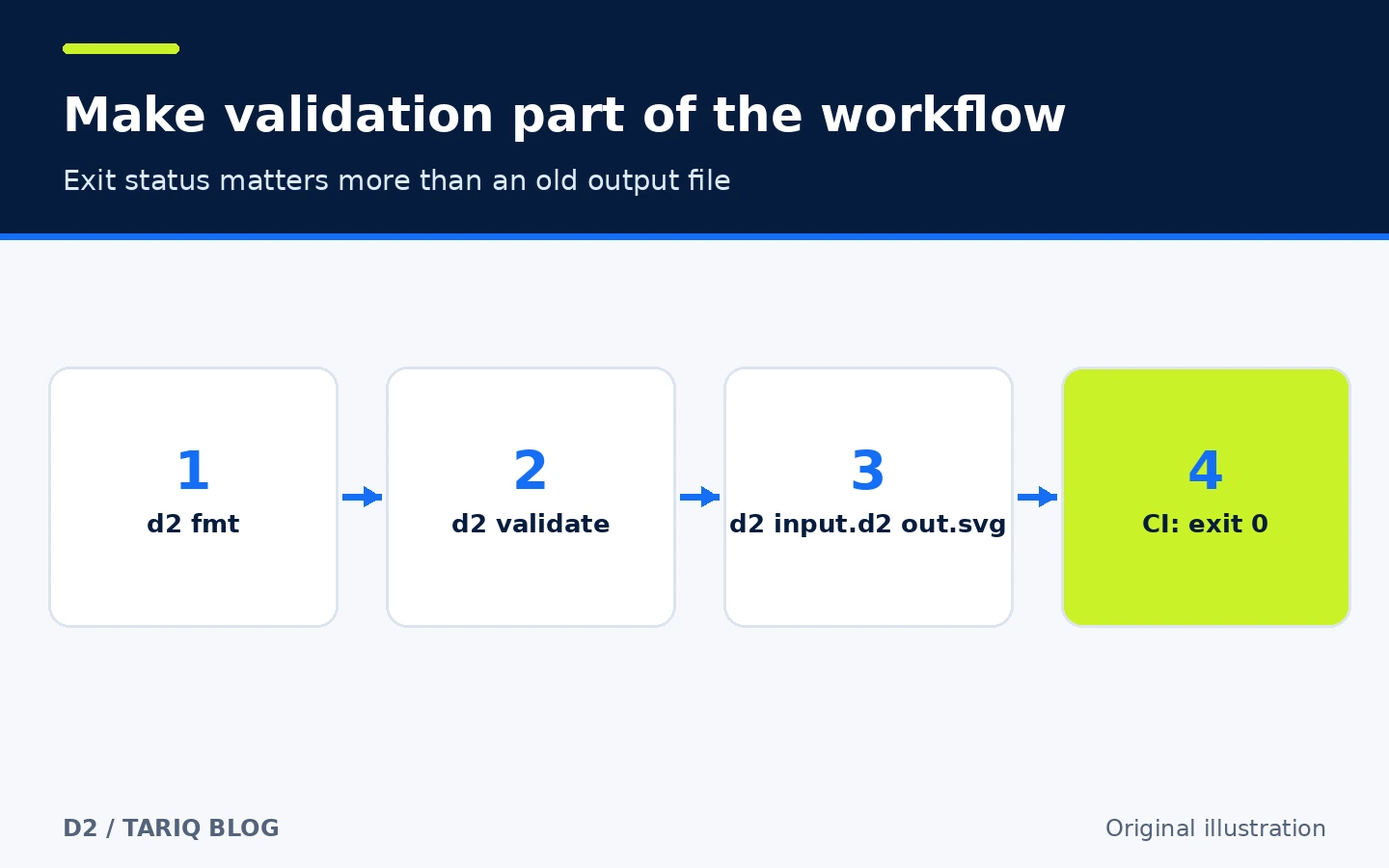
The CLI provides d2 fmt, d2 validate, and --watch for regeneration and live preview. Watch mode binds to localhost by default. In CI, rely on the command's exit status: the manual warns that the presence of an output file is not proof of success because a partial or older file can remain after an error.
d2 fmt architecture.d2
d2 validate architecture.d2
d2 architecture.d2 architecture.svg
During editing, run d2 --watch architecture.d2 architecture.svg. Do not expose the watch server to an untrusted network without understanding its bind and security settings.
🪜 Practical example: an orders-service diagram
- Create
orders.d2with the main services and connections. - Run
d2 --watch orders.d2 orders.svg, then edit until the diagram is clear. - Label connections that readers need to understand; do not add every internal detail.
- Run
d2 fmtandd2 validatebefore committing. - Commit
orders.d2and the generated asset required by your documentation policy, then review both the text diff and image. - In CI, regenerate or validate the source and use the process exit status instead of checking only whether a file exists.
This is an illustrative workflow, not a benchmark or a compatibility test against a specific repository.
⚖️ Compared with manual drawing
| Task | Manual visual editor | With D2 |
|---|---|---|
| Add a service and two links | Create shapes, arrows, and realign | Add lines and let the engine lay them out |
| Review a change | Compare images or a proprietary editor file | Review a text diff in Git |
| Repeat an export | Select export settings each time | Run a repeatable terminal or CI command |
| Pixel-level control | Strong and direct | Lower because layout is automatic |
| Nontechnical collaboration | Drag-and-drop may be easier | Requires learning syntax or developer help |
D2 does not eliminate manual drawing tools. Use it as a source for diagrams that evolve with a system, and use a visual editor when brand styling or free placement matters more than reviewability.
🚀 Installation and compatibility
The documentation recommends using an operating-system package manager directly for improved security. On a machine where Homebrew is already installed:
brew install d2
d2 version
The project documents macOS, Linux and Windows options, release binaries, and installation from source with Go. It also offers an installer script with --dry-run; downloading and executing a script grants it your account's permissions, so inspect it and follow organizational policy. We did not install D2 during this review and do not claim the command succeeded on a particular machine.
The latest stable release we verified is v0.9.0, dated 7 September 2026. GitHub showed 25.8k stars and 777 forks at inspection, with the latest visible main-branch commit dated 12 October 2026. Counts change and are not a quality score.
💰 Cost and local operation
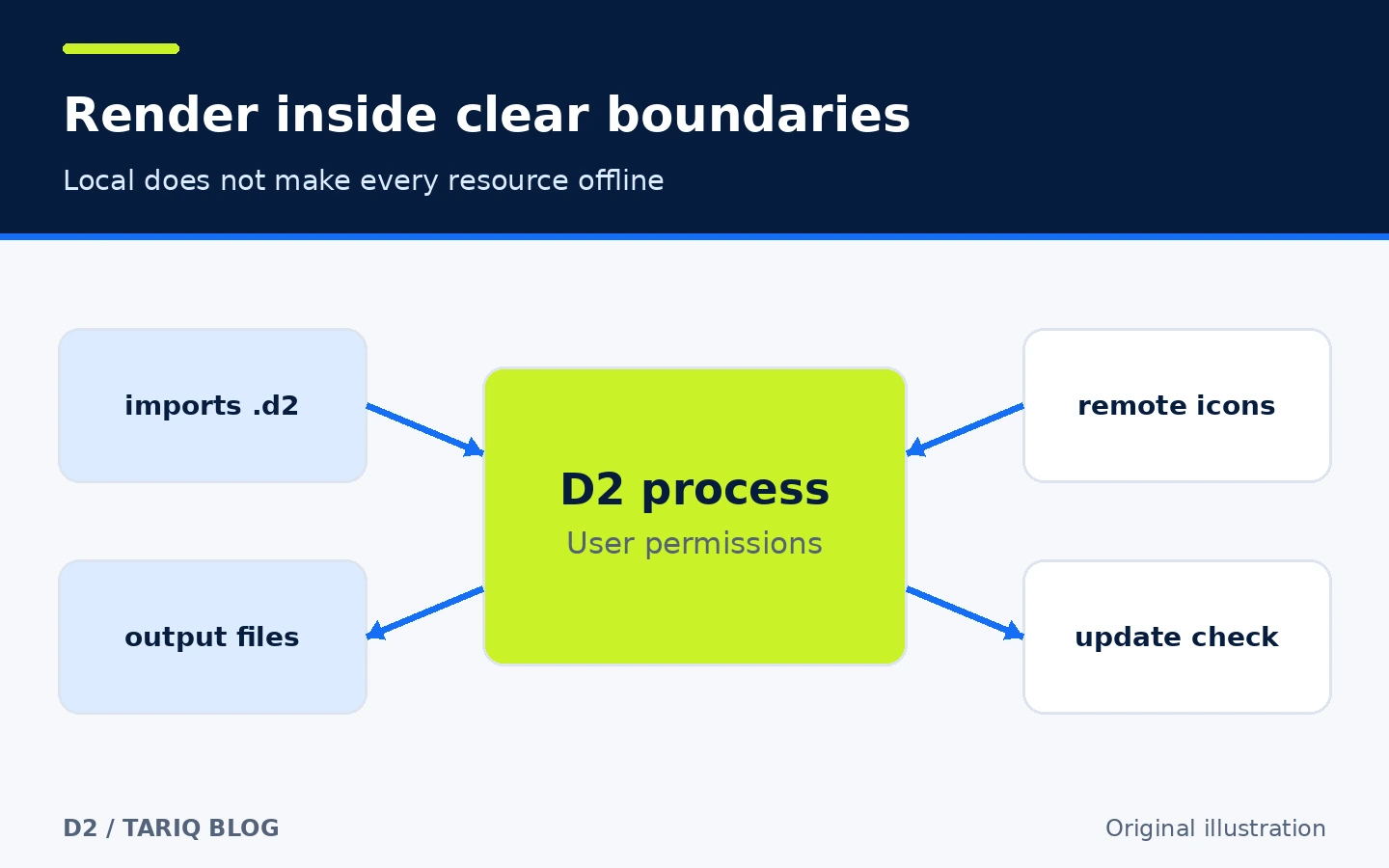
The CLI is free and open source under MPL-2.0. It does not require a subscription or paid API for local rendering. That does not make every remote image, icon, or font you reference free or open source.
The FAQ says D2 collects no telemetry and, after installation, normally uses the internet only for a periodic GitHub update check. A source file can still reference hosted images or icons, which require network retrieval. Use local assets when confidentiality or reproducible builds require them.
🔐 Privacy, permissions and security
D2 runs with the invoking user's permissions: it reads imported .d2 files, writes output, and may fetch remote resources or check for updates. Imports support relative and absolute D2 paths. Review untrusted source before running it near sensitive files, and use a constrained account or container in CI when appropriate.
Inspect links and embedded resources before publishing SVG or PDF, and do not place secrets or internal addresses in a diagram that will become public. The default local watch server is a preview convenience, not a secure collaboration platform. MPL-2.0 carries file-level distribution obligations for covered modifications; seek appropriate advice if redistributing a modified build commercially.
⚠️ Limits and when not to use it
- Automatic layout saves work but does not offer unrestricted placement of every element.
- Very large diagrams may need layers or smaller boards to remain readable.
- ASCII export is beta and less expressive than graphical formats.
- An output file does not prove success; check the exit status and logs.
- Fonts, labels, and links can differ across output formats, so visual review is required.
- The CLI has no built-in account synchronization or review comments; collaboration comes from Git and team tools.
- We did not verify an official Arabic interface. The Arabic illustrations in this card are original explanations, not proof of product localization.
📚 Sources and verification date
Verified on 30 October 2026 using upstream sources:
- Official d2lang/d2 repository — stars, forks, activity, license, and features.
- Release v0.9.0 — stable version and date.
- Installation documentation — platforms, package managers, and installer behavior.
- CLI manual —
fmt,validate, watch mode, outputs, and exit-status warning. - Exports, imports, and icons — formats, file access, and remote resources.
- README FAQ — telemetry and update checks.
For comparison, we reviewed Ruff in Python quality through its official repository and documentation; the latest release visible during research was 0.17.3 on 26 October 2026. We selected D2 because it adds documentation and diagram-as-code after an automation card, while Ruff overlaps more with recently published quality tools and the Astral ecosystem already represented in the directory. GitHub Topics/Trending, claudeskills.info, and dshmarket.com were used for discovery only; product claims came from primary sources.
Verification scope: repository, documentation, release pages, and visual QA of the original illustrations. We did not install D2, execute the examples, benchmark it, or conduct an independent security audit.