Dagu
Active and stableRuns locally ✓No paid APITurn scripts and cron jobs into visible YAML workflows with dependencies, schedules, retries, and run history in a self-hosted engine.
brew install daguIdeal use for this tool
Best for a developer or small team with connected scripts that need schedules, history, and a clear failure point. It adds dependencies, retries, and an operations UI without an external database in single-server mode. A simple independent command may not need it, and some team controls such as additional users, SSO, RBAC, and audit logging currently require a paid license.
Details and illustrated features
When a collection of scripts grows, cron alone stops telling you what started, what failed, and which step depends on another. Dagu turns existing commands into YAML workflows with schedules, dependencies, retries, run history, and a web interface. Its value is putting execution order and status into a reviewable place without forcing you to rewrite the scripts inside a new programming framework.
🧭 What is Dagu and how does it work?
Dagu is an open-source, self-hostable workflow engine that organizes work as a DAG: a directed acyclic graph where each step declares what must succeed before it and the chain does not loop back to an earlier step. You describe commands, dependencies, schedules, and failure policies in YAML. Dagu then runs those commands on one machine or through distributed workers. A single-server setup uses one binary with a built-in web UI and does not require an external PostgreSQL database or message broker.
Dagu does not replace your Python script, backup command, or Docker image. It wraps them with execution control: when to start, what depends on what, what to retry, and where to inspect state and logs. Distributed workers and Kubernetes are available, but a solo developer or small team should normally begin with one server on infrastructure it controls.
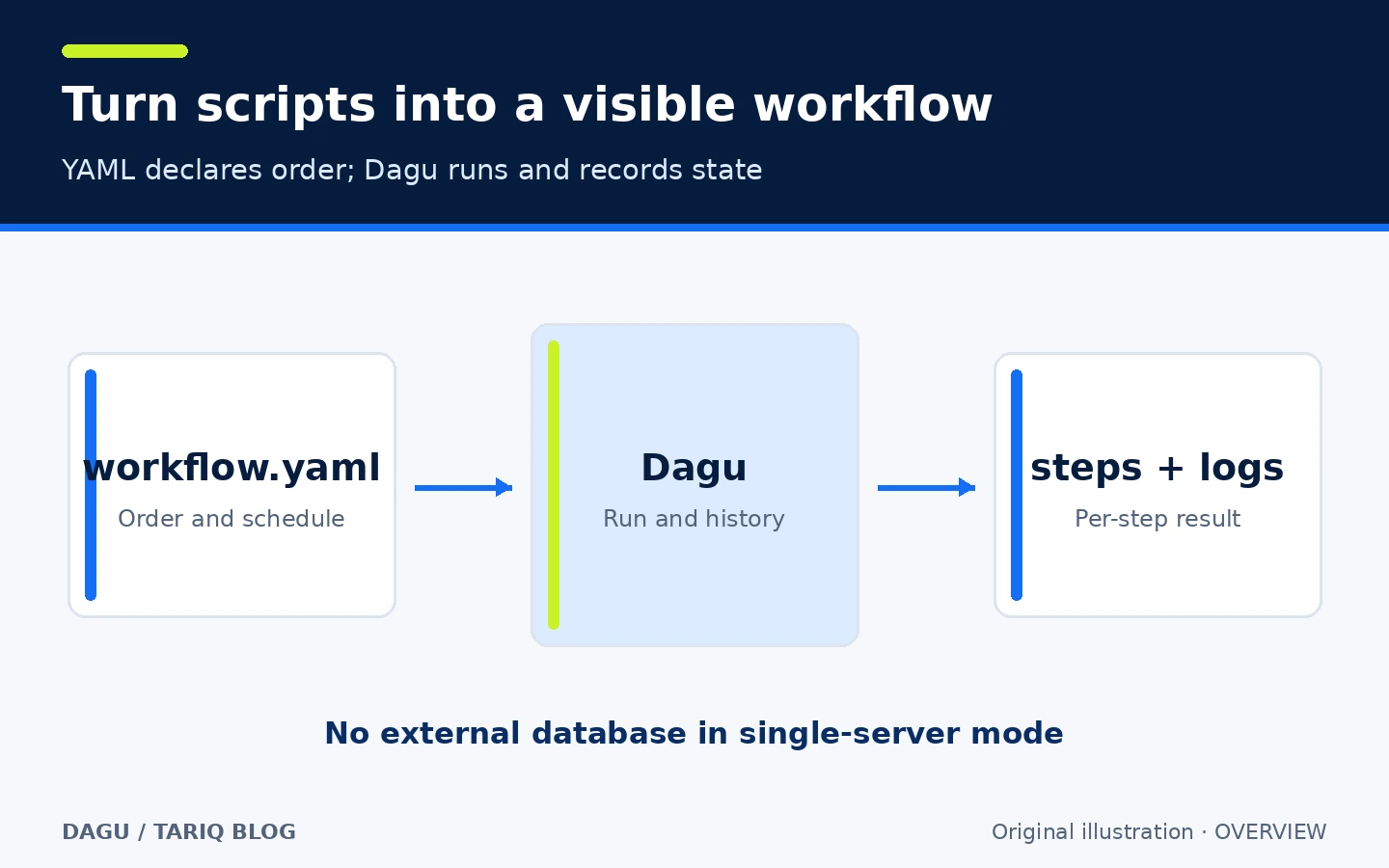
Original explanatory illustration, not a Dagu screenshot.
🎯 How does it help in real work?
Suppose a nightly job downloads a file, validates it, transforms it, and uploads the result. With scattered commands, you may only discover a failure when the expected file is missing, then hunt through logs. Dagu lets you state the order in one file, prevent overlapping runs, retry the network step, and inspect the failed step from the run view.
The added value is execution visibility, not removal of responsibility. A new developer or coding agent can read the YAML and review it in Git. But Dagu runs commands with the permissions of its service or worker. If a script can delete files or access a database, orchestrating it does not remove that power.
It may be excessive for one stable scheduled command with no dependency or history needs. Teams that require strong multi-user governance or tenant isolation should review the free-plan boundaries and paid self-host license before adoption.
🌟 Key features
1. Keep existing scripts instead of moving logic into a framework
Commands live under steps, and depends connects them. A step can invoke shell commands, containers, HTTP, SSH, or SQL when the relevant executor and environment are available. Your job logic stays in familiar scripts while scheduling, dependencies, and history move into a separate definition.
- Where: a YAML file in the DAGs directory or the web YAML editor.
- How: start with a few named steps and declare dependencies explicitly.
- Illustrative example:
transformdepends onextract;loaddepends ontransform. - Watch out: YAML does not sandbox a command or install its dependencies. Required binaries, files, credentials, and network access must exist on the worker.
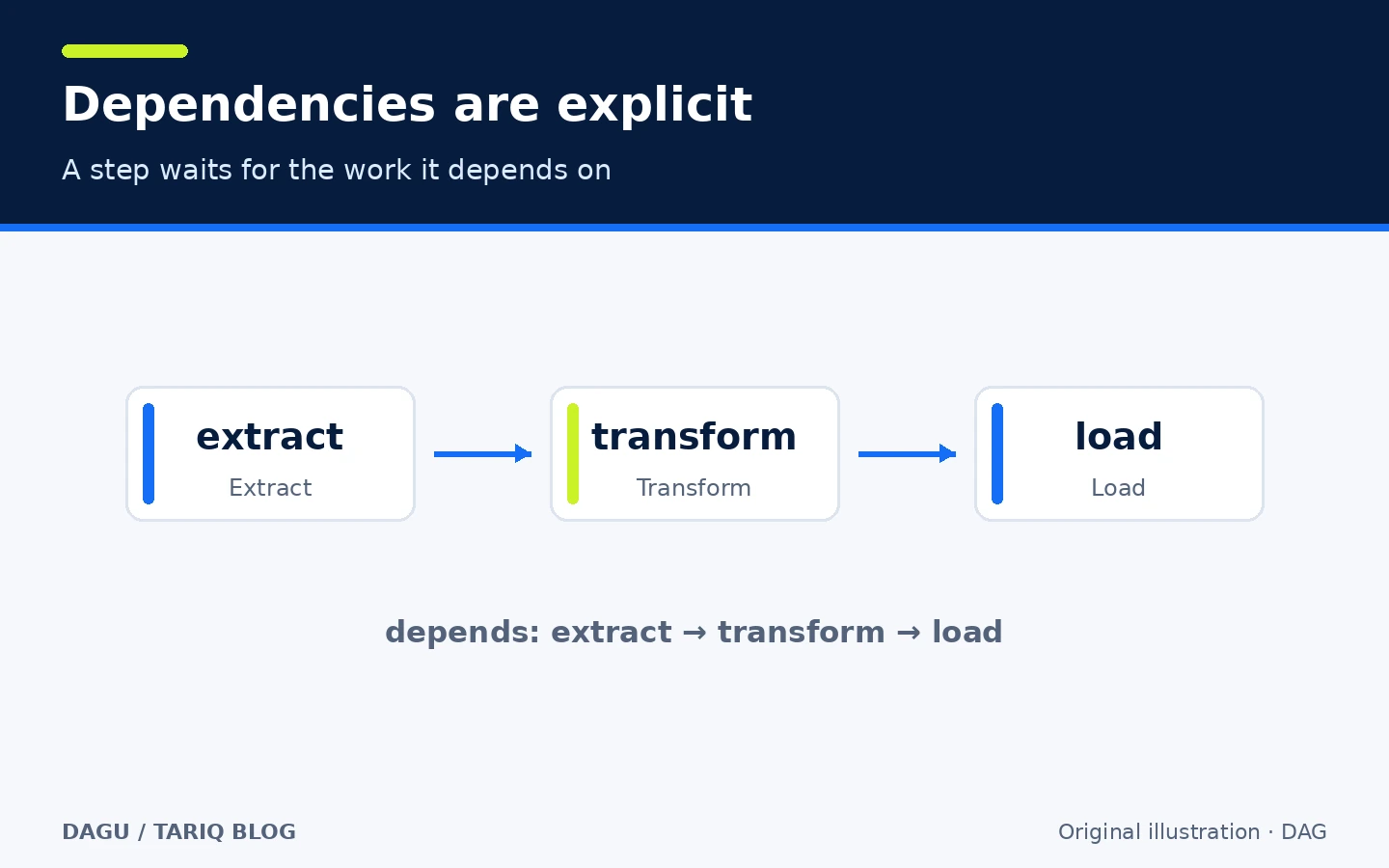
Relationship diagram for an unexecuted example.
2. Scheduling, overlap policy, and retries
Workflows support cron schedules, time zones, missed-run handling, and overlap policies. A retry_policy can handle a transient operation such as a download. The intended behavior stays beside the workflow instead of being split between crontab and wrapper scripts.
- Where:
schedule,overlap_policy, andretry_policyin YAML. - How: retry only failures that may be transient, set a timeout, and prevent overlap when two runs would write to the same resource.
- Illustrative example: a nightly run skips a new start if the previous run is still active and retries a download up to three times.
- Watch out: a retry can repeat a partial side effect. The command should be idempotent or check state before writing.
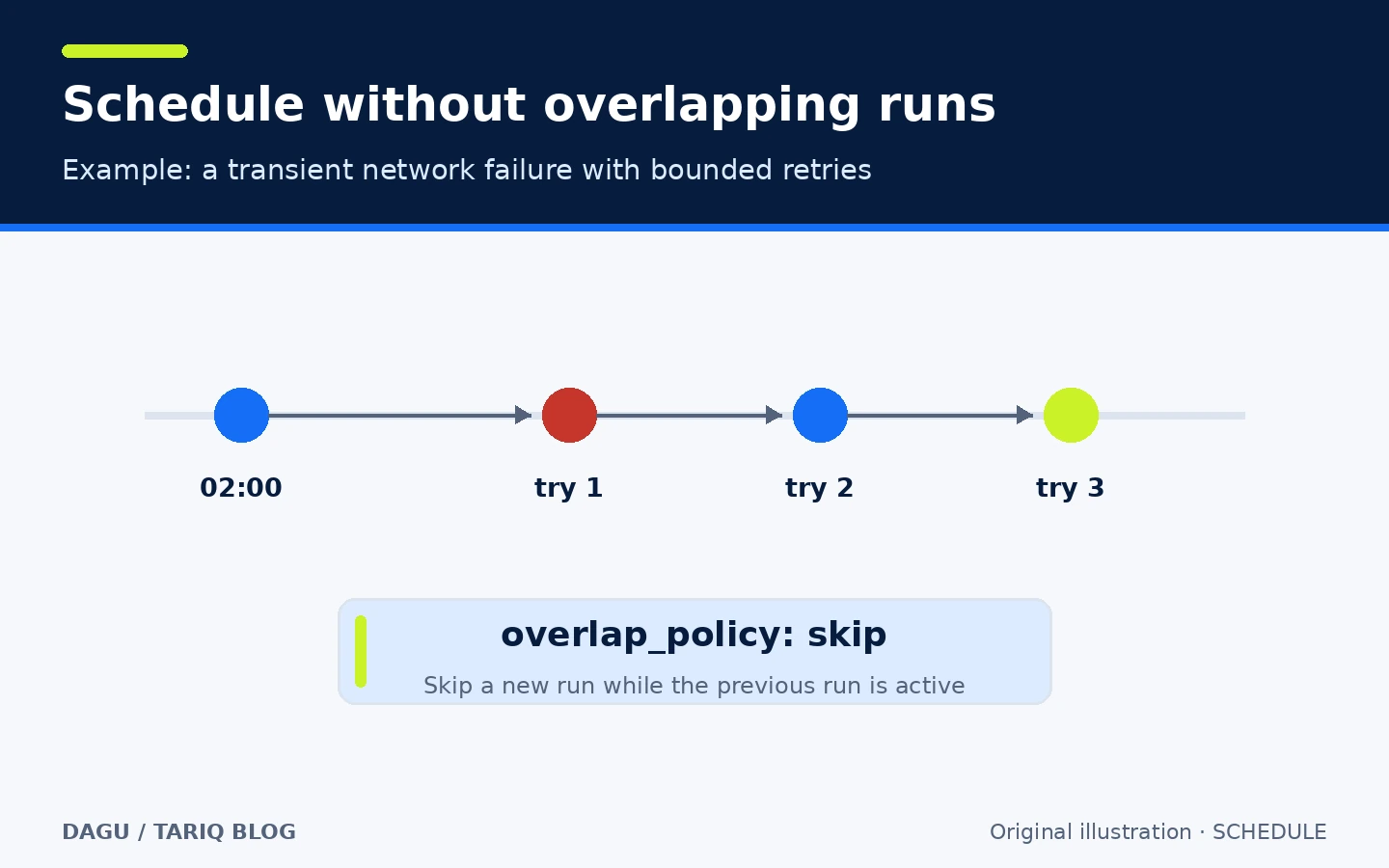
The illustration explains policy; it is not a reliability or performance measurement.
3. Run history and per-step logs
The web UI shows workflow status, step logs, and history. The CLI also provides commands such as dagu status and dagu history. Instead of opening several files to find where a job stopped, you can inspect the failed step and its output.
- Where: the run details page or status and history commands.
- How: inspect start and finish times and each step's status before rerunning anything.
- Illustrative example:
extractsucceeds,transformfails, andloadnever starts. - Watch out: logs can contain filenames, outputs, or secrets printed by your own program. Use secret providers and masking, and avoid printing secrets in the first place.
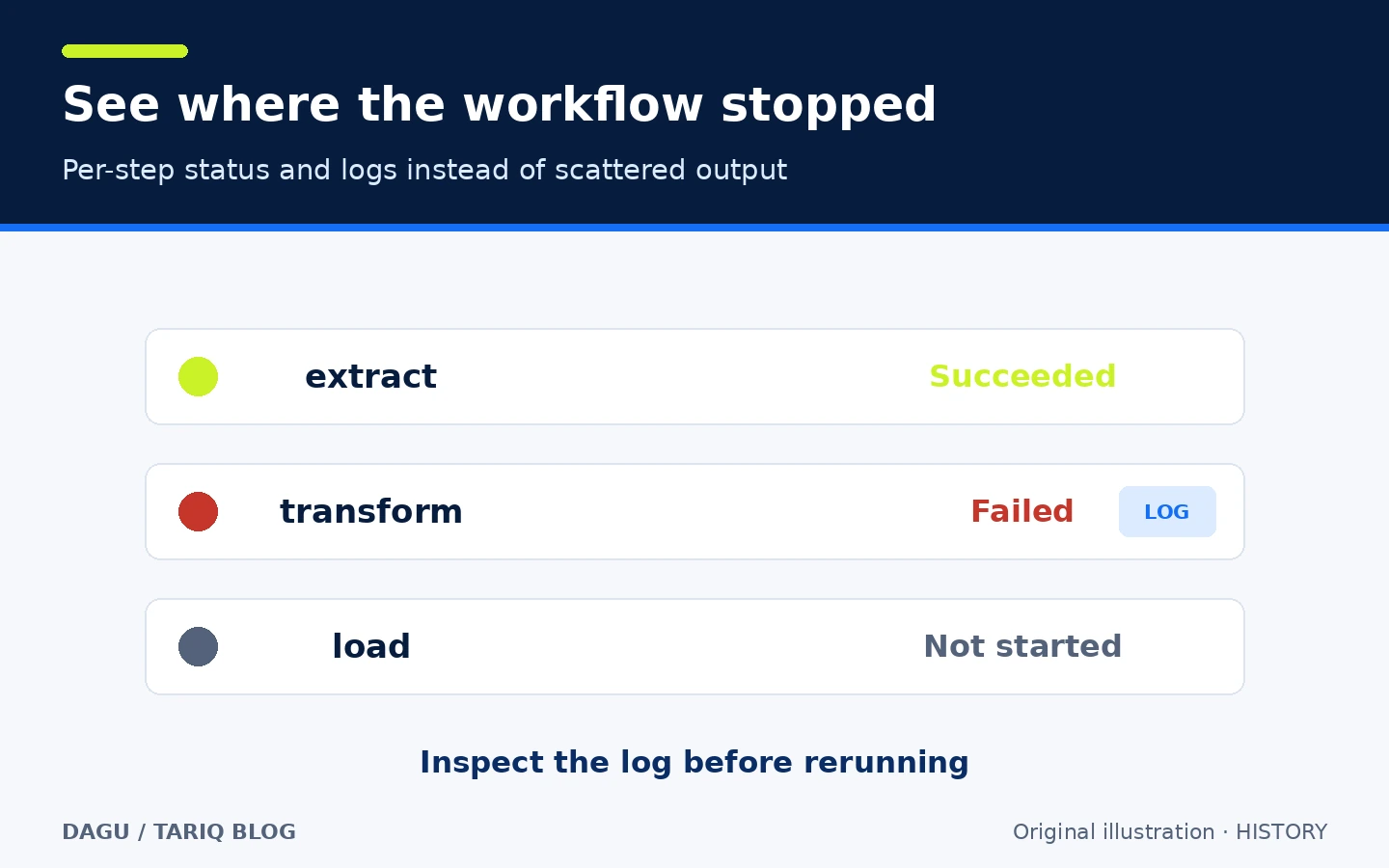
Illustrative run state, not a product screenshot or test result.
4. Local operation with an optional scale-out path
dagu start-all can run the server, scheduler, and steps in one process. Distributed workers, gRPC coordination, and worker labels are available when execution must move to other machines. Dagu also includes an MCP server so compatible clients can inspect workflows and runs and perform actions allowed by their server permissions.
- Where: the single-server Quickstart, coordinator/worker deployment docs, and MCP documentation.
- How: begin on one private server. Add workers only when resource or location requirements justify them.
- Illustrative example: run backups locally, then later route video conversion to a worker labeled for GPU work.
- Watch out: secure coordinator-worker traffic. Configure TLS when communication crosses an untrusted network boundary.
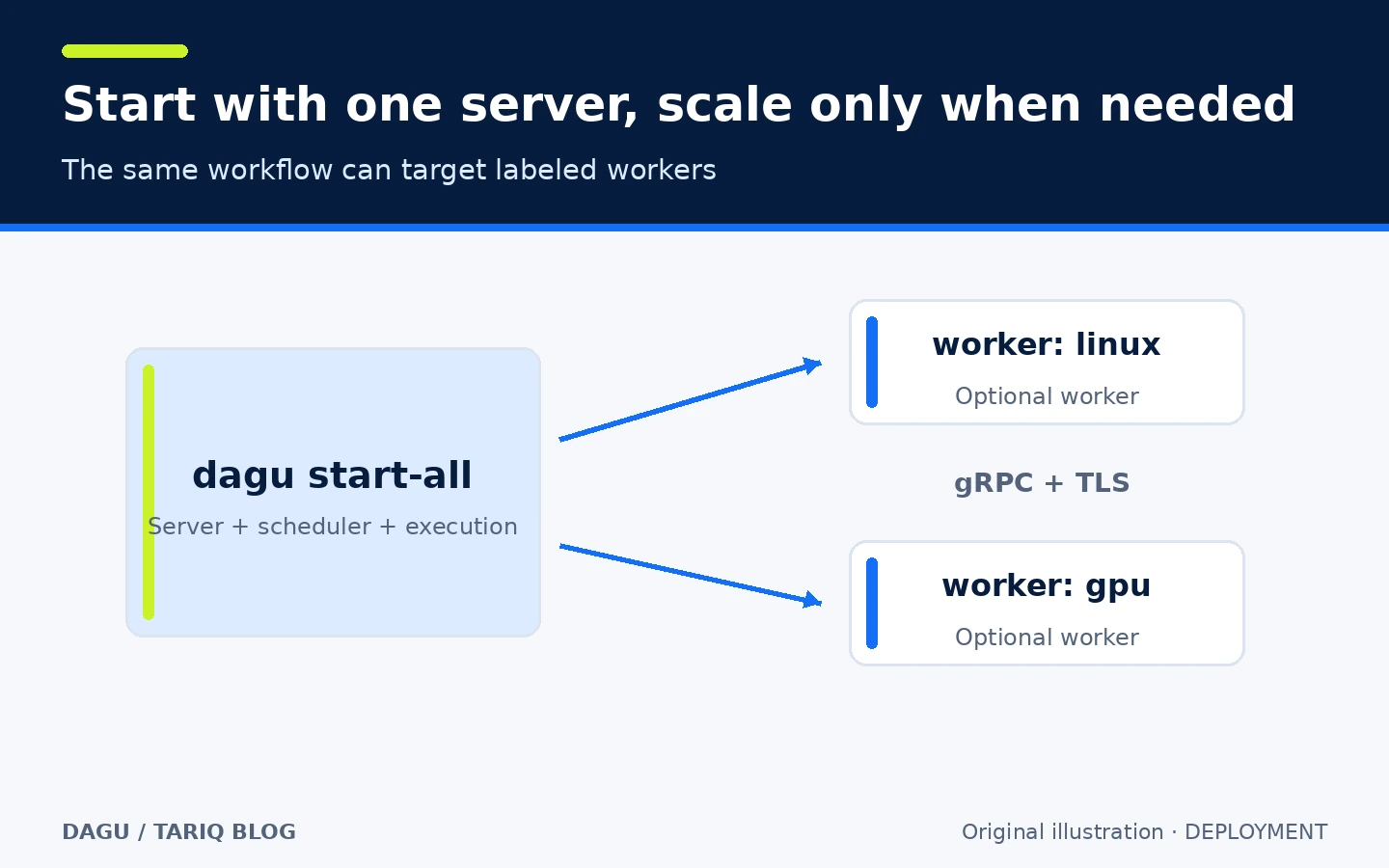
Simplified architecture; distributed operation is not required to start.
5. Authentication and permissions must be configured before network exposure
Built-in authentication is the recommended default for a shared server, with an initial administrator and JWT sessions. The Community plan includes the core engine and a limited number of API keys. Additional user management, advanced RBAC, SSO, and audit logging currently require a paid self-host license.
- Where:
auth.mode,permissions.write_dags,terminal.enabled, TLS, and IP access settings. - How: bind to loopback or a private interface, use built-in authentication, add TLS behind a trusted proxy, and keep the web terminal disabled unless administrators specifically need it.
- Illustrative example: a local administrator manages workflows without exposing port 8080 directly to the public internet.
- Watch out: workspace roles inside one installation are data scoping, not tenant isolation. Mounting the Docker socket gives workflows broad control over the Docker host.
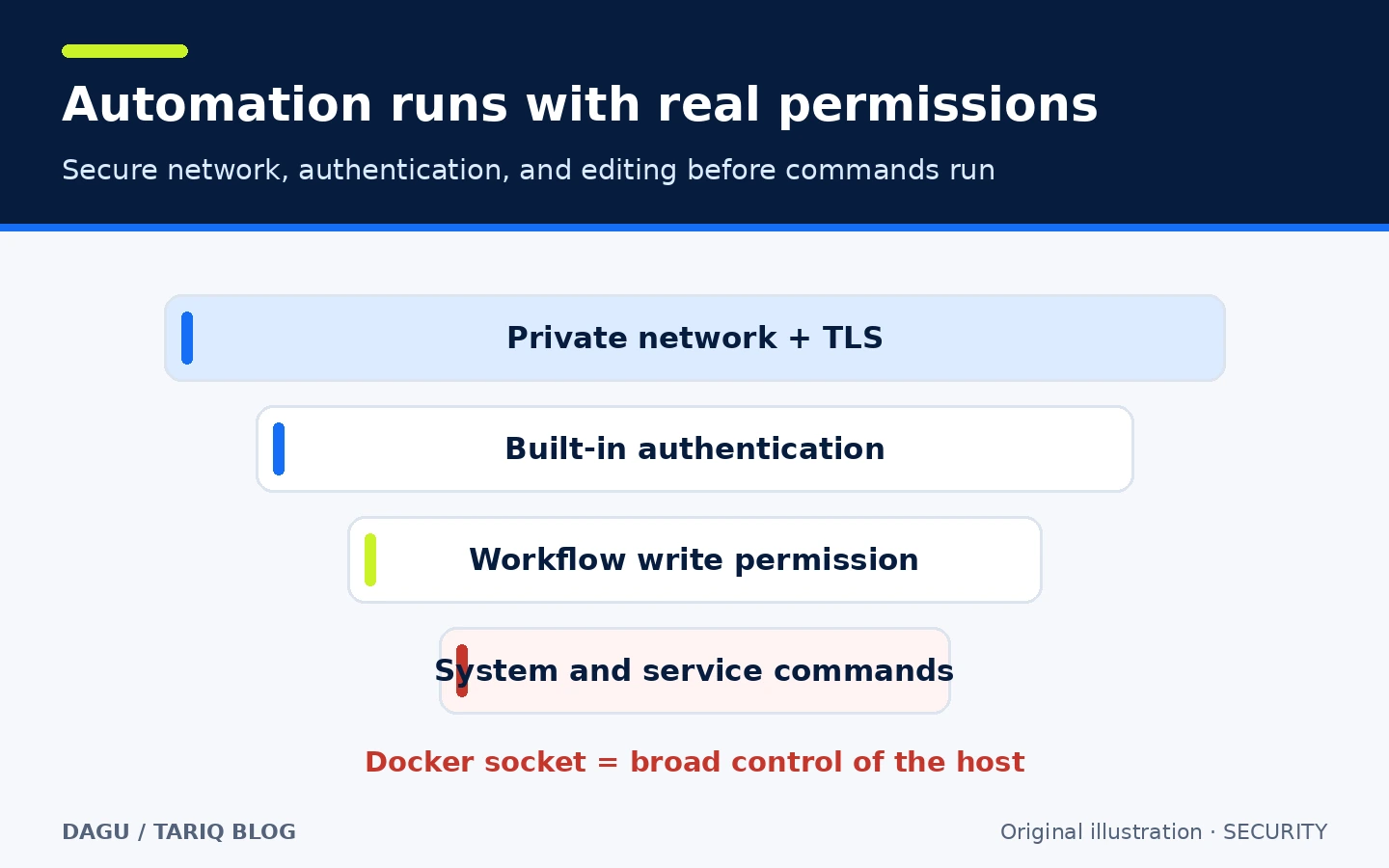
Explanatory control layers, not a security audit.
🪜 Practical example: a small backup workflow
Illustrative example; it was not run against real data. After installing Dagu, create backup.yaml in an empty folder:
schedule: "0 2 * * *"
overlap_policy: skip
timeout_sec: 3600

steps:
  - id: pack
    run: ./scripts/pack.sh

  - id: verify
    run: ./scripts/verify.sh
    depends: pack

  - id: upload
    run: ./scripts/upload.sh
    depends: verify
    retry_policy:
      limit: 3
      interval_sec: 30
Then:
- Review all three scripts; placing them in YAML does not make them safe.
- Validate the definition with
dagu validate backup.yaml. - Inspect the execution plan with
dagu dry backup.yaml; dry-run output is not a sandbox for every external behavior. - Run it manually against test data with
dagu start backup.yaml. - Start the UI from the same folder with
dagu start-all --dags ., openhttp://localhost:8080, and create the initial administrator if setup requests it. - Inspect step state and logs. Do not schedule production data until you have tested restoration, not only backup creation.
The intended result is an explicit path that prevents upload until verification succeeds. The commands and hypothetical scripts were not executed here.
⚖️ What changes compared with cron and manual scripts?
| Need | cron and separate scripts | With Dagu |
|---|---|---|
| Step order | Implicit logic in a script or command chain | Declared dependencies in YAML |
| Locate failure | Search scattered files and output | Per-step state, logs, and run history |
| Transient failure | Write and maintain a retry loop | Retry policy beside the step |
| Prevent overlap | Build and test your own lock | Workflow overlap policy |
| Structured manual run | Remember commands and order | Run the same workflow from CLI or UI |
Cron is lighter for one independent task. Dagu is not automatically a replacement for a large data platform with specialized distributed scheduling and enterprise governance requirements.
⚙️ Configuration worth reviewing
By default, workflow definitions live under ~/.config/dagu/dags, while logs and state live under ~/.local/share/dagu. DAGU_HOME or path-specific variables can move them. Include these directories in your backup plan; local history is not automatically copied elsewhere.
Set working_dir when commands depend on relative paths. Use dotenv only for a controlled file and prefer documented secret providers for sensitive environments. Do not commit keys inside workflow YAML. Set schedule time zones explicitly so moving a server does not silently shift an intended 2 a.m. job.
🚀 Installation and first run
The official Homebrew route on macOS is:
brew install dagu
dagu version
Linux, Windows, npm, Docker, and Helm options are documented. The guided installer can modify PATH, create a background service, and bootstrap an administrator, so review its contents and effects before piping a remote script into a shell. The npm package downloads the binary during postinstall. Docker requires persistent storage, and container steps need extra Docker setup; mounting the Docker socket grants broad host control.
The verified stable release is v2.24.0, published 27 October 2026, with Windows, macOS, and Linux assets for several architectures. Installation and every platform were not tested here.
🔗 Integrations and compatibility
Dagu runs on Linux, macOS, and Windows. It can execute shell, Docker, Kubernetes, SSH, HTTP, SQL, and other actions, but each integration still requires its own dependencies, credentials, permissions, and network access. MCP clients such as Codex and Claude Code are documented; connecting an agent does not create a security boundary. Limit write and run tools and server keys.
YAML files can be reviewed in Git, but Git sync and its credentials are separate configuration. Optional Dagu Console monitoring sends limited metadata only after opt-in. The documentation says logs, outputs, parameters, and secrets stay on the server while run status, timing, and failed-step names are reported. Without that connection, execution stays on your infrastructure.
💰 Cost and local operation
Dagu code is licensed under GPL-3.0. Community self-hosting is free and needs no license key, with unlimited servers and workers for core workflow operation. At verification time, the free tier allowed up to two API keys and monitoring for one server in Dagu Console. Team cost $50 per month for three self-host server licenses and added SSO, RBAC, audit logging, and incident routing; Pro and other limits are listed on the pricing page.
These prices were observed on 29 October 2026 and can change. Infrastructure, storage, network, and services called by steps have separate costs. An open-source engine does not make commercial controls or infrastructure free.
🔐 Privacy, security, and permissions
Dagu is local-first, not necessarily offline. Your commands may call external services, distributed workers communicate with a coordinator, and cloud monitoring is optional. YAML, logs, and execution state live on the filesystem, so apply file permissions, backups, and retention.
Treat a workflow as executable code. Anyone who can edit YAML can change commands that run with the Dagu service account's permissions. Do not run an untrusted workflow or use root as the default service identity. Keep the web terminal off unless needed, set write_dags: false when a UI should only display or run approved definitions, review CORS and IP allowlists, and use TLS. Do not expose a development port directly to the internet.
⚠️ Limits and when not to use it
- A single server is simple but is also one operational failure point.
- File-backed state needs a backup and sharing plan when you scale.
- Retries do not make a non-idempotent command safe.
- Docker, SSH, and SQL execution expand permissions and potential impact.
- Additional users, SSO, advanced RBAC, and audit logging currently require a paid license.
- A DAG visualization does not replace infrastructure monitoring or data validation.
Choose Dagu when several real commands need order, schedules, retries, and history while their business logic stays outside a heavyweight orchestration framework. Keep cron for an independent, well-understood task, or choose a broader platform when governance, multi-tenancy, and large distributed scale are the first requirements.
📚 Sources and verification date
Verified 29 October 2026 against the original repository, Quickstart, installation guide, server and security configuration, built-in authentication, pricing, v2.24.0 release, and GPL-3.0 license.
The GitHub interface showed 4.5k stars (the rounded value displayed by GitHub) and 387 forks at inspection, with latest visible activity on 28 October 2026. Popularity and activity counts are not quality or security ratings. Installation, the example, network capture, and a security audit were not performed.
Discovery included GitHub Trending/Topics, claudeskills.info, and dshmarket.com. Dagu was compared with Bruno in API testing. Bruno is a strong local collection and Git-collaboration tool, but it overlaps recent testing cards. Dagu was selected to add lightweight operational automation after zoxide, Lychee, and Jujutsu—not because of star count.