dsh-chrome
ExperimentalRuns locally ✓No paid APIA DeepSeek Harness companion that lets your agent read an open Chrome tab, inspect HTTP requests, and navigate when you ask.
dsh plugin --profile web add dsh-chrome
npx dsh-chrome installIdeal use for this tool
Best for a developer debugging a local or test web UI who wants a DSH agent to see the page and network evidence in the same session. It reduces manual copying and supports interactive inspection after an explicit request. Avoid it for sensitive production accounts or if broad browser permissions are unacceptable.
Details and illustrated features
You have a web admin page open in Chrome and ask your coding agent to investigate an error, but the agent cannot see your tab. You end up pasting page text, links, and network details by hand. dsh-chrome connects DeepSeek Harness to your open Chrome: it embeds the DSH web UI in a side panel, passes current-page context, and lets the agent capture HTTP requests or navigate and click when you ask. The value is keeping browser inspection in the same conversation, while you remain responsible for what the agent reads and does.
🧭 What is dsh-chrome and how does it work?
Stuart Hu's project has two parts: host plugins registered in a DSH profile, and a Chrome Manifest V3 extension loaded unpacked. The extension connects to local dsh web. Its side panel contains the DSH UI, while the host plugins add page reading, request capture, and browser-control tools. It is not a standalone Chrome assistant, and should not be confused with the similarly named YJSoooooo/dsh-chrome project.
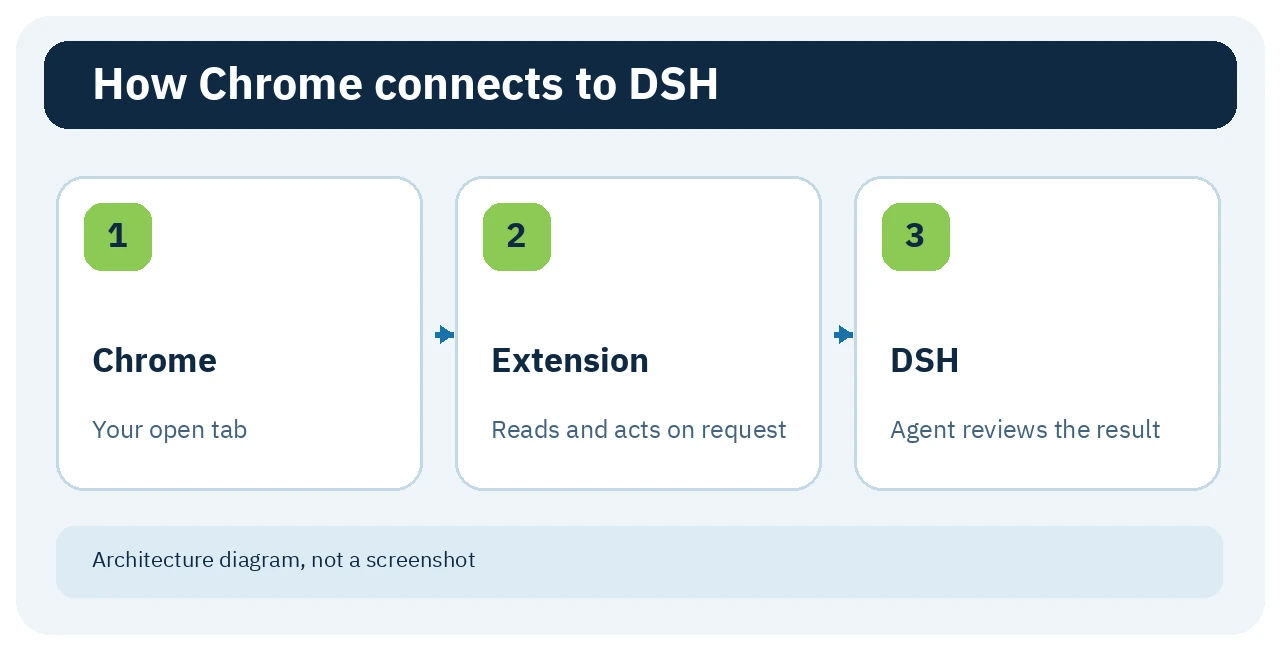
🎯 How does it help you?
Suppose a login page in your own app fails. Open it in Chrome and ask the agent to read the page, then explicitly start request capture before retrying with a test account. The agent can connect what the page shows with the HTTP request and response, instead of asking you to ferry each detail into chat. This helps gather diagnostic evidence; it does not guarantee the right diagnosis or safe data handling. Avoid capturing production accounts or sensitive pages.
🌟 Key features and how to use them
1. Side panel and current-page context
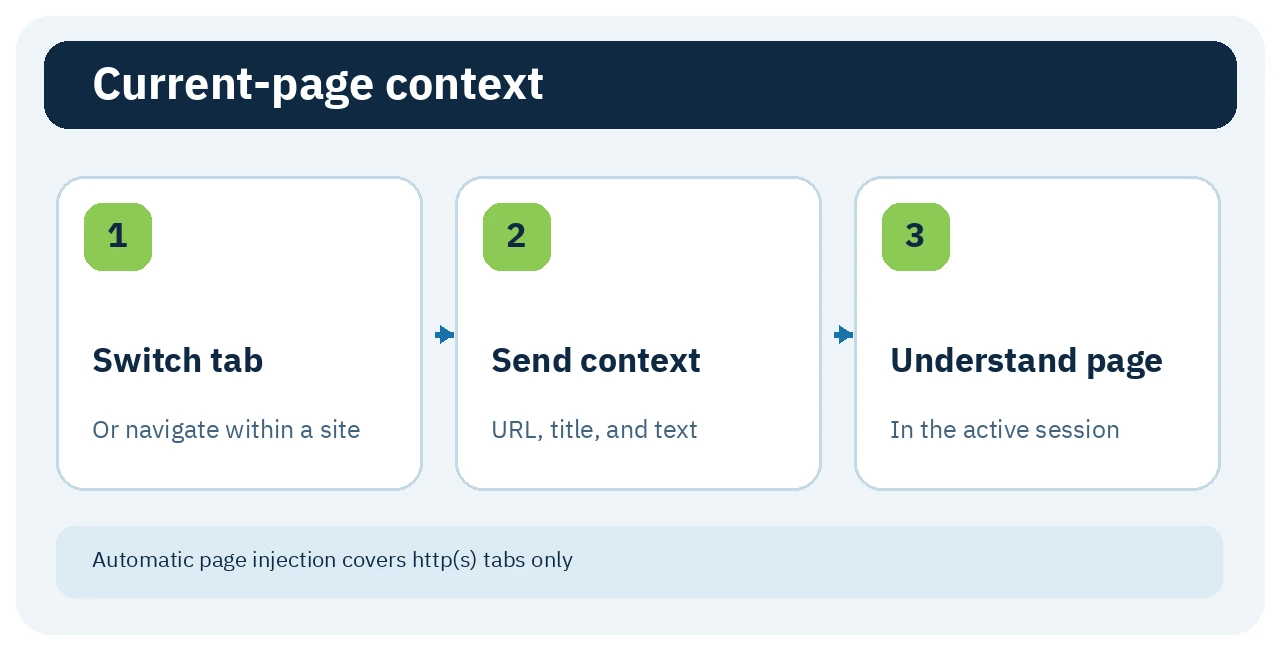
Where: click the dsh-chrome Chrome toolbar icon to open the full dsh web UI in a side panel. Switching an active HTTP(S) tab or navigating it sends its URL, title, and page text to the most recently active DSH session. Single-page-app route changes count; scrolling alone does not. You can also ask for an on-demand page read, which has a smaller limit than the automatic page push.
Value: you do not have to paste the page address and content after every navigation. Caution: visible page text may contain private data and enter a recorded agent session. Automatic injection excludes chrome:// and file:// pages.
2. Capture HTTP requests on demand
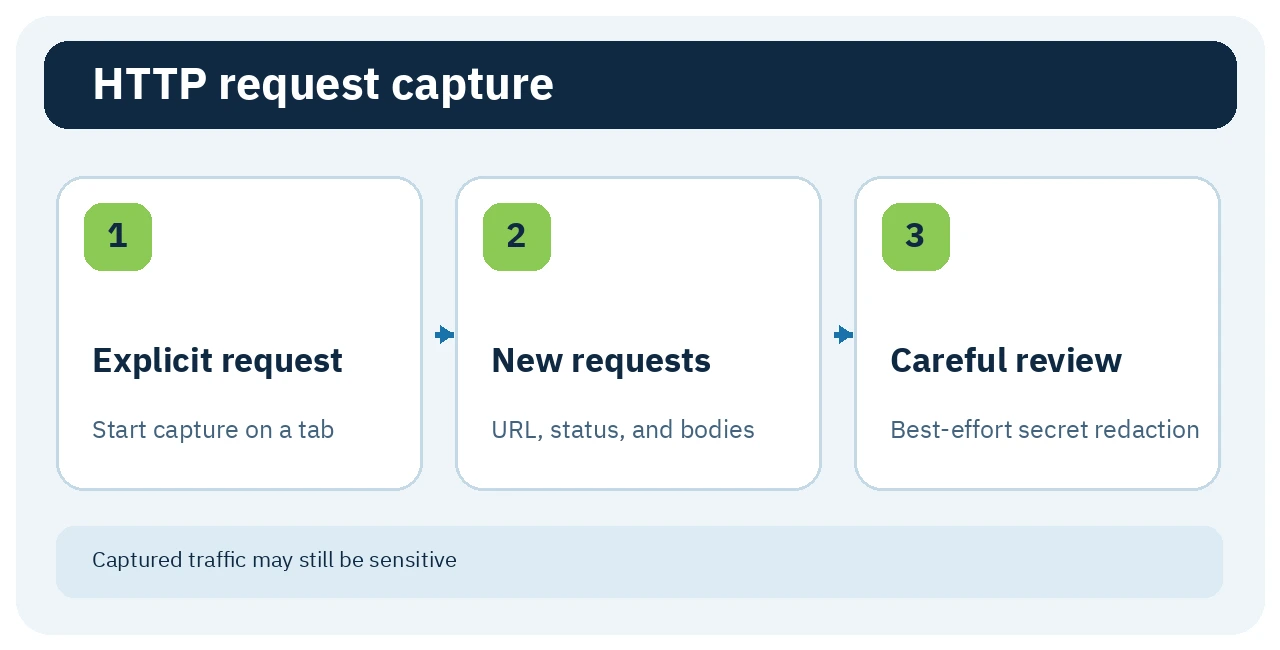
Explicitly ask the agent to capture requests for the current tab, then repeat the action you are debugging. browser_start_capture starts capture on that tab. browser_capture_requests reads subsequent request method, URL, status, and request/response bodies; HTTP headers are not captured. Chrome shows a browser-debugging banner while capture is active, and the side panel offers Stop capture.
Value: inspect a failed request in the DSH session instead of copying each item from DevTools. Caution: default secret redaction is best-effort. Previously captured entries remain after stopping until the tab closes, and another DSH session connected to the same browser may read the buffer. Do not capture real secrets.
3. Navigate and click with an intent gate
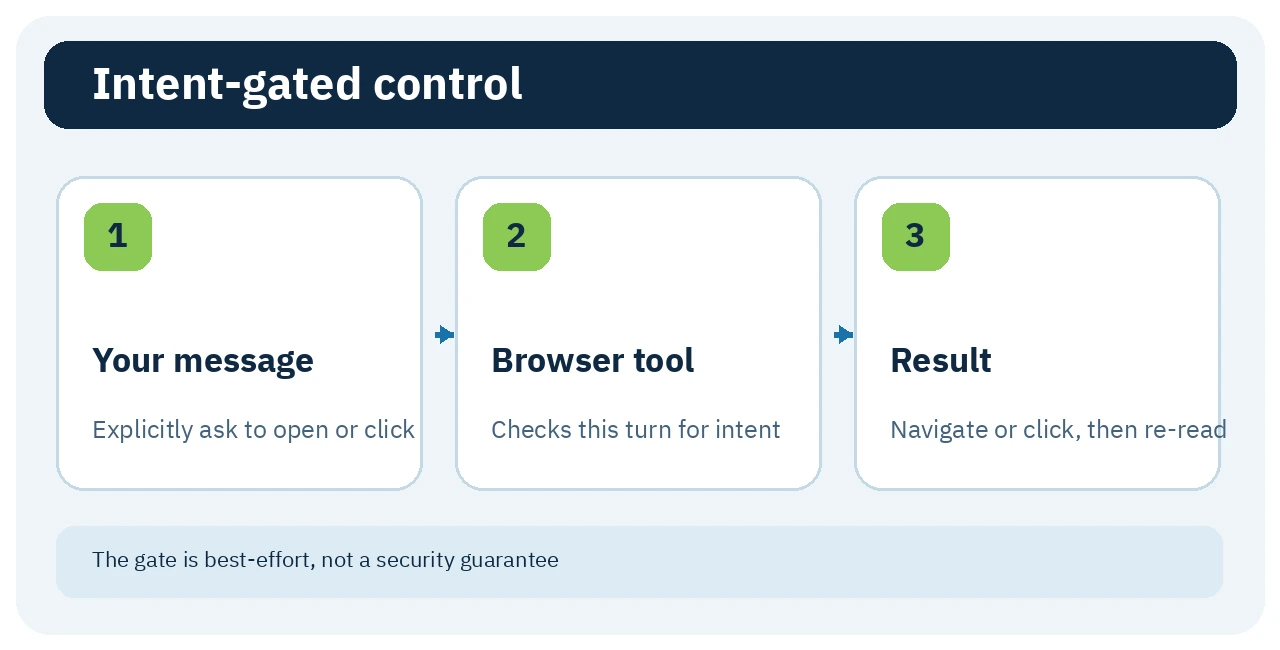
The host exposes tools including browser_navigate, browser_click, and browser_open_tab. Make the current user message explicit, for example: “Open the test page and click Save.” Before a state-changing browser action, the plugin looks for browser-intent wording in your current turn. If it cannot find it, the tool refuses and explains what wording is needed. This is not a separate approval dialog for each click.
Value: the agent can continue UI inspection after your clear request rather than only describing steps for you. Caution: the gate is a best-effort defense, not a security boundary. An uncertain click is not retried automatically; re-read the page to see whether it happened.
🪜 Step-by-step example
Illustrative, not executed: a test checkout page says “Save failed.” Start dsh web, open the page with a test account, and open the side panel. Ask the agent what is visible. Explicitly ask it to start network capture on this tab, then click the button yourself or explicitly instruct the agent to do so. Ask it to read the relevant HTTP status and response, then stop capture. Review the evidence before asking for a code change. Do not use real payment cards or production tokens in this example.
⚖️ Compared with doing it manually
| Manual workflow | With dsh-chrome |
|---|---|
| Paste page URL and text into chat | Active-tab context reaches DSH |
| Copy requests from DevTools | Explicitly capture and read them in the session |
| Navigate and click everything yourself | Agent may act after your clear request |
This describes a workflow difference, not a measured time saving. For one request, DevTools may be simpler and safer.
🚀 Installation and first run
Documented prerequisites for 0.1.3: local dsh web, Chrome 118+, and Node.js 18+ according to package.json. Installation has two independent steps:
dsh plugin --profile web add dsh-chrome
npx dsh-chrome install
The first registers the host plugins in the web DSH profile. The second copies the Chrome extension files to a stable user directory and prints its path. Open chrome://extensions, enable Developer mode, choose Load unpacked, and select that path; click the extension icon to open the panel. Substitute your actual profile name if it is not web. I did not run these commands. Review the package and permissions before running npx or loading an unpacked extension.
After upgrading, rerun npx dsh-chrome install and Reload the extension in chrome://extensions, or the host and extension versions may diverge. For a first check, the panel should show a bridge connection rather than a DSH-not-running warning. To remove both halves, run npx dsh-chrome uninstall, remove the extension in Chrome, and run dsh plugin --profile web remove dsh-chrome.
⚙️ Configuration and compatibility
The default dsh web address is http://127.0.0.1:3080; the panel settings let you change it. The project documents Chrome 118+, not Firefox or Safari support. Page tools operate on the active tab, except listing or opening tabs. Protected Chrome pages such as chrome:// may require launching Chrome with remote debugging port 9222; ordinary HTTP(S) pages do not. Enabling remote debugging expands access, so do not turn it on just because you installed the extension.
💰 Cost and project activity
The code is MIT-licensed. The package does not document its own subscription or paid API requirement, but the model you use through DSH may cost money. The extension-to-DSH bridge is local according to the README; that does not establish that your model runs locally or that page data cannot leave your device through your DSH configuration. On 24 September 2026, both package.json and the Chrome manifest showed 0.1.3, and GitHub displayed 9 stars and 4 forks. These are popularity counters, not security ratings. The changelog documents important security fixes in 0.1.3; the Releases page shows no published release. I could not verify the latest commit date or npm download count.
🔐 Privacy, permissions, and limits
The Manifest V3 extension requests sidePanel, scripting, tabs, activeTab, storage, debugger, and webNavigation, with <all_urls> host access. Those broad permissions fit a browser-control tool, but are a poor match for a browser profile full of accounts you do not want exposed to an agent. Prefer a separate Chrome profile and test accounts when practical.
The README says Cookie and Authorization headers are not captured, and common secret-shaped values in URLs and bodies are redacted by default. This masking is pattern-based and may miss an unusual key name or a secret in a URL path. An earlier version had a bug that forwarded captured traffic without redaction; the 0.1.3 changelog documents its fix, so do not use an older version for this purpose. Capture keeps a rolling last 500 entries; captured bodies and automatically pushed pages are capped at one million characters each. The on-demand page read is about 40,000 visible-text characters and 400 links. The extension's own top bar is Chinese-only for now, while the embedded DSH UI follows DSH's locale.
📚 Sources and verification date
Checked 24 September 2026 against the original README and repository, package.json, permission manifest, 0.1.3 changelog, license, and releases page. Images are original explanatory diagrams based on those sources. I did not test the plugin in a live browser.