Gitleaks
Active and stableRuns locally ✓No paid APIScan Git history and files for API keys, passwords, and tokens before they reach the repository or pull request.
brew install gitleaksIdeal use for this tool
Best for an individual developer or small team that wants a local pre-commit secret scan plus a second CI gate. It is especially useful around deployment configuration and environment files. It does not replace a secret manager or credential revocation after a leak.
Details and illustrated features
You can commit an API key or password to Git without noticing it, remove the line, and assume the problem is gone while the credential remains in repository history. Gitleaks scans Git history, files, and text for embedded credentials. You can run it locally before a commit and in CI on every push or pull request. Its value is turning secret checks from a manual reminder into a repeatable gate. It does not prove that every secret has been found, and it does not revoke a leaked credential for you.
🧭 What is Gitleaks and how does it work?
Gitleaks is an open-source command-line tool written in Go. It applies detection rules to patterns such as API keys, tokens, and passwords, then records context including the file, line, rule, and fingerprint. It can inspect Git history through patches, scan current files and directories, or read text from stdin.
Run it inside a repository and it uses the built-in rules or a custom configuration. A finding normally produces exit code 1, allowing a hook or CI job to stop the workflow. The core CLI scans locally and does not need a cloud service to process the project. Gitleaks-Action runs inside a GitHub runner, uses GITHUB_TOKEN for comments, and can upload a SARIF artifact depending on its settings.
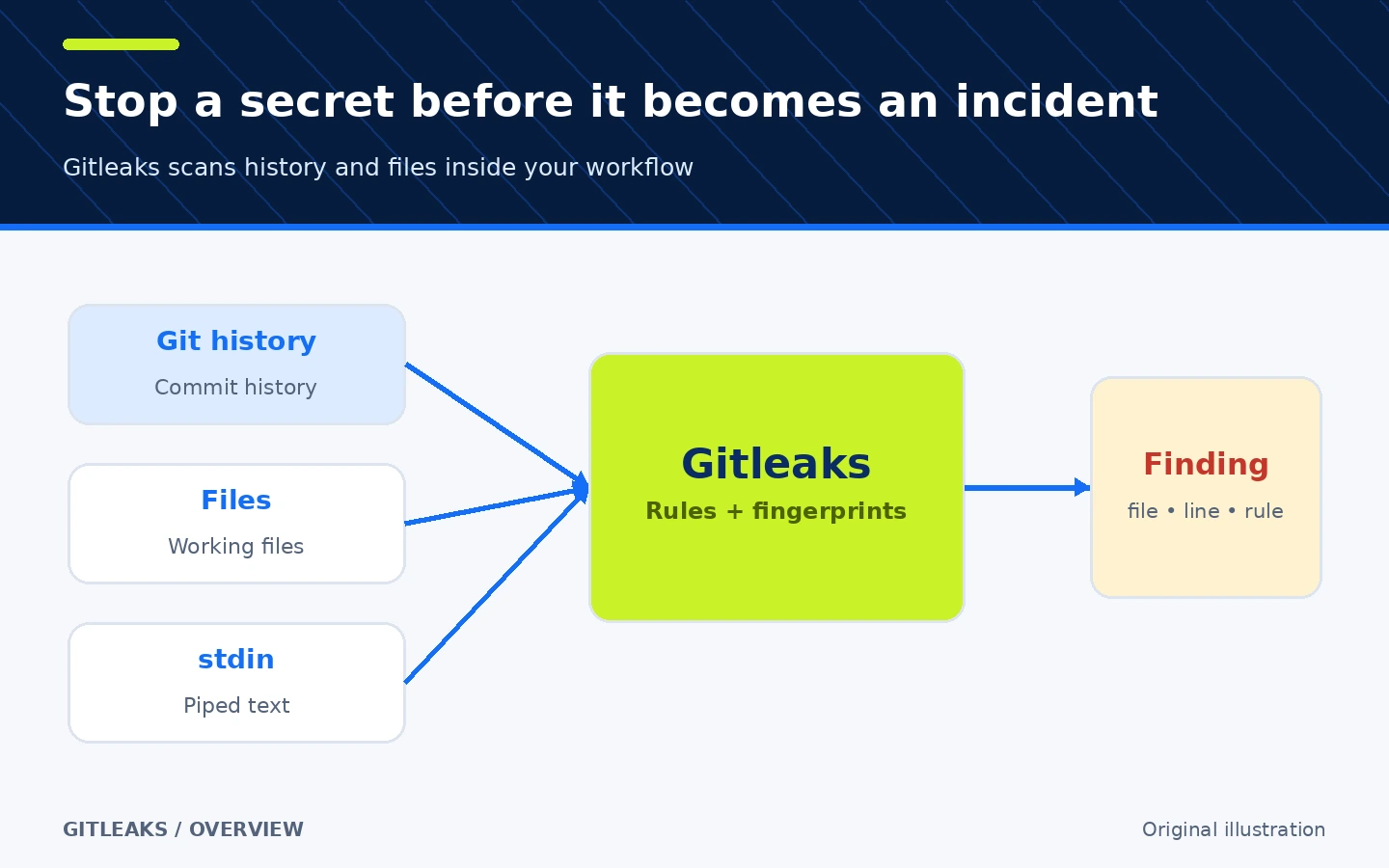
Original workflow illustration, not a Gitleaks interface screenshot.
🎯 How does it help an individual developer or small team?
It is useful when a repository contains service credentials, .env files, deployment settings, or examples where someone might paste a real value. Instead of trusting everyone to remember a manual search before pushing, add a quick local check and repeat it in CI. When a finding appears, the file, line, and rule give you a concrete place to begin the response.
The value is not “100% leak prevention.” Rules can produce false positives and miss unrecognized secret formats. Gitleaks also does not audit permissions, vulnerable dependencies, or general code flaws. It is a specialized secret detector. If you need credential storage and rotation, vulnerability scanning, or a secrets-management platform, use those tools alongside it.
🌟 Key features
1. Three clear scan modes: git, dir, and stdin
Use gitleaks git to inspect Git history. Under the hood, it uses git log -p, and you can narrow the range with log options. Use gitleaks dir for current files or folders, and gitleaks stdin for text piped from another tool.
- Where: the primary CLI commands.
- How: choose
gitfor history,dirfor a working tree or artifact, andstdinfor a pipeline. - Illustrative example:
gitleaks git --redact .scans the current repository while redacting secret values in log output. - Important:
detectandprotecthave been deprecated since v8.19.0, although they remain hidden for compatibility. Do not build new instructions around them.
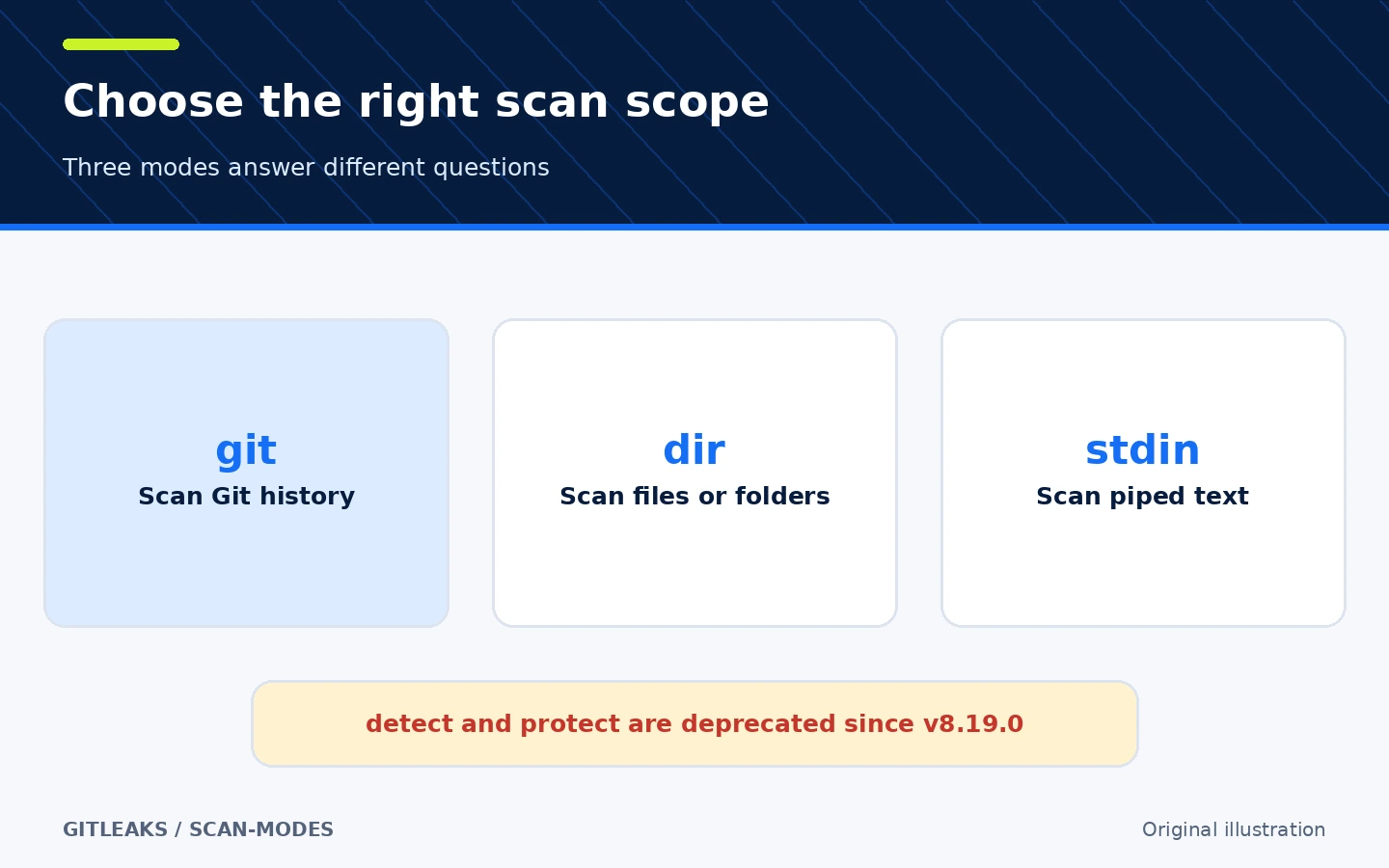
The diagram summarizes documented scopes; one mode does not cover every case.
2. A pre-commit check followed by a second CI gate
The repository documents a pre-commit hook that fails a commit when it finds a result. Gitleaks-Action can scan pushes, pull requests, scheduled runs, or manual runs on GitHub. The two layers matter: the local hook gives early feedback, while CI covers contributors who did not install or deliberately skipped it.
- Where:
.pre-commit-config.yamllocally and a workflow in.github/workflows/. - How: pin a version, test it on a sample repository, then use
fetch-depth: 0in CI when full history is needed. - Illustrative example: a test credential blocks the local commit; if the hook is skipped, the pull-request job blocks the merge path.
- Limit: local hooks can be bypassed. The official GitHub Action requires a free license key for organization-owned repositories, while personal accounts do not. The current workflow version is
gitleaks/gitleaks-action@v3; v2 stopped working on GitHub-hosted runners after Node 20 was removed on September 16, 2026.
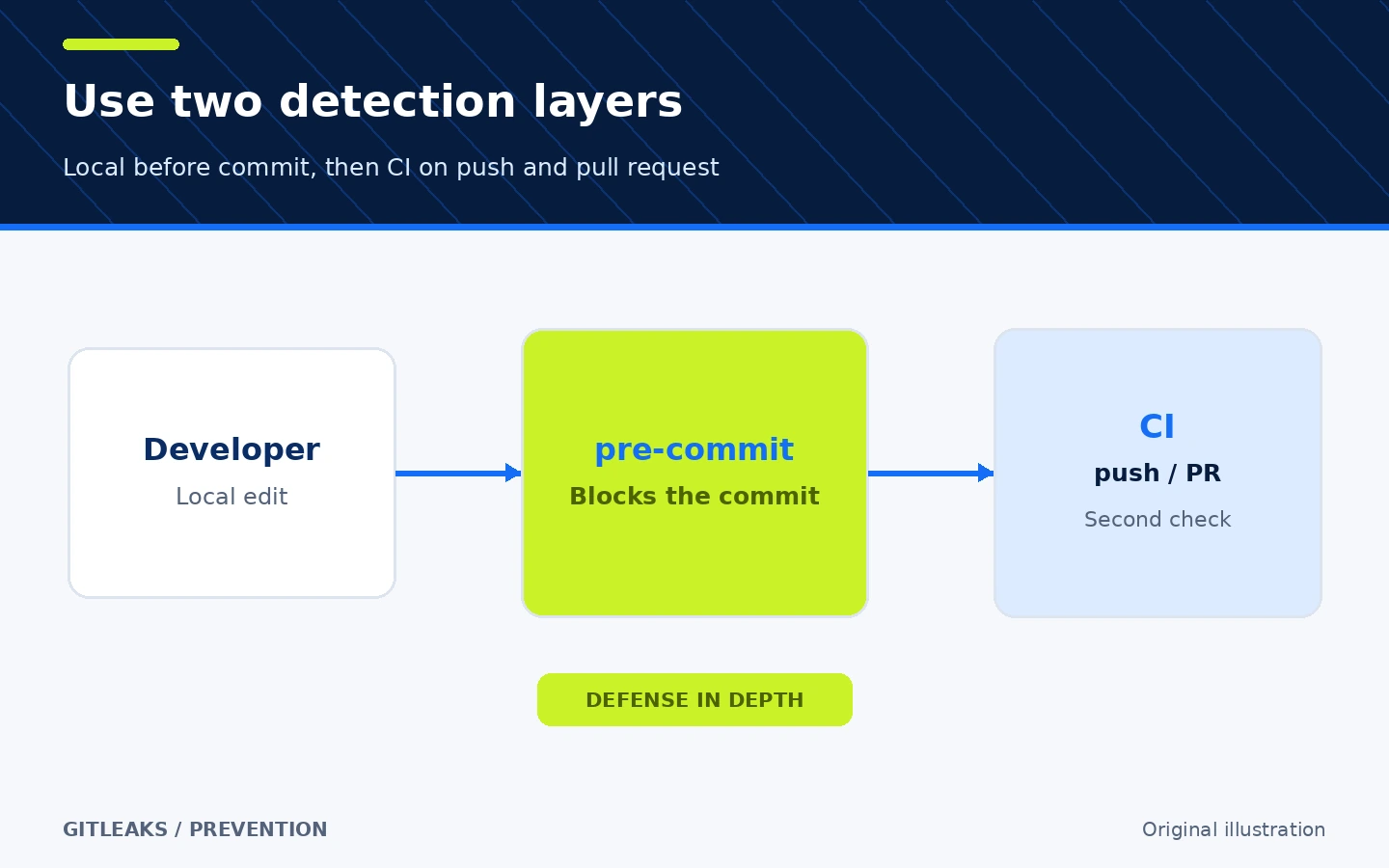
Defense-in-depth illustration; CI does not rotate the secret or prevent every leak path.
3. Custom rules and traceable findings
Without a supplied configuration, Gitleaks uses its default rules. A .gitleaks.toml file can extend those defaults with [extend] useDefault = true, or --config can load a specific file. You can disable a rule or add a rule for credentials unique to your systems.
Each finding has a fingerprint that can be placed in .gitleaksignore to suppress a specific result. A gitleaks:allow comment can mark a known test value. Keep every exception narrow and explain why it is safe. The README labels .gitleaksignore experimental and subject to change.
Reports support json, csv, junit, and sarif, plus custom templates. Use --redact to hide secret values in stdout and logs. Still treat report files as sensitive because matched lines or report fields can reveal credential material.
4. A baseline for gradual adoption in older repositories
An older repository may have many known findings, making an immediate clean gate impractical. Save an earlier report and pass it through --baseline-path; the next report then contains findings not present in that baseline.
- Where: the
--report-pathand--baseline-pathoptions. - How: create a report, review each finding, revoke real credentials first, and use the baseline temporarily to block new findings.
- Illustrative example: three old findings remain in a remediation queue while CI blocks a fourth one from being introduced.
- Critical limit: a baseline does not delete or revoke a credential. It is only a comparison mechanism. Do not publish a report that may contain secrets.
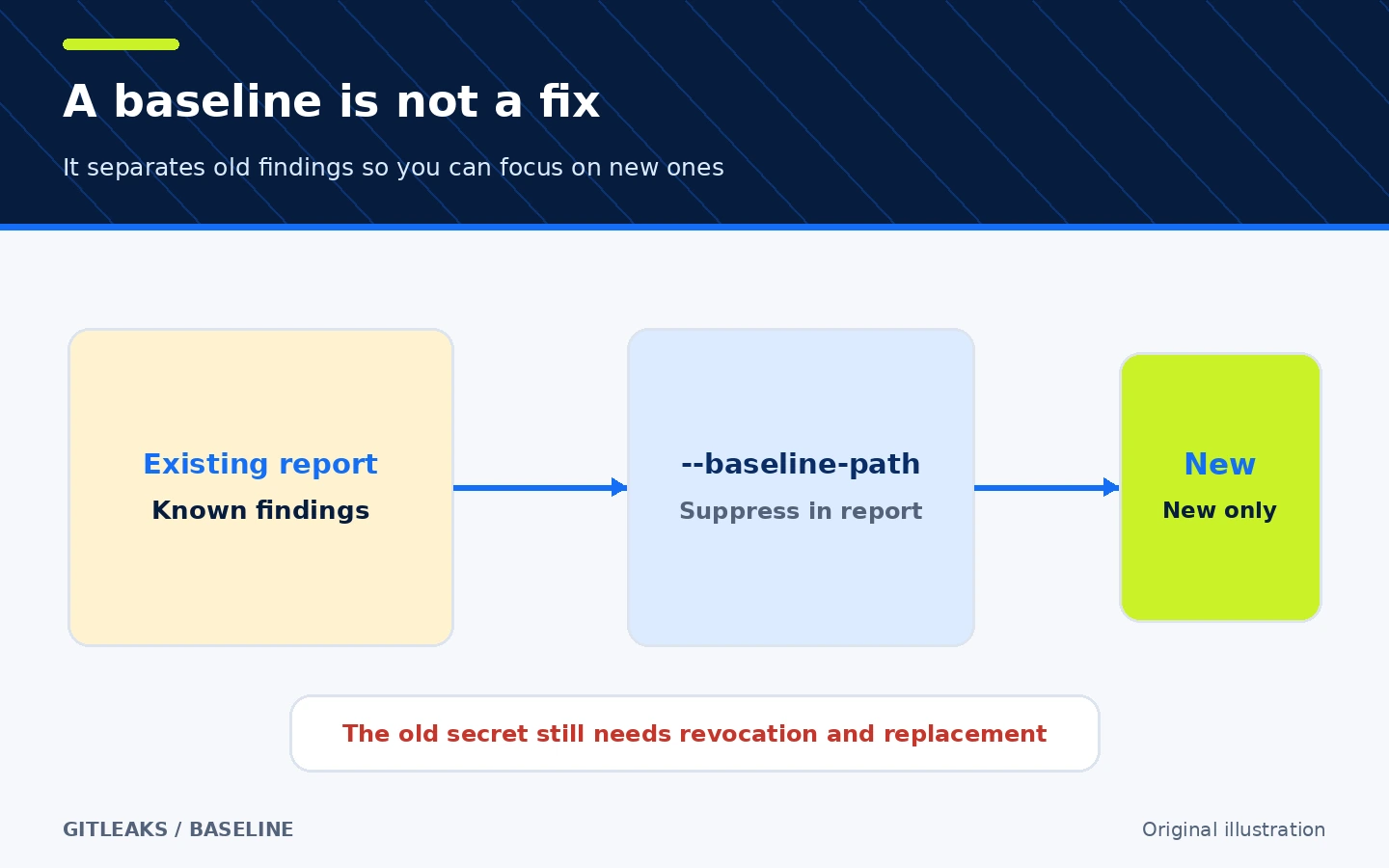
The diagram shows the effect on reporting, not on credential validity.
🪜 Practical example: add secret scanning to a small repository
Illustrative workflow; I did not run it on a real repository. After installing Gitleaks, use a non-production working copy:
- Confirm the version with
gitleaks version. - Scan repository history locally with redaction:
gitleaks git --redact .. - For a real finding, do not merely remove the line. Revoke the credential at the provider, issue a replacement, and move the value to an appropriate secret manager or environment variable.
- Check whether the value remains in Git history and decide whether policy requires history rewriting. That rewrite can disrupt collaborators and needs coordination.
- Run the scan again. Exit code
0means no findings;1means a finding or an error, so inspect the output rather than relying on the number alone. - Add the local hook and then CI. Pin versions instead of using
latestin a security-sensitive path. - Review suppressions in every pull request. If you add a baseline, create a plan to remove the old findings rather than keeping them indefinitely.
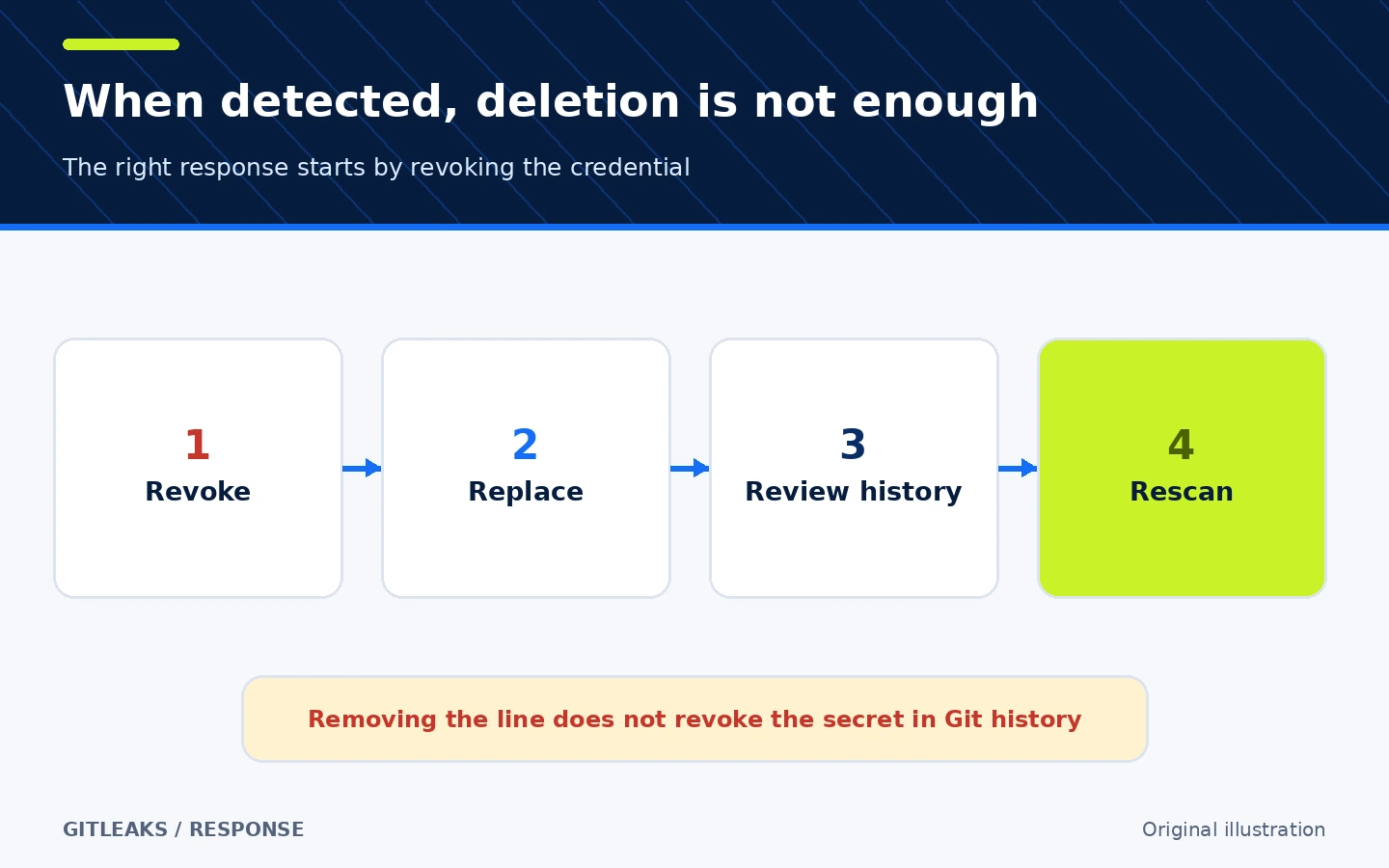
Removing a line does not revoke the credential at its provider or automatically remove it from Git history.
⚖️ What changes compared with manual checking?
| Manual process | With Gitleaks |
|---|---|
Search words such as password and miss other formats | Built-in rules cover multiple credential patterns |
| Scan only when someone remembers | Hooks and CI repeat the check |
| Struggle to separate old and new results | Baselines and fingerprints support comparison |
| Produce unstructured notes | JSON, CSV, JUnit, and SARIF are machine-readable |
| Treat deleting the line as the fix | The response workflow emphasizes revocation, replacement, and history review |
The tool reduces dependence on memory. It does not replace secrets management, key rotation, or repository review.
⚙️ Configuration that matters
Begin with the defaults. Add .gitleaks.toml only for a specific internal rule or narrow exception, and prefer extending the default configuration rather than replacing it accidentally. Configuration precedence is --config, GITLEAKS_CONFIG, GITLEAKS_CONFIG_TOML, then .gitleaks.toml in the target.
Archive traversal and recursive decoding are disabled by default. Control them with --max-archive-depth and --max-decode-depth. Large values expand the work and resource use, so match them to the repository. Use --max-target-megabytes for large files and --timeout when CI must end predictably.
🚀 Installation and compatibility
The documented Homebrew installation for macOS is:
brew install gitleaks
gitleaks version
The project also publishes official Docker images, source-build instructions for Go users, and release binaries for multiple systems and architectures. The stable release verified here is v8.30.1, published on March 21, 2026. Release assets include macOS, Linux, and Windows builds across x64 and ARM variants as applicable.
🔗 Integrations and platforms
The CLI works locally across platforms and integrates with Git, pre-commit, and Docker. Gitleaks-Action is the official GitHub integration. Other CI systems can consume the exit code or JUnit, SARIF, or JSON reports, but that does not imply an official plugin for every service.
Gitleaks-Action v3 uses GITHUB_TOKEN to call the GitHub API and comment on pull requests. According to its README, uploading a SARIF artifact is enabled by default and can be disabled with GITLEAKS_ENABLE_UPLOAD_ARTIFACT=false. Review the report content and retention policy before upload.
💰 Cost and local operation
The core CLI is open source under the MIT license and needs no account or paid API. It can scan locally. CI cost depends on your runner and GitHub plan. Gitleaks-Action has a separate license from v2.0.0 onward: personal repositories do not require a key, while organization-owned repositories require a free license key requested from the Gitleaks site with name, email, and company details. Do not confuse the CLI license with the Action terms.
⚠️ Limits and when not to use it alone
- Rule-based detection can miss unknown formats and produce false positives.
- Exit code
1means either a finding or an error; inspect the log. - Git scanning operates on patches and differs from current-file scanning.
- Archive scanning and decoding are disabled by default.
- Removing a secret from the latest commit does not revoke it or erase history.
- The project says it is feature complete and future releases will be security patches while focus shifts to Betterleaks. It remains usable, but this matters if you need rapid feature development.
- Gitleaks is not a secret manager, dependency scanner, general SAST suite, or branch-protection policy.
🔐 Security, permissions, and privacy
The CLI needs read access to the files and Git history you choose, plus write access when you request a report. It needs no credential for local scanning. Do not place live keys in shell commands that may enter history, and do not share a report before sanitizing it.
Gitleaks-Action uses GITHUB_TOKEN, can comment on pull requests, and may upload an artifact. Organization-owned repositories also need GITLEAKS_LICENSE stored as an encrypted secret. Give the workflow the smallest practical permissions, pin a trusted Action version or commit, and review custom rules and suppressions as code.
For a real credential: revoke it first, replace it, inspect its usage and repository history, then rescan. Rewriting Git history is a separate, disruptive operation that may require coordination and backups; do not automate it merely because a finding appears.
🔎 Why this tool today?
I compared Gitleaks for secret-leak prevention with Lychee for documentation quality and broken-link checking. Lychee is a useful open-source tool for documentation sites, but Gitleaks closes a clearer security gap after the recent goose AI-agent card and adds a control that an individual or small team can apply immediately. Stars were not the deciding factor; the choice rests on a focused job, local execution, pre-commit and CI integration, and mature documentation with visible limitations.
At verification time, GitHub reported 30,309 stars and 2,314 forks for Gitleaks, with the latest push on October 23, 2026. The Lychee repository showed roughly 4.0k stars and 240 forks, with local and GitHub Action link checking. These are time-sensitive popularity counts, not quality or security ratings.
📚 Sources and verification date
Verified on October 25, 2026 using the original repository and README, v8.30.1 release, MIT license, Gitleaks-Action v3 and its terms, and the Gitleaks site. Discovery and comparison included GitHub's secret-scanning topic plus related Claude Skills and DSH Market results; product claims were then checked against first-party sources. I also reviewed Lychee and its documentation.
I did not install Gitleaks, run the example against a real repository, audit the source code, or independently test network behavior. Version, activity, and repository counts are a snapshot at verification time.