marimo
Active and stableRuns locally ✓No paid APIA reactive Python notebook that keeps cells consistent and stays reviewable as a script or app.
pip install marimoIdeal use for this tool
Ideal for a data analyst, Python developer, or small team that wants reproducible experiments, clear Git review, and an interactive report or internal tool from the same source. It is not a replacement for governed BI or a production service requiring enterprise scaling and permissions.
Details and illustrated features
Run analysis cells in a different order and the output may look correct while depending on stale, hidden state. marimo addresses that problem with a reactive Python notebook that builds dependencies among cells, reruns affected work or marks it stale, and stores the notebook as an ordinary Python file that Git can review. Its practical value is not just a nicer notebook: the same source can be edited as an experiment, executed as a script, or served as an interactive web app.
🧭 What is marimo, and how will you use it?
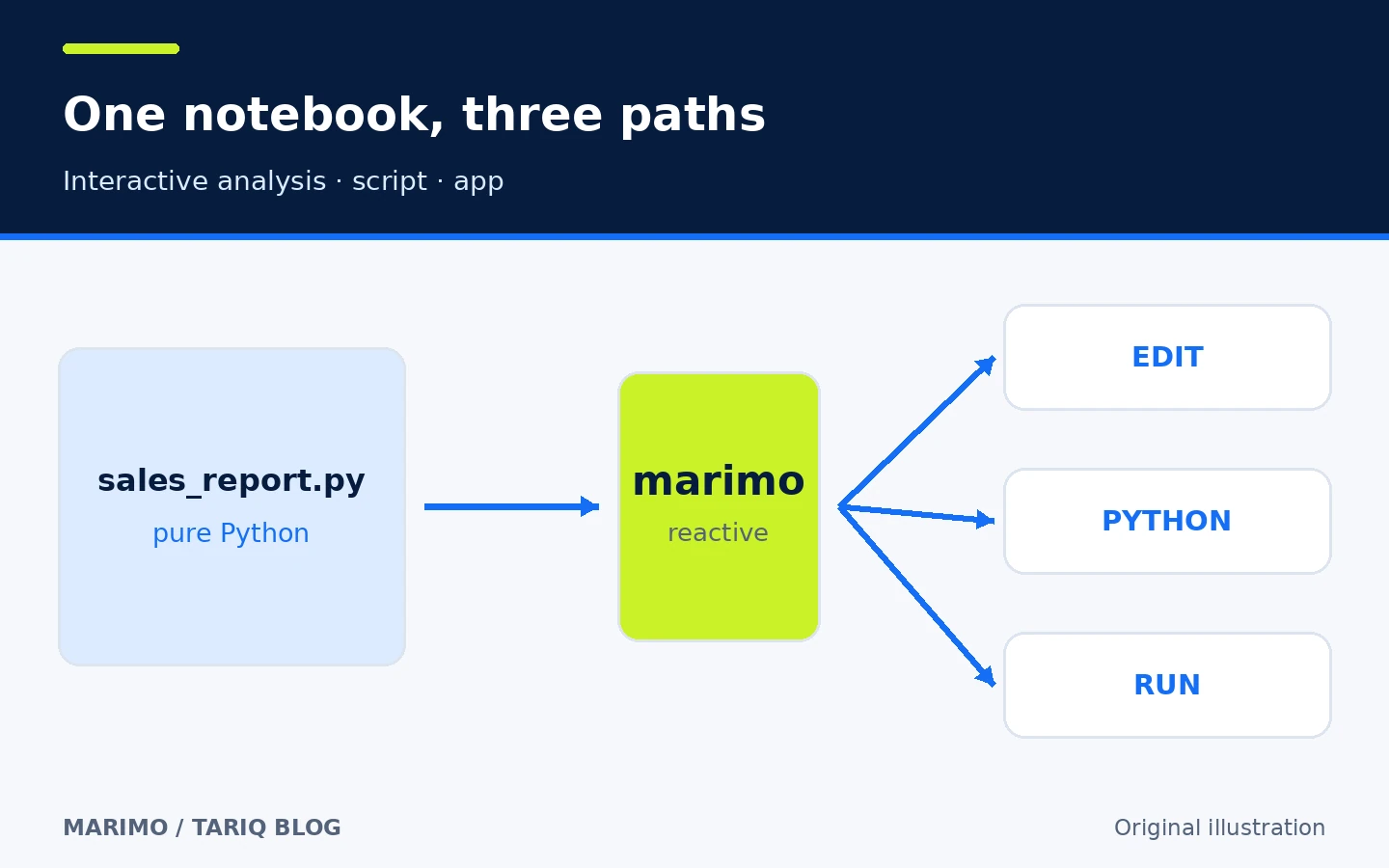
marimo is an open-source editor and runtime for interactive Python notebooks. You write Python or SQL cells and add controls such as dropdowns, sliders, and tables. marimo statically analyzes variable names to build a directed dependency graph. When a cell changes, the default interactive runtime runs only its descendants; lazy mode can mark them stale instead.
The notebook is stored in a readable .py file rather than a JSON document full of output and editing state. You can open it in the marimo editor, execute it with Python, or serve it as a web app whose Python source is hidden from browser visitors by default:
marimo edit sales_report.py
python sales_report.py
marimo run sales_report.py
marimo does not discover your project logic automatically or turn every analysis into a production app without review. You write the code and select the data and dependencies; marimo organizes execution and interaction around them.
🎯 Ideal use and added value
marimo fits a data analyst, Python developer, researcher, or small team that wants reproducible experiments and interactive internal reports without separating the notebook from the code. Use it for exploring a CSV, querying a database with SQL, building a lightweight dashboard, or sharing a Python-based internal tool.
Do not migrate merely because an existing Jupyter notebook is stable when you do not need reactivity or Git review; conversion and learning have a cost. It is also not a complete replacement for governed business intelligence with layered permissions, or for a web service that needs independent backend engineering, scaling, and operational testing.
The added value is closing three common gaps: inconsistent notebook state, noisy notebook review, and rewriting an analysis as a separate app. Success still depends on clear cell design, reliable data sources, and your tests.
⚡ Feature one: dependency-driven reactive execution
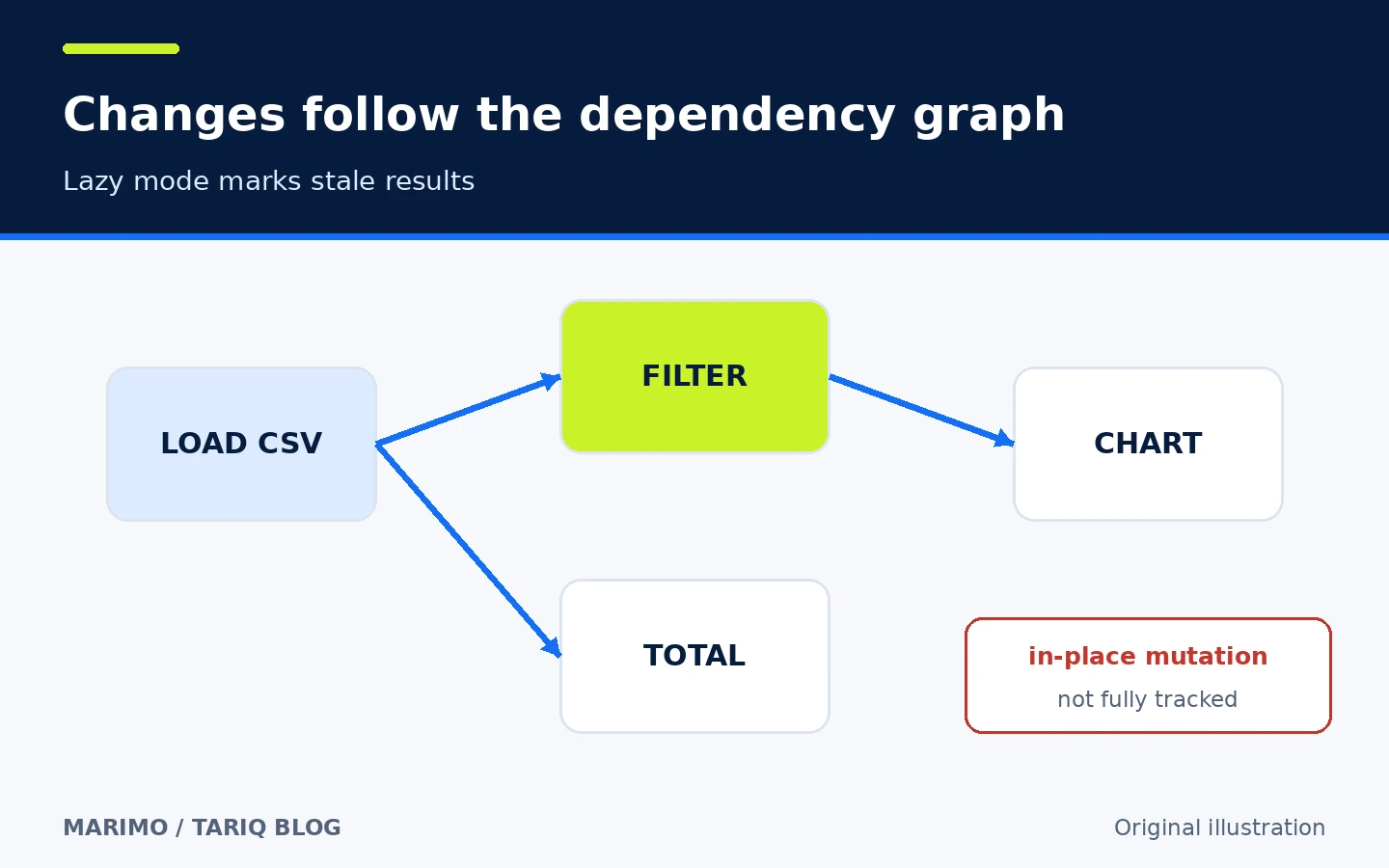
marimo statically examines the code to learn which cell defines a variable and which cells consume it. If the loading cell changes, dependent cells run in deterministic order. Deleting a cell removes its variables from program memory instead of leaving hidden state behind.
For expensive analysis, lazy execution marks descendants stale instead of running them immediately. You get an explicit warning that outputs are out of sync, but computation still costs time when you choose to refresh them.
There is an important boundary: the documentation says marimo does not track every in-place mutation to an existing object or attribute assignment as it tracks variable definitions. Prefer explicit data flow that reassigns results, and do not assume that every list or DataFrame mutation automatically creates a new dependency.
🐍 Feature two: pure Python for Git and execution
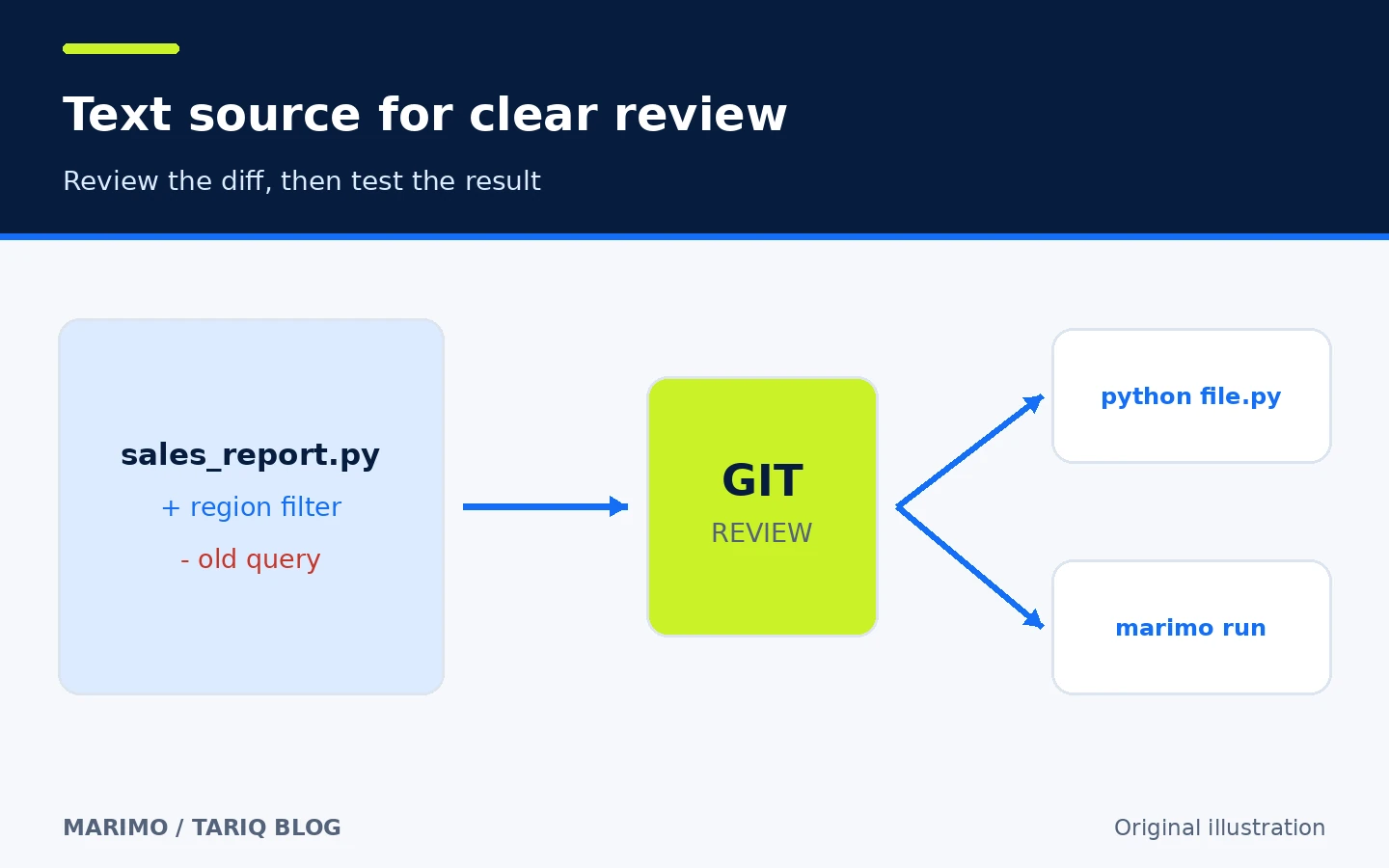
A marimo notebook is text-based Python. That makes Git diffs easier to read than notebook files containing rich metadata and outputs, and lets a function or query be reviewed as normal code. You can import functions from another notebook, test the code, and use your usual editor alongside marimo's interface.
python sales_report.py executes the notebook as a script, while marimo run serves it as an interactive app. This does not guarantee that every diff is small: moving cells or formatting changes can still be broad. Review both the source and the rendered result when presentation is part of the decision.
🗃️ Feature three: data, SQL and controls in one flow
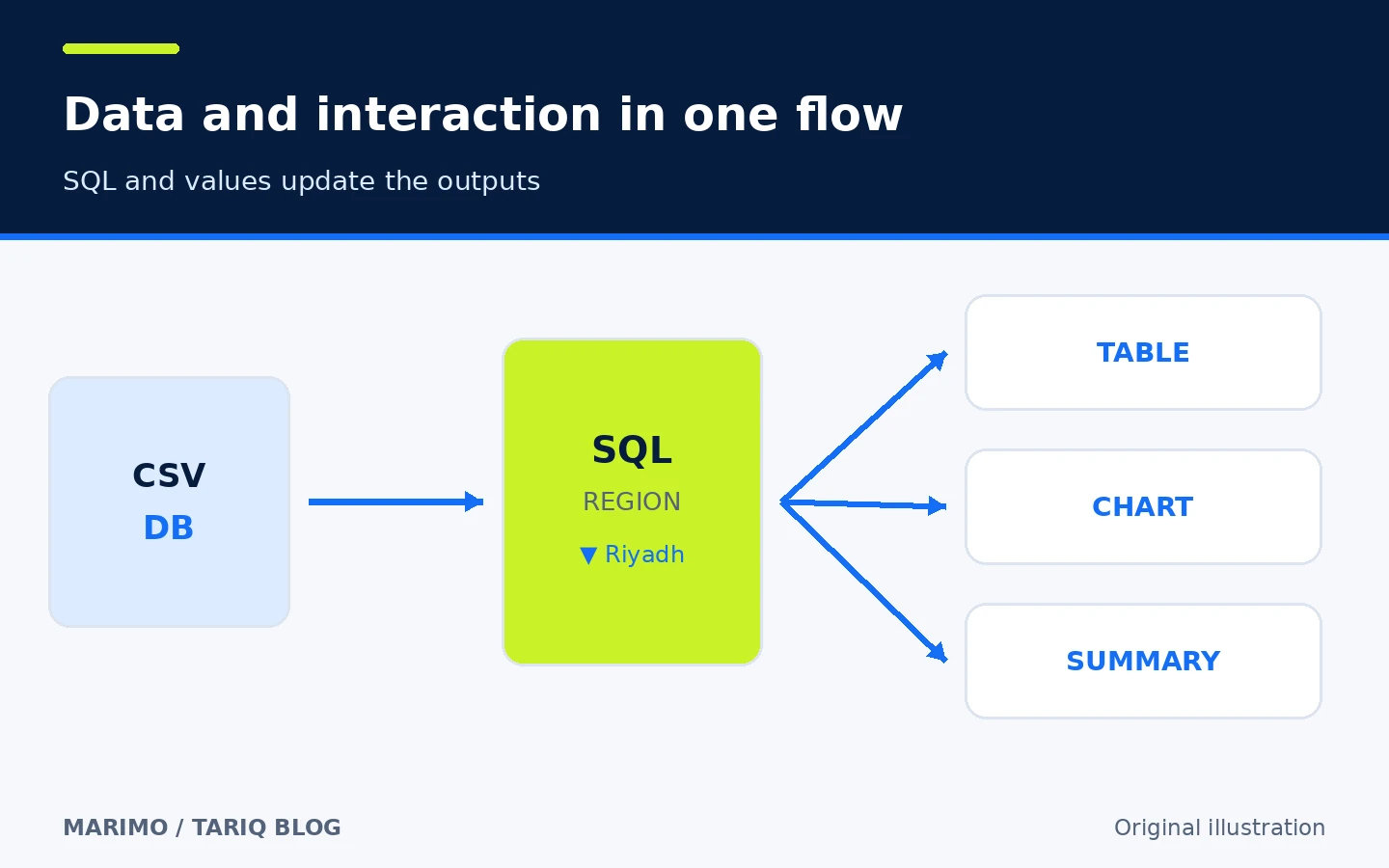
marimo offers SQL cells, an interactive DataFrame viewer, and UI elements bound to Python values. A sales notebook can load data, select a region from a dropdown, and update the dependent table, chart, and summary. You do not need separate callbacks for every control when value relationships are clear in the dependency graph.
The base installation does not include every optional dependency. The official docs recommend marimo[recommended] to unlock additions including SQL, AI completion, plotting, and export. That adds dependencies, so install what your project needs and keep a lockfile for a team environment.
📦 Feature four: inline dependencies and package sandboxes
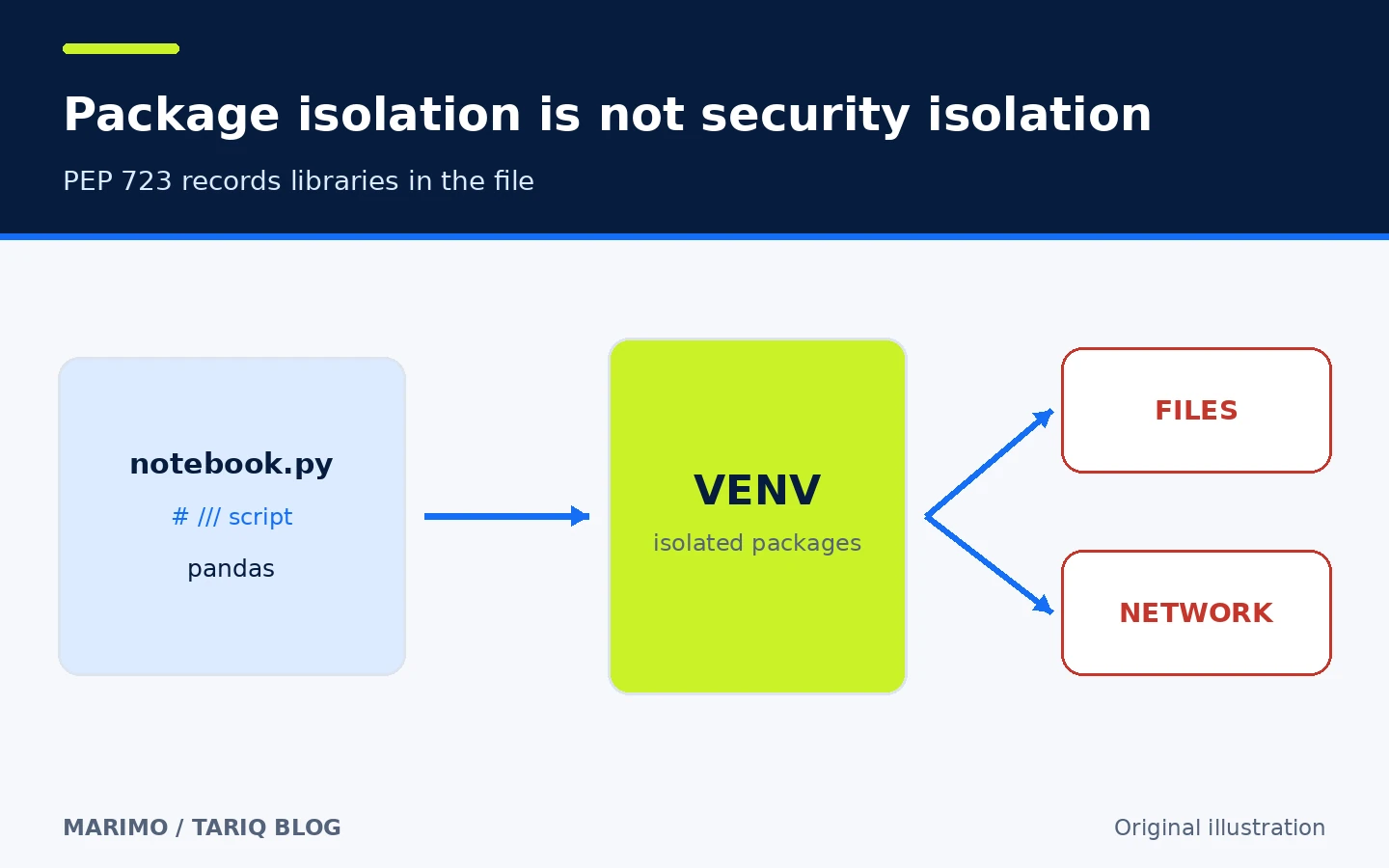
Sandbox mode can create an isolated package environment and serialize PEP 723 dependencies inside the notebook. A documented quick-start command is:
uvx marimo edit --sandbox notebook.py
This is useful when a shared file should describe its libraries instead of relying on separate setup notes. It is not a security sandbox: isolation applies to packages and does not block the notebook from reading user files or using the network with the process's permissions. The docs also explain that the lockfile is separate; when exact rebuilding matters, store and review that lockfile with the source.
🪜 Practical example: a small interactive sales report
Suppose you have sales.csv and want a report that a teammate can filter:
- Install marimo and run the intro tutorial to confirm the command is available.
- Create the file with
marimo edit sales_report.py. - Add a cell that imports pandas or Polars and reads the file from a known path.
- Add a region dropdown and make the filtering cell depend on its value.
- Calculate total revenue and top products, then render an appropriate chart.
- Change the region, visually confirm dependent results update, and test an empty-data case.
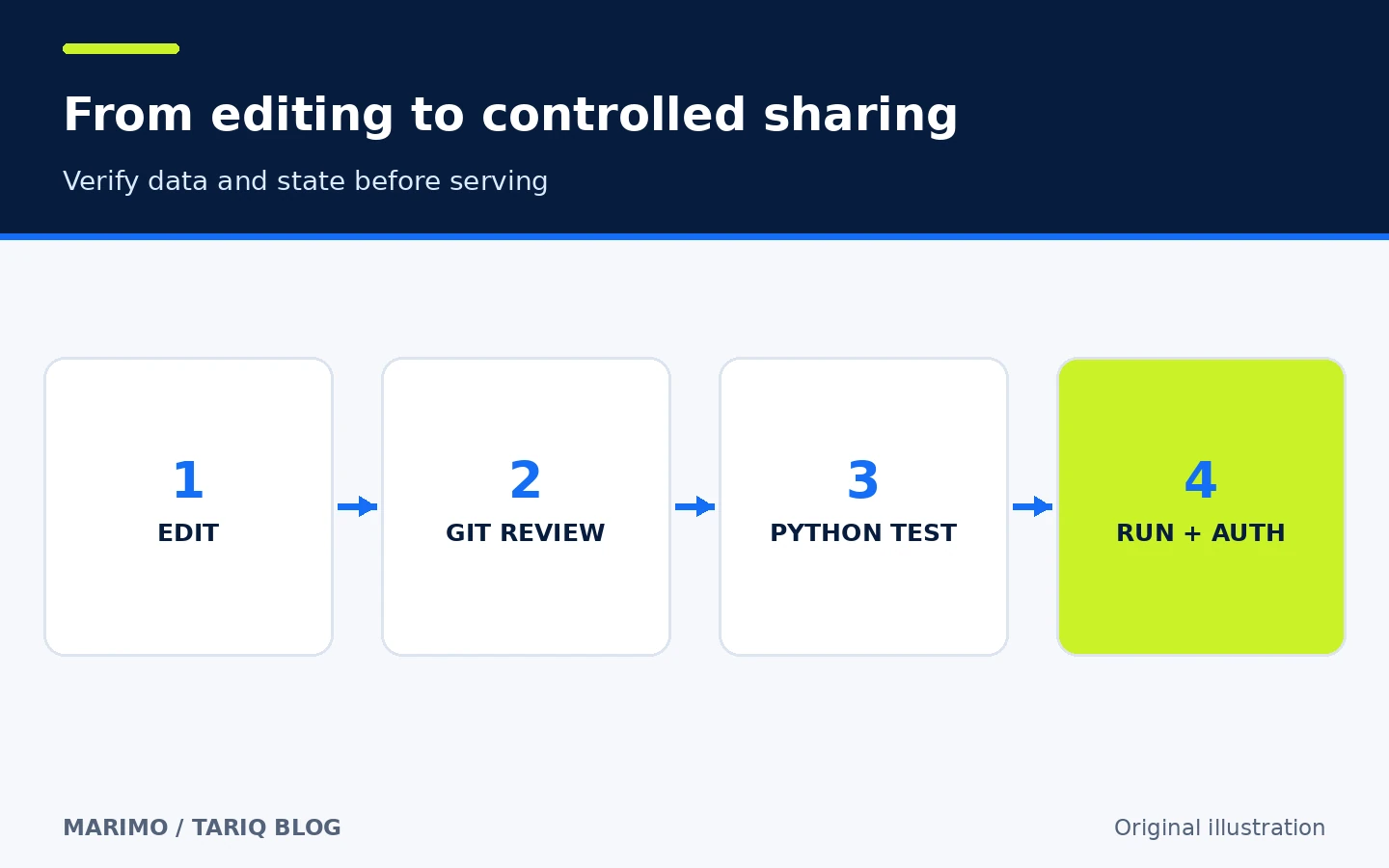
- Save the file, review its Git diff, and run it as a script to check non-interactive execution.
- Share it internally with
marimo run sales_report.pybehind authentication and HTTPS when access is networked.
This is an educational workflow that we did not execute in the site's environment. It is not a benchmark or a guarantee for a particular CSV. Check column types, encoding, missing values, and real data volume.
⚖️ Compared with manual work or a traditional notebook
| Task | Traditional notebook or manual workflow | With marimo |
|---|---|---|
| Update a result after an input change | Remember which cells to run and in what order | Dependencies identify descendants or mark them stale |
| Review a change | File may contain output and extensive metadata | Source is a text Python file that is easier to review |
| Turn analysis into an internal tool | Rebuild the interface and execution path | Serve the notebook itself as a web app |
| Manage packages | Separate instructions or manual environment | Optional PEP 723 and package sandbox support |
| Freely control execution order | Possible, but can create hidden state | Variable relationships determine order |
| Enterprise multi-user governance | Specialized products may provide it | Requires deployment, authentication and governance around marimo |
marimo does not make Jupyter wrong. Choose it when reproducibility, Git review, and an interactive app are genuine goals; keep the current tool when migration offers no clear return.
🚀 Installation and compatibility
The simplest documented installation is:
pip install marimo
marimo tutorial intro
Install the recommended extras with pip install "marimo[recommended]". The checked project metadata requires Python 3.10 or newer and describes the package as operating-system independent. Official paths also cover uv, pixi, and conda, plus VS Code/Cursor and PyCharm integrations. This directory entry records only universal, because the core is Python-based and does not require a particular coding agent.
The latest stable release we verified is 0.25.2, dated 19 October 2026. GitHub displayed about 23.4k stars and 1.4k forks at inspection, and the latest visible main-branch commit was dated 30 October 2026. Those are time-specific observations, not quality scores.
💰 Cost, local operation, and optional AI
The repository uses the Apache-2.0 license. The editor, script execution, and local app do not require a subscription or paid API. molab is a separate cloud service, but it is not required for the core workflow.
AI features are optional. The docs allow your own provider keys or local models through Ollama and OpenAI-compatible endpoints. Enabling a cloud assistant may send code or context to your selected provider under its settings. The in-editor assistant can use variable values and DataFrame or database schemas as context. Separate sensitive data and choose a local model or disable AI when that sharing is unacceptable.
🔐 Privacy, permissions, and security
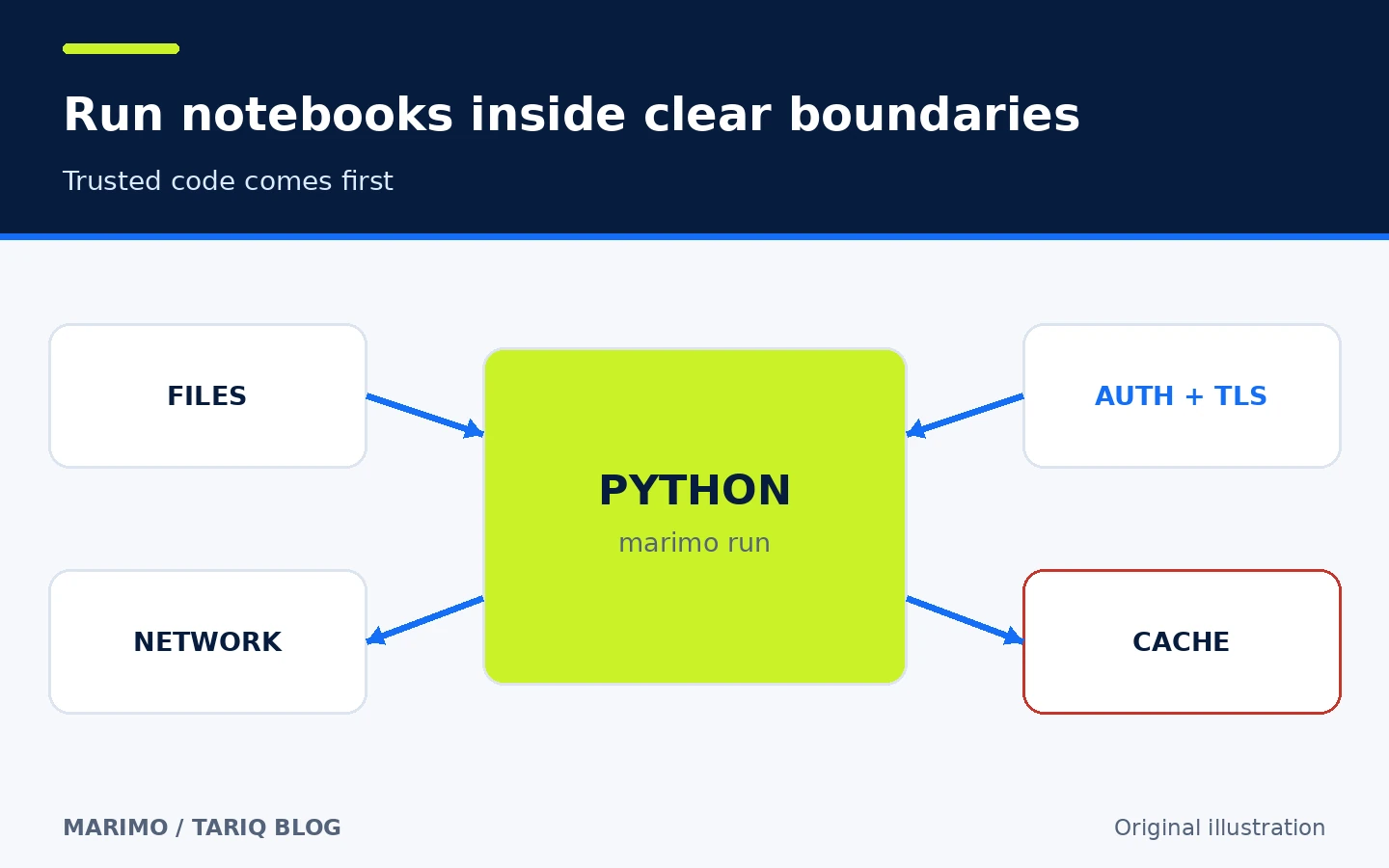
A marimo notebook is a Python program running with the user's permissions. Open and run only trusted notebooks, especially because the docs say marimo run always autoruns the app. Package sandbox mode does not isolate files or the network.
For remote deployment:
- Bind to
127.0.0.1behind a reverse proxy when that fits the architecture. - Add appropriate authentication and HTTPS; secure-cookie behavior is not automatically correct for every deployment.
- Do not treat browser-side source hiding as a server security boundary.
- Review directories from which notebooks can be opened; newly created files in a watched folder may become openable and executable.
- Treat shared caches carefully: the default storage path may use pickle, and loading an untrusted cache can execute code. Signing and verification are optional and do not protect every loader automatically.
⚠️ Limits and when not to use it
- Static analysis does not track every in-place mutation or attribute assignment; keep data flow explicit.
- Expensive cells may rerun automatically in interactive mode; use lazy mode or disable a cell while editing, while remembering that a run app autoruns.
.ipynbconversion exists but cannot guarantee every widget, side effect, or implicit order survives without review.- Recommended extras add dependencies; do not install them automatically in production without locking and review.
- A notebook app is not automatically a scalable, observable production service architecture.
- Real-time collaboration, user management, and enterprise policy are not automatic outcomes of running the open-source package locally.
- We did not install marimo, execute the example, benchmark it, or conduct an independent security audit.
📚 Sources and verification date
Verified on 31 October 2026 using upstream sources:
- Official marimo repository — description, activity, license, stars, and forks.
- Release 0.25.2 — version, date, and changes.
- Official installation guide — pip, uv, pixi, conda, and recommended extras.
- Reactivity guide — dependency graph, lazy execution, and mutation boundaries.
- Apps and scripts — editing and execution modes.
- Package management and sandbox — PEP 723 and isolation limits.
- Security-related configuration and Nginx deployment guide — authentication, HTTPS, and binding.
- Cache documentation — pickle, signing, and untrusted-source risks.
For comparison, we reviewed SOPS 3.13.3 in its official repository and documentation: a security tool for encrypted secrets files, licensed under MPL-2.0 and supporting multiple key providers. We selected marimo because it adds the data and lightweight-runtime domain after a documentation card, while SOPS overlaps security recently represented by Gitleaks. GitHub Topics/Trending, publisher indexes, claudeskills.info, and dshmarket.com were used for discovery only; published product facts came from the upstream sources above.