ntfy
Active and stableRuns locally ✓No paid APISend alerts from any script to a phone or browser with one HTTP request, using the hosted service or your own ntfy server.
docker run -p 80:80 -it binwiederhier/ntfy serveIdeal use for this tool
Best for an individual developer or small team that wants backup, deployment, and scheduled-job alerts without building a notification app. It starts with one HTTP request and can be self-hosted with users and ACLs. It is not a complete incident-management or log-retention system.
Details and illustrated features
When a backup finishes, a deployment fails, or a nightly script stops, you may not notice until you open a log. ntfy turns a simple HTTP request into a notification on your phone, browser, or command-line client. You can start with ntfy.sh without an account, or run your own server when you need more control over data and access. Its practical value is adding a notification channel to scripts and automation without building a mobile app or integrating a complex messaging provider.
🧭 What is ntfy?
ntfy—pronounced notify—is an HTTP-based publish/subscribe notification service. A script publishes a message to a topic, and devices or applications subscribed to that topic receive it. The sender does not need a special library; curl or any client that can send PUT or POST is enough.
There are two paths:
- Hosted
ntfy.sh: the fastest way to try it, with no server installation. - Self-hosting: run the ntfy server yourself and configure users, access lists, storage, and limits.
ntfy does not monitor a server or perform a backup itself. It is a delivery channel: Gatus, Cron, GitHub Actions, or your own script produces the event, and ntfy carries it to subscribers.
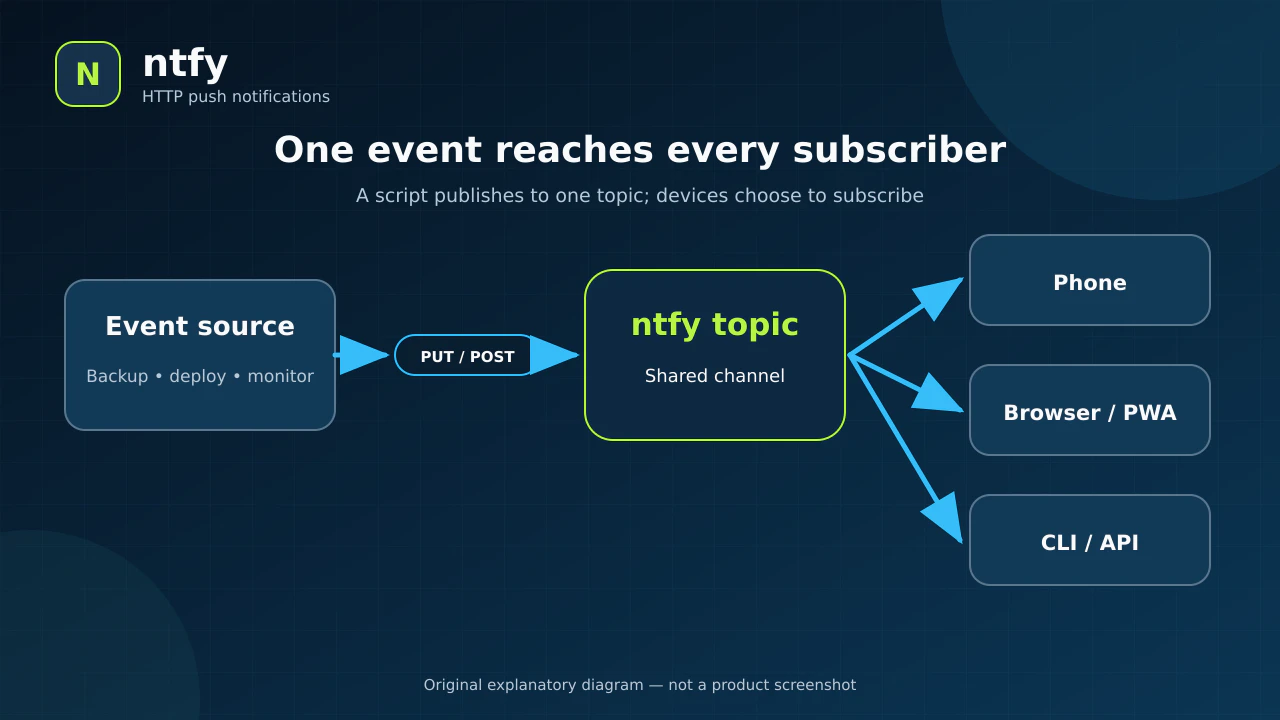
Original explanatory diagram, not a product screenshot.
🎯 How does it help you?
ntfy suits an individual developer or small team that needs operational alerts without a large incident platform. For example, after a NASQ database backup finishes, the script can send “backup completed” to a dedicated topic. If the command fails, it can send a higher-priority message with a link to the server dashboard. The owner or operators subscribe from a phone or browser and learn the result without repeatedly opening logs.
The added value is separating the event source from the receiving devices. A script knows one HTTP address, while you can change phones, add a browser, or subscribe from a CLI without rewriting the task. ntfy is not an audit log or ticketing system; if incident response requires escalation, rotations, and SLAs, use a complementary workflow.
🌟 Key features
1. Send a notification with one HTTP request
The simplest path needs no CLI or SDK. Choose a topic name and post the message body:
curl -d "Backup successful" https://ntfy.sh/mytopic
The documentation provides equivalent JavaScript, Python, PowerShell, PHP, and Go examples. The ntfy binary also includes publish and subscribe commands. This makes it suitable for a shell script, scheduled job, CI step, or existing application.
- Where to use it: at the end of the job whose result matters.
- How: send to the same topic address subscribed on your device.
- Value: no custom notification endpoint or mobile application is required.
- Caution: an accepted HTTP request proves that the ntfy server accepted the message, not that every device displayed it.
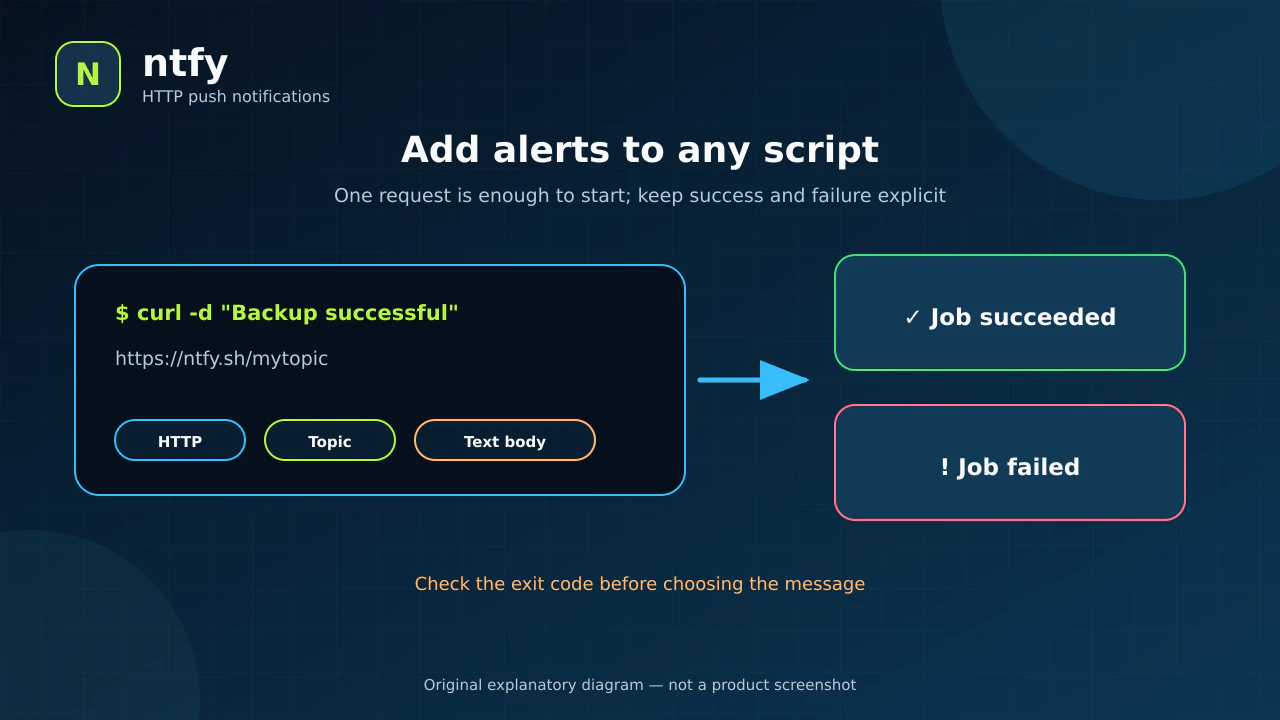
Illustrative command and expected outcome; it was not run against a production server.
2. Subscribe from phones, the web, or the CLI
Topics can be received by the Android and iOS apps, the installable PWA web application, the CLI, or subscription APIs. More than one recipient can subscribe to the same topic, making it a small channel for a team or service.
The web app is a static interface over the API. There is no native desktop application; desktop use is through the PWA or browser. A self-hosted instance needs additional Web Push configuration for PWA notifications; starting the container alone is not enough.
- Illustrative example: a
nasq-backupstopic receives from the backup host, while the owner's phone and the operator's browser subscribe. - Limit: a topic name on
ntfy.shis not automatically private. Treat it as a potentially discoverable address and keep sensitive information out of public topics.
3. Rich messages, actions, and scheduled delivery
A message can include a title, priority, emoji-like tags, Markdown, a click URL, an attachment, and delayed delivery. It may also define up to three actions: open a URL, copy a value, send an Android broadcast, or make an HTTP request after a tap.
These fields turn an ambiguous alert into something actionable. Instead of only “deployment failed,” you can add the project title, high priority, and an “Open logs” button. An HTTP action can change a system when tapped, so do not connect it to a destructive operation or embed long-lived secrets without independent authentication and safeguards.
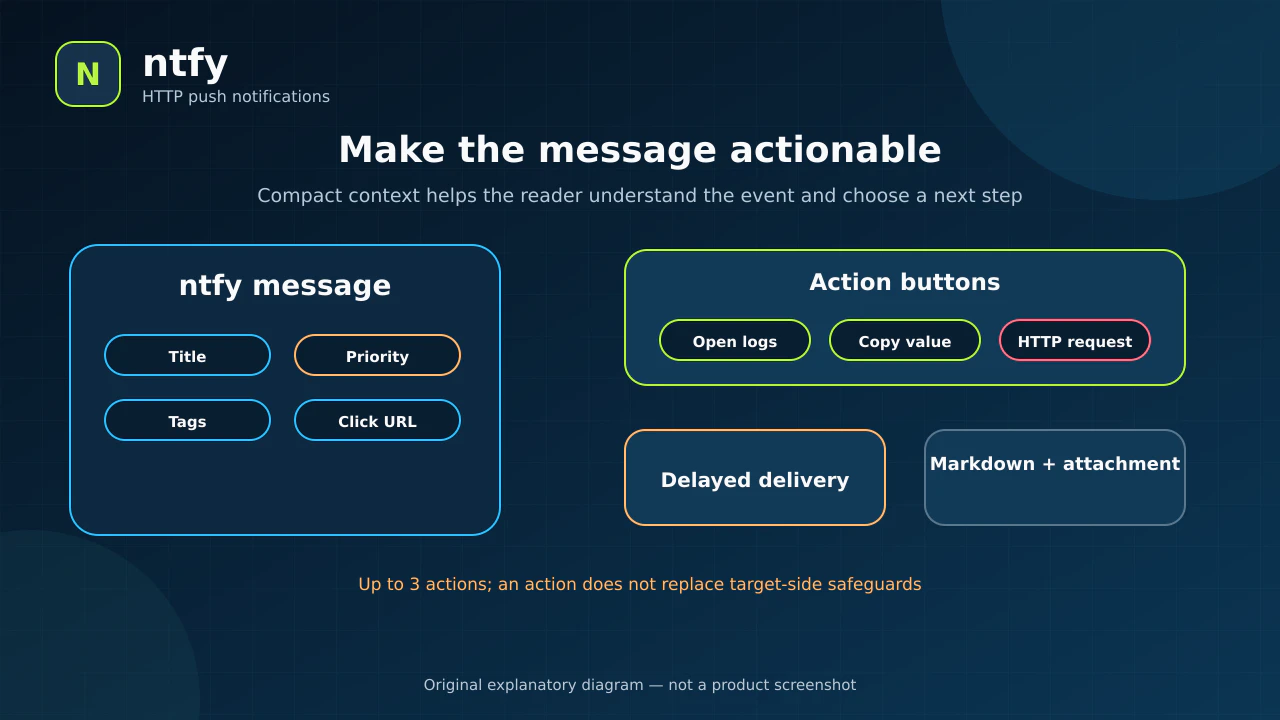
Illustration of documented fields, not one specific product screen.
4. Hosted or private, with access control
The public service is useful for trials and non-sensitive alerts. For private use, you can run ntfy and enable users, passwords, access tokens, and topic-level ACL rules for reading and writing. A new server is open by default. For a private instance, set auth-default-access: deny-all and grant only the required permissions.
ntfy supports regular and administrator roles plus read-write, read-only, write-only, and deny permissions. Access tokens are easier for scripts than storing a password. However, current documentation says tokens provide nearly the full permissions of their user rather than fine-grained action scopes.
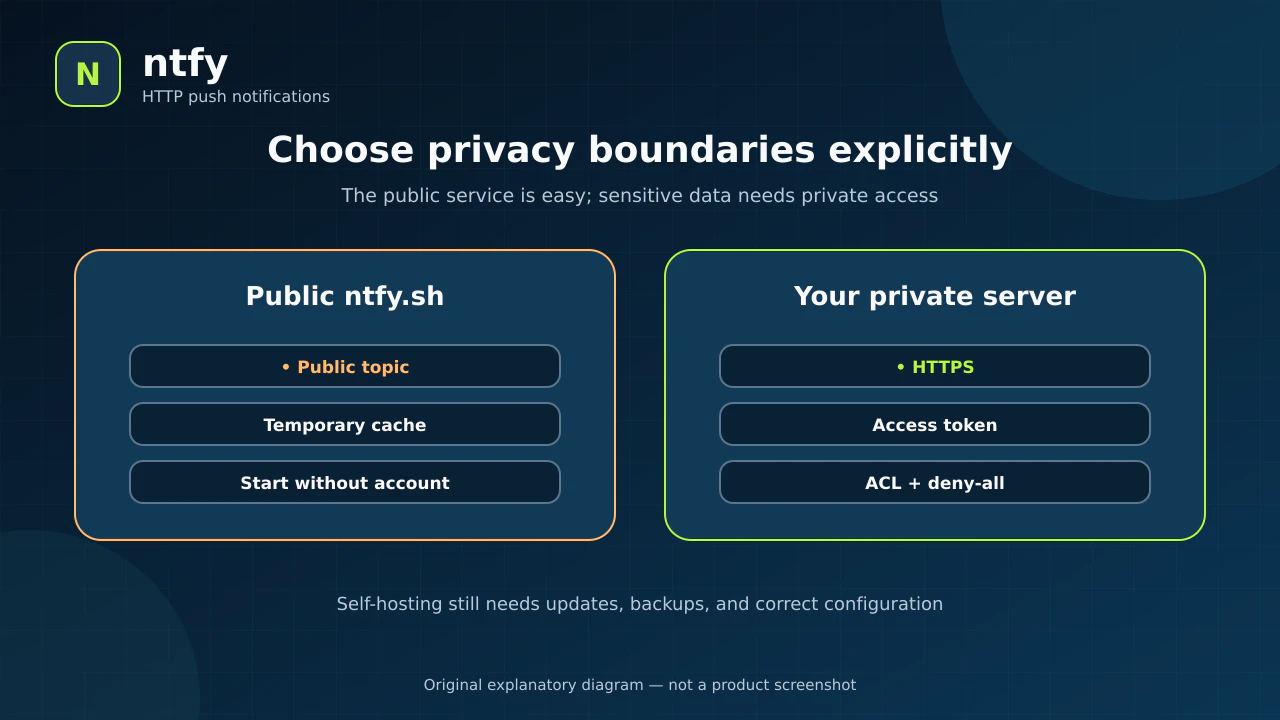
Illustration of access boundaries; self-hosting is not secure without configuration and maintenance.
🪜 Step-by-step illustrative example
Not run on your project: report a database-backup result to your phone.
- Open an ntfy mobile app or the web interface and subscribe to a long random topic such as
nasq-backup-<random>. - Send a non-sensitive test:
curl -fsS \
  -H "Title: NASQ backup" \
  -H "Tags: white_check_mark" \
  -d "Backup completed" \
  https://ntfy.sh/nasq-backup-<random>
- After it arrives, place the call after the backup command. Check the backup exit code and send success or failure rather than always sending “done.”
- Use consistent titles, tags, and priorities, and never include database contents or secrets in the notification.
- If the content becomes sensitive or multiple people need explicit permissions, reserve a topic under the appropriate hosted plan or run a private instance with HTTPS,
deny-all, and an access token. - Exercise a failure safely, then tune the job and limits so notifications do not become noise.
⚖️ Compared with manual checking
| Manual approach | With ntfy |
|---|---|
| Open a job log to learn the result | The job sends its result when it finishes |
| Give every script custom channel code | Use the same HTTP or CLI interface everywhere |
| Change scripts when a phone or team member changes | Change subscribers while the publish address stays stable |
| Receive a generic text without context | Add title, priority, tags, link, and optional actions |
| Build channel access from scratch | Self-hosting provides users, ACLs, and access tokens |
This is a workflow comparison, not a delivery guarantee or a substitute for logs. A critical job needs retries and monitoring for the notification channel itself.
⚙️ Important configuration
- Topic name: do not use a short predictable name on the public host, and do not treat the name as a password.
- Title, priority, and tags: keep them consistent by event type so alerts are easy to scan.
- Cache: the public service temporarily caches message content for 12 hours by default, according to the current privacy policy.
- Attachments: the documented
ntfy.shattachment limit is 2 MB; attachments expire after three hours by default. Review limits before sending files. - Private access: enable the authentication database or PostgreSQL, set
auth-default-accesstodeny-all, then create explicit ACLs and purpose-specific tokens. - HTTPS: Basic authentication uses Base64; that is encoding, not encryption. Always use HTTPS.
🚀 Installation and first run
You do not install the server to use ntfy.sh: subscribe from the app or web interface, then publish with curl.
The simplest documented Docker command for a local server is:
docker run -p 80:80 -it binwiederhier/ntfy serve
This is a trial setup: it does not add persistent storage or private access. For real use, mount configuration and cache storage, run as a non-root user, place a reverse proxy with HTTPS in front, and add backups. I did not run the command or install the server here.
The server is available as a binary, deb/rpm packages, and a Docker image for amd64, armv7, and arm64. Windows supports the server and CLI directly or as a service. The documented macOS package provides the publish and subscribe CLI only; Docker can host the server.
🔗 Integrations and compatibility
Any tool that can send a webhook or HTTP request can usually publish to ntfy. The integrations page documents examples for monitoring, automation, and backup tools. JSON publishing is available when custom headers are inconvenient. Official clients are available for Android and iOS, and the web application works as a PWA.
On iOS, instant notifications for a self-hosted instance require an upstream-base-url connected to APNS/FCM. The instance sends a poll request containing the message ID and hashed topic, then the phone fetches content from your server. Without this path, delivery may be delayed while the app is in the background. On Android, the F-Droid app with your own server can avoid FCM, while the store app and public service use FCM for delivery.
💰 Cost and local operation
The server is open source under dual Apache-2.0 and GPL-2.0 licenses. ntfy.sh is available free within its limits. The README says hosted paid plans start at $5 per month for higher limits or hosted features. Self-hosting does not require a paid ntfy API, but it carries server, domain, TLS, and operational costs.
At verification time, the repository had 34,590 stars and 1,629 forks. These changing popularity counters are not security or quality ratings.
⚠️ Limitations and when not to use it
- Public
ntfy.shtopics are public; do not send secrets, customer data, or health records. - The documented public-service limits include 250 messages per visitor per day and 2 MB per attachment; accounts and plans may change limits.
- ntfy delivers events, but it does not collect logs or traces or run an incident rotation.
- Self-hosting requires updates, backups, HTTPS, and access configuration; starting a container alone is not a secure deployment.
- Self-hosted PWA Web Push and instant iOS delivery need additional configuration.
- HTTP actions can execute requests; do not use one for an irreversible operation without confirmation and server-side protection.
- Access tokens are not fine-grained today; create a user limited to the intended topics instead of sharing an administrator token.
🔐 Security, permissions, and privacy
On the public service, ntfy processes topic names and message content. The privacy policy states that messages are cached for 12 hours by default, attachments for three hours, and IP addresses are used for abuse prevention. Notification content and metadata may travel through Firebase when store-distributed mobile apps are used. For sensitive messages, use a private server and configure access, while also reviewing APNS/FCM and device-side external paths.
Keep access tokens out of source control, give a publishing script write-only access to its topic where possible, and do not put tokens in URLs that may appear in logs. Keep the server and clients updated, test ACLs with a non-admin account, and monitor failures of the notification path itself.
📚 Sources and verification date
Verified on 3 October 2026 against the original repository, message publishing documentation, installation and self-hosting guide, authentication and access-control configuration, privacy policy, and release notes. The latest documented stable server release is v2.28.0, dated 27 August 2026. The repository's latest visible push was 29 September 2026. I did not install ntfy or run the example on a live server.