Ruff
Active and stableRuns locally ✓No paid APIAn open-source local tool for linting and formatting Python and applying safe fixes from one editor-and-CI configuration.
pip install ruffIdeal use for this tool
Best for an individual Python developer or small team that wants consistent linting, import organization, and formatting locally, in editors, and in CI. It adds reviewable rules, safe-by-default fixes, and a pinnable version. It does not replace tests, type checking, or business-logic review, and migration from Black or Flake8 should be tested on a branch.
Details and illustrated features
A small Python project can quickly accumulate separate tools for errors, import sorting, formatting, editor feedback, and CI. When those tools or rules differ across environments, developers get surprise formatting diffs and late pull-request failures. Ruff is an open-source linter and formatter that brings many diagnostics, automatic fixes, and code formatting into one CLI, with the same configuration available locally, in editors, and in CI.
🧭 What is Ruff and how does it work?
Ruff is an Astral project written in Rust that analyzes and formats Python code. “Static analysis” means reading code to find patterns and likely problems without running the application. ruff check reports diagnostics with a rule code, file, and location. ruff format rewrites formatting. ruff check --fix can apply fixes classified as safe, while unsafe fixes remain behind an explicit option.
Configuration lives in pyproject.toml, ruff.toml, or .ruff.toml. A developer, editor, pre-commit hook, and GitHub Actions job can therefore use the same rules. Ruff does not run your tests or execute the program as an application. It is a quality layer before testing and human review.
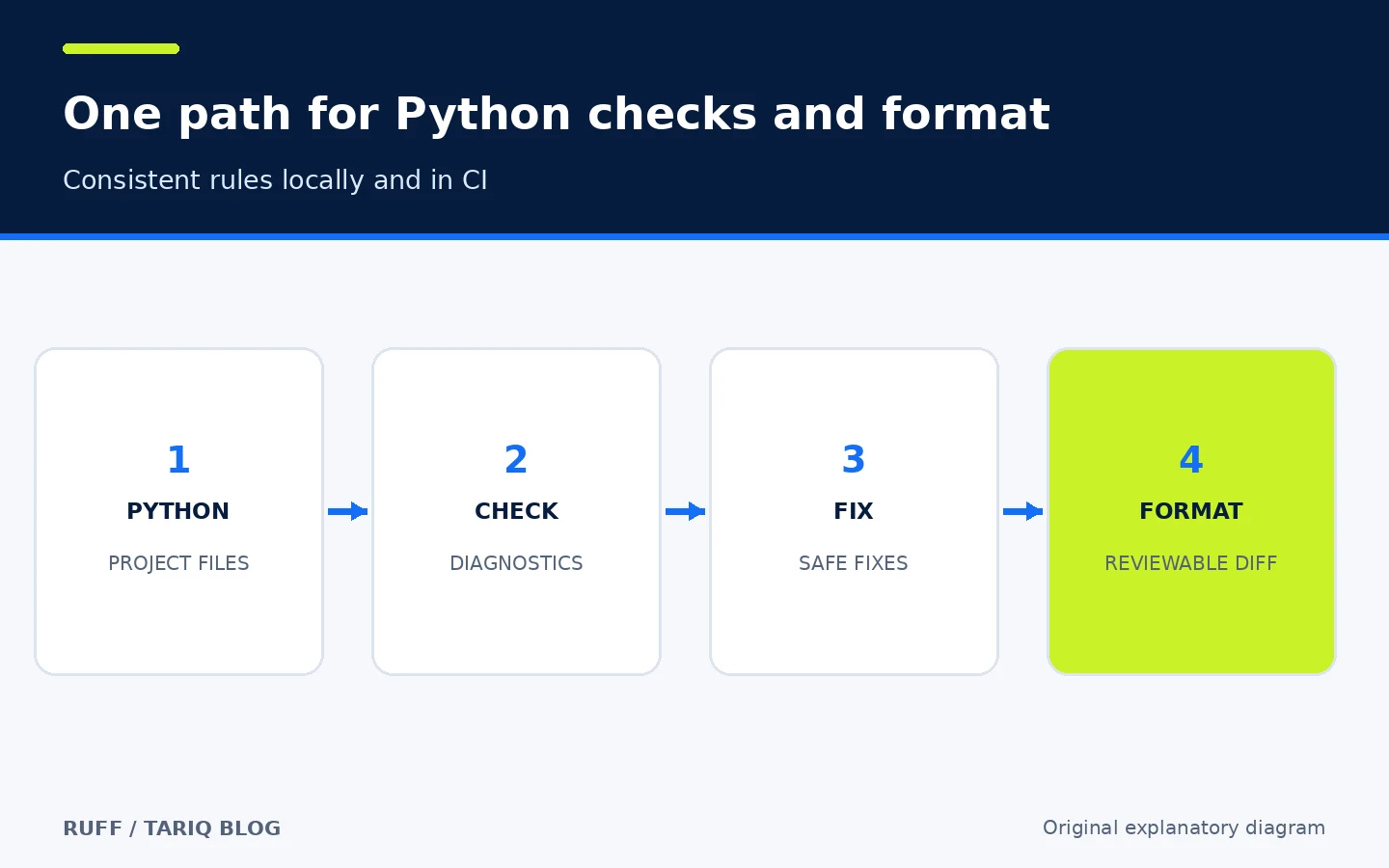
Original explanatory diagram, not a Ruff interface screenshot.
🎯 How does it help, and when is it a good fit?
Ruff fits an individual Python developer or small team that wants one source of truth for common errors, import organization, and formatting without assembling many plugins. Start with the defaults, run checks locally, then let CI reject unformatted changes or agreed diagnostics. The practical value is seeing a problem close to the moment it is written and keeping quality decisions in a Git-reviewed configuration instead of hidden personal settings.
It is not a replacement for pytest, type checking, or review of business logic. Some Flake8 plugins and Black edge cases have documented differences. A project with deep customization should test migration on a branch and review the diff before removing existing tools.
🌟 Key features and capabilities
1. Rule-coded diagnostics you can explain
ruff check . analyzes discovered Python files and reports diagnostics such as F401 for an unused import. The code is not just a label: ruff rule F401 opens the rule explanation. The basic check reads and reports without changing source files by default.
- Where: the CLI or editor diagnostics provided by the Ruff Language Server.
- How: run a check on a bounded directory, read the rule and location, and understand the cause before fixing it.
- Illustrative example: a file imports
oswithout using it, so Ruff points to the import and rule. - Watch out: a diagnostic matches a programmed rule, not the complete intent of the application. A narrow, explained ignore may be appropriate for intentional code.
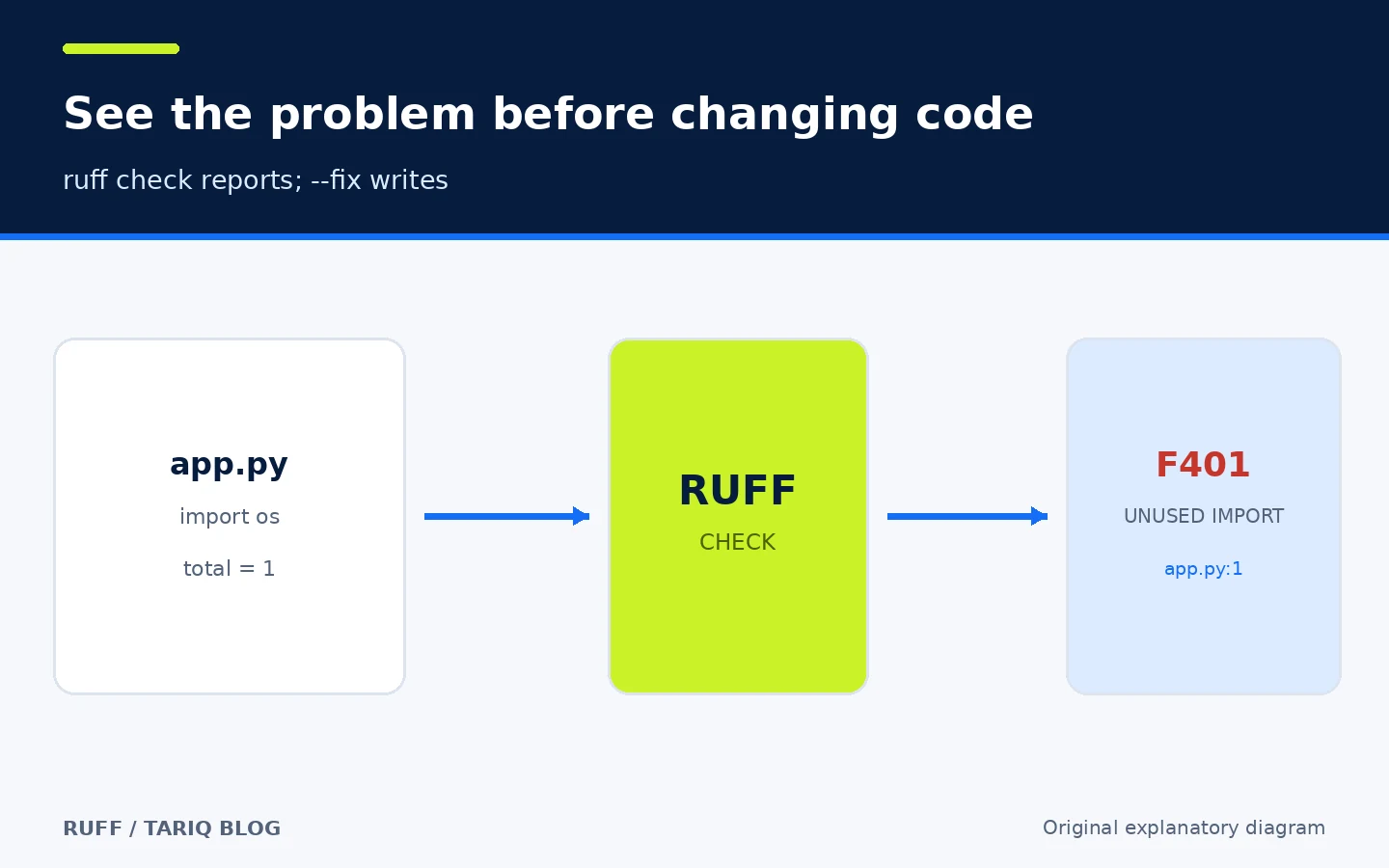
The diagram shows read-to-diagnostic flow; it is not a real test result.
2. A formatter with a non-writing check mode
ruff format formats files in place. ruff format --check does not write and returns a failing status when files need formatting. That makes the second command appropriate for CI and prevents the build job from silently changing code.
The formatter targets very close compatibility with Black, but it is not identical in every case. Astral documents known deviations and advises against alternating Ruff and Black over the same project. Some lint rules can also conflict with the formatter when enabled; review the official conflict list.
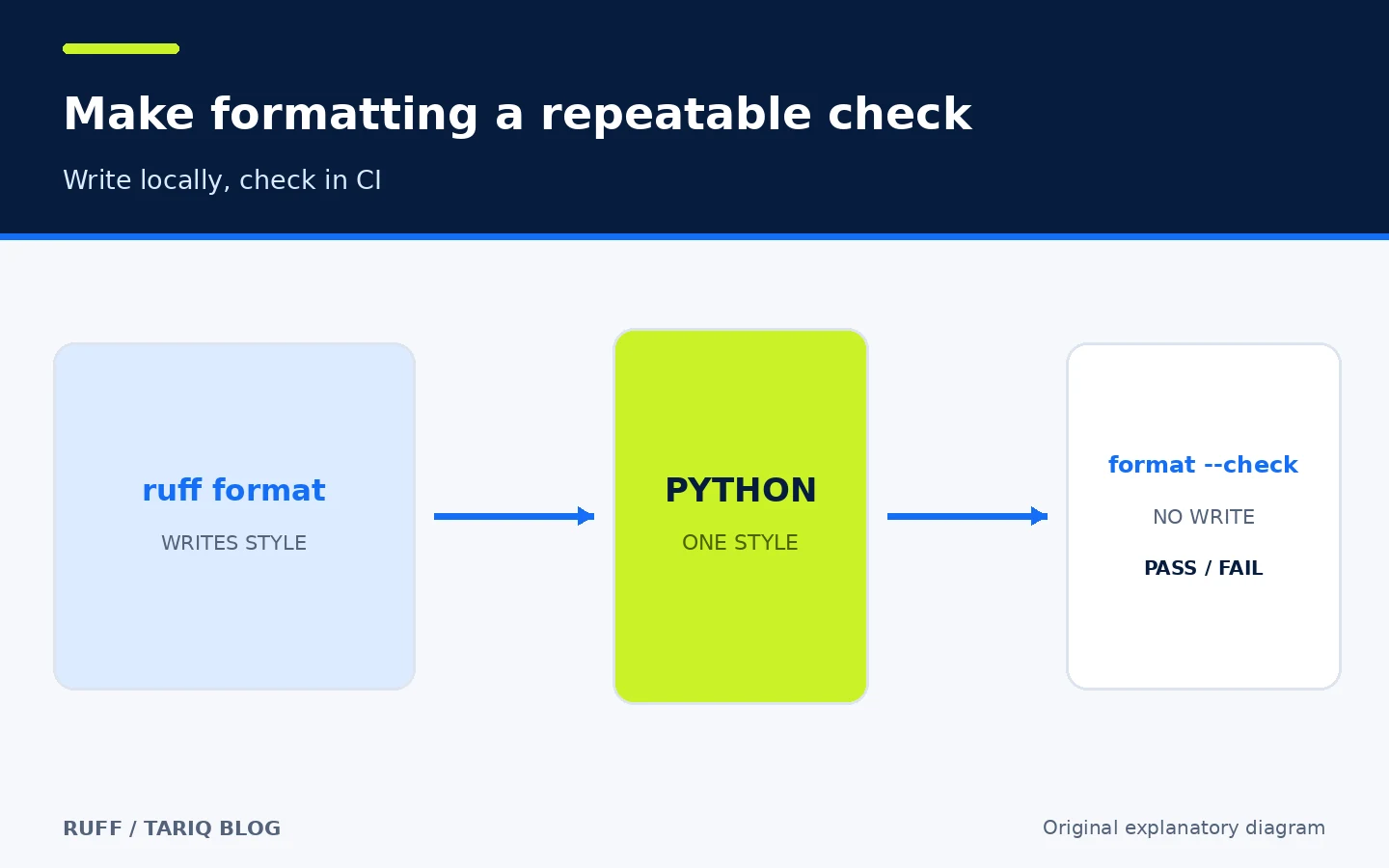
The diagram separates a writing command from a check-only command.
3. Safe fixes and an explicit boundary for unsafe fixes
ruff check --fix applies fixes classified as safe for enabled rules. A fix that may change behavior requires --unsafe-fixes or an explicit setting. You can also restrict fixable rules with fixable and unfixable.
- Safe start: run
ruff checkfirst, thenruff check --fixon a clean branch and inspectgit diff. - When to use unsafe fixes: only after understanding each rule and having tests that cover the change.
- Watch out: even “safe” is not proof of correctness in a dynamic language. The FAQ asks users to report a safe fix that breaks code.
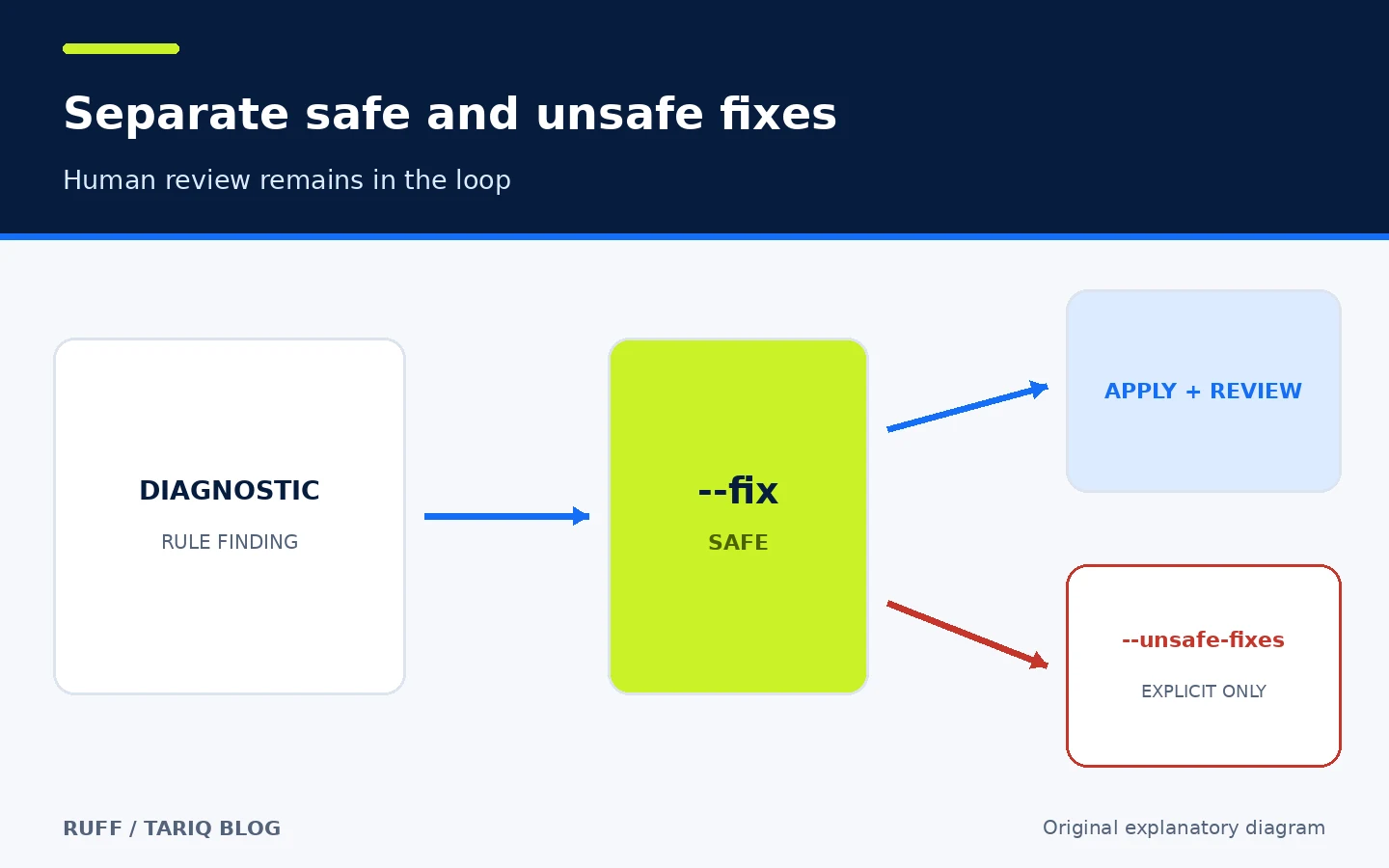
The diagram explains an approval boundary; automated fixes do not replace tests.
4. Hierarchical configuration for large repositories
For each file, Ruff uses the nearest valid configuration file in the directory tree. A repository can have a base at the root and different rules for a service or test folder. Exclusion paths are resolved relative to the configuration file, while passing --config directly changes some path resolution to the current working directory.
Important starting settings include target-version, line-length, selected rules, and exclusions. Ruff respects .gitignore by default, but a file passed directly to the CLI may still be analyzed unless force-exclude is enabled.
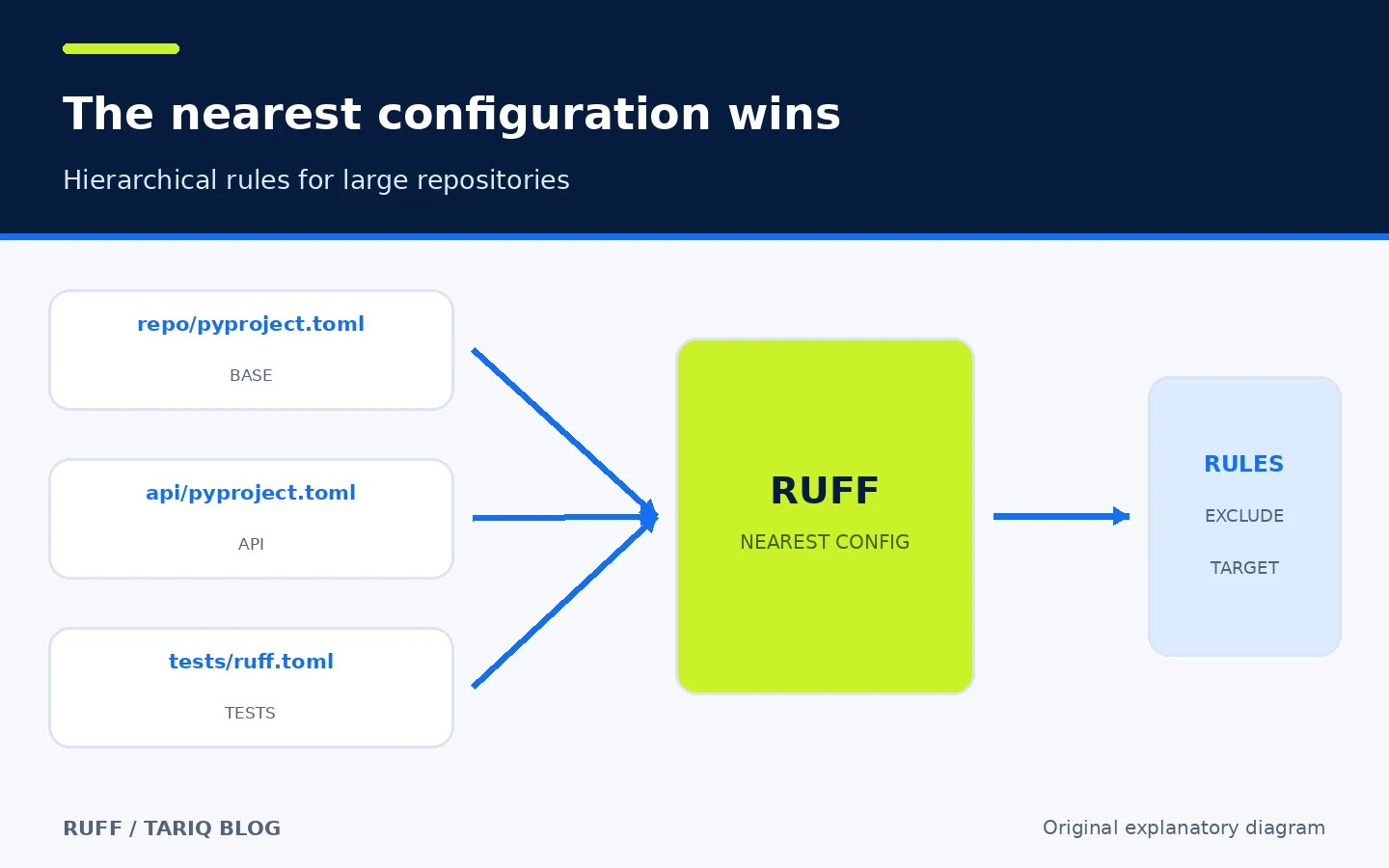
Simplified diagram of Astral’s documented nearest-configuration behavior.
5. Diagnostics, fixes, and formatting in the editor
The CLI includes ruff server, an LSP server that connects language tooling to an editor. It provides diagnostics, code actions, and formatting. There is an official VS Code extension and setup guidance for other editors. Navigation and autocomplete are not Ruff’s job; the documentation recommends the ty language server alongside it for those capabilities.
The benefit is that editor and CLI read the same project configuration. However, fix-on-save or import organization can change files as soon as you save. Enable them only after reviewing the configuration and the resulting diff.
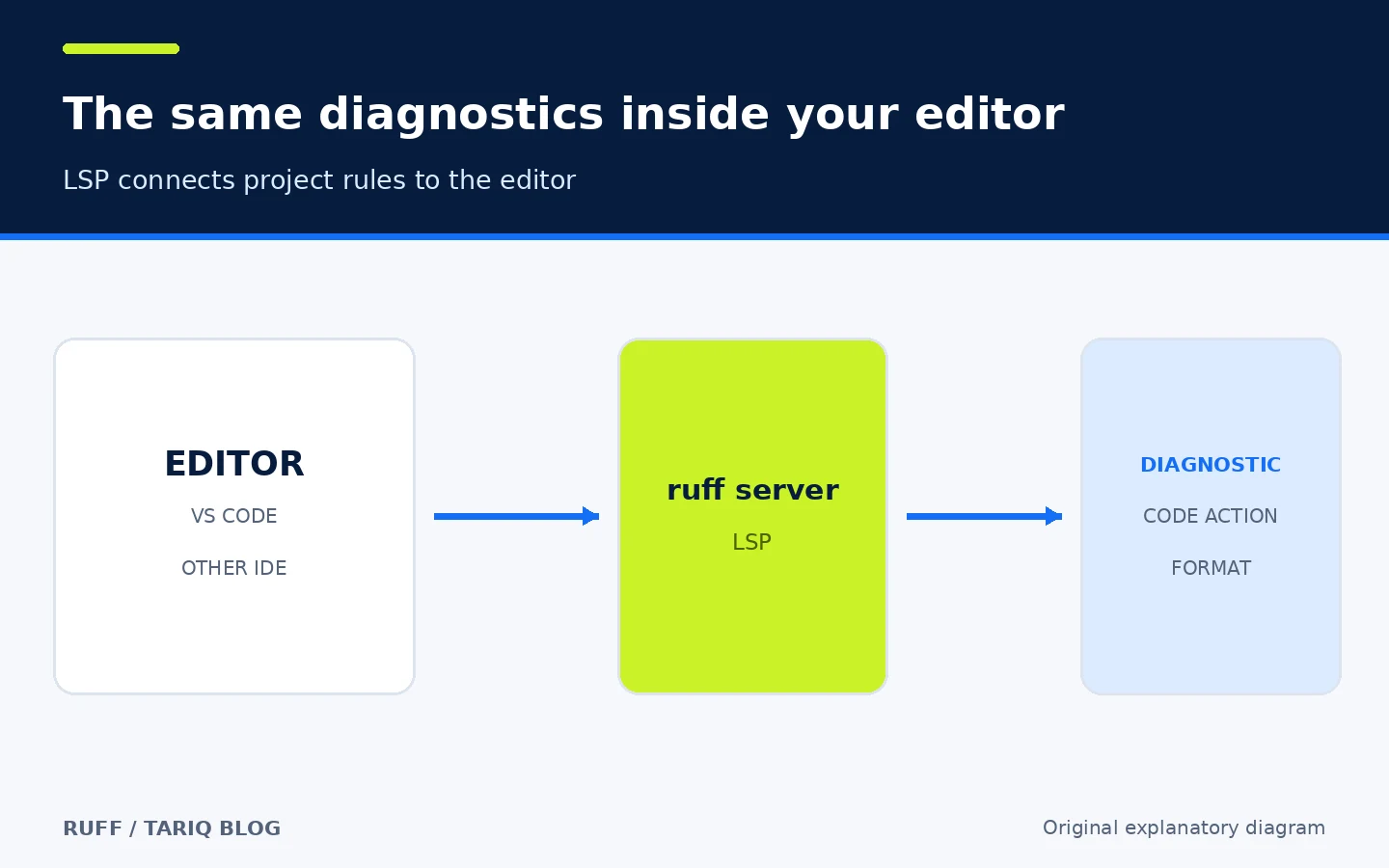
Diagram of the editor-to-LSP relationship, not a screenshot of a specific editor.
6. The same rules in pre-commit and GitHub Actions
Ruff documents official integrations with ruff-pre-commit and astral-sh/ruff-action. Put lint before the formatter when using --fix, because a fix can create a change that then needs formatting. In CI, use ruff check and ruff format --check for read-and-pass/fail behavior instead of writing.
Pin Ruff across environments. The required-version setting makes the tool fail clearly when the installed version does not match. This matters before 1.0 because the versioning policy allows some stable-rule or formatting-style changes in a minor release.
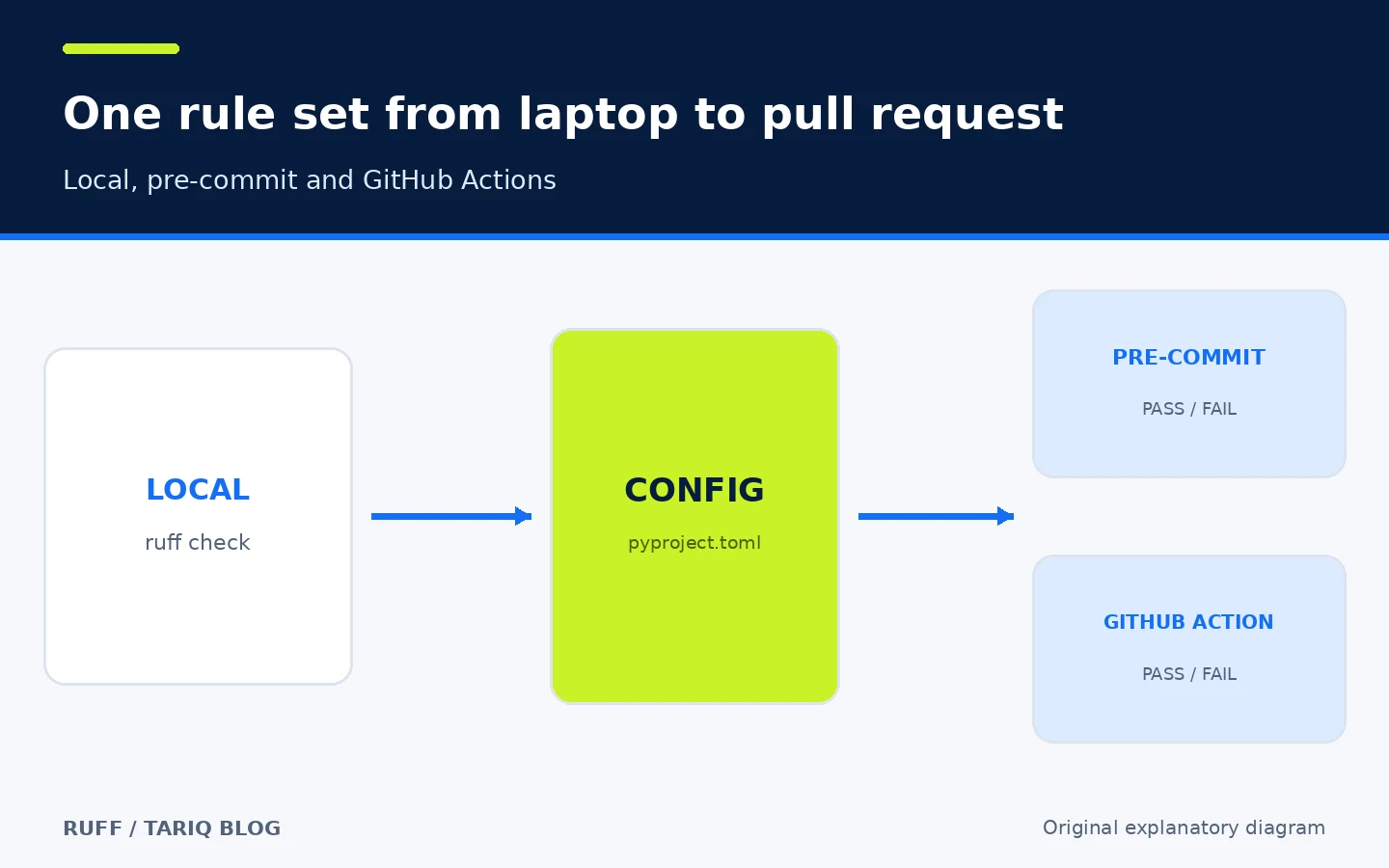
Diagram of shared configuration, not a guarantee that a particular project passes.
🪜 Practical example: add Ruff to an existing project
Illustrative example; it was not run on a real repository. The goal is to introduce Ruff without an unexplained mass rewrite:
- Create a branch and establish the current test baseline.
- Install a specific Ruff version in the development environment and record it in project tooling.
- Add a small configuration to
pyproject.toml:
[tool.ruff]
target-version = "py311"
line-length = 88
required-version = "==0.17.3"

[tool.ruff.lint]
select = ["E", "F", "B", "UP", "RUF"]
- Run
ruff check .without--fix. Classify findings as real bugs, existing debt, or rules that do not fit the project. - Run
ruff format --check .to see formatting scope without writing. - If the diff is large, separate formatting from behavioral changes. Then try
ruff check --fixand review every diff. - Run project tests and type checks. Ruff does not replace them.
- Add the read-only checks to CI. Do not automatically apply
--unsafe-fixesin pull requests.
The example assumes Python 3.11 as the project target; change it to match your contract. I did not verify these rules against a specific codebase.
⚖️ What changes compared with manual or separate tools?
| Task | Manual or separate tools | With Ruff |
|---|---|---|
| Find common issues | Run Flake8 plus multiple plugins | Many diagnostics from one CLI |
| Organize imports | Separate isort configuration | Import rules and fixes in Ruff |
| Format code | Black or another formatter | ruff format using project config |
| Apply fixes | Manual edits or several utilities | Safe fixes by default; unsafe fixes explicit |
| Keep editor and CI aligned | Versions and settings can drift | One config with enforceable version |
Consolidation is not proof of complete equivalence for every plugin or project. If you rely on an unsupported plugin or exact Black behavior in documented deviation cases, test the migration and compare results before removing the old tool.
⚙️ Configuration worth reviewing
selectandignore: choose understandable rules; do not start withALLand hide hundreds of results without review.per-file-ignores: a narrow exception for tests is better than disabling a rule repository-wide when the reason is local.target-version: affects syntax and upgrade assumptions; set it to the oldest Python version the project supports.preview: disabled by default and enables unstable rules, fixes, and formatting changes. Do not turn it on in CI without pinning and review.required-version: prevents different results when a team member runs another release.cache-dir: defaults to.ruff_cachein the project root; change it or use--no-cachewhen needed.
Ruff 0.17.0 changed defaults, including the default rule set and Python-version assumptions when configuration is absent. A long-lived project should make important choices explicit and pin the version rather than rely silently on defaults.
🚀 Installation and first run
The direct PyPI route is:
pip install ruff
ruff --version
ruff check .
ruff format --check .
Astral also documents uv tool install ruff@latest, uv add --dev ruff, pipx, Homebrew, Conda, Docker, and standalone installers for Windows, macOS, and Linux. Using a prebuilt executable does not require compiling Rust.
The verified stable release is 0.17.3. Its notes are dated 26 October 2026, and GitHub published the release on 27 October. PyPI displayed wheels for multiple platforms. I did not run installation or test every platform.
🔗 Integrations and compatibility
The current README lists compatibility through Python 3.15. Ruff discovers .py, .pyi, and modern Jupyter notebooks by default, plus supported embedded Python locations in Markdown and pyproject.toml. It offers an official VS Code extension, LSP for other editors, pre-commit, a GitHub Action, and a Docker image.
Compatibility does not mean every rule fits every framework. Many rules are inspired by Flake8 plugins and other tools but are reimplemented inside Ruff rather than executing those plugins. When moving from the old ruff-lsp to ruff server, consult the setup guide because some settings changed.
💰 Cost, local operation, and privacy
Ruff uses the MIT license. The local CLI needs no Ruff account, subscription, or paid API to analyze files. It reads selected files and project configuration and writes a local cache under .ruff_cache. Plain check does not change source files; writing occurs with --fix, format, or an equivalent editor action.
Local operation does not make the entire workflow network-free. Installation downloads a package; GitHub Actions or pre-commit may download a tool or image; pushing code follows your hosting service. The runtime pages reviewed for this card did not document CLI telemetry. I did not perform packet capture or an independent audit, so I do not claim zero network activity in every integration.
🔐 Security and permissions
Treat Ruff configuration and CI workflows as project code. Someone who changes pyproject.toml can expand analyzed files or alter fixes through CI scripts. Pin the version or reference, review configuration changes, and keep GitHub Action permissions at the minimum required for checks.
ruff check needs project read access and cache write access. --fix and ruff format write source files; review those writes in Git and run tests. Avoid secrets in paths, output, or comments because diagnostics and filenames can appear in CI logs. The project directs vulnerability reports to Astral security, and GitHub showed no published advisories at inspection time. That is not a guarantee of no vulnerabilities.
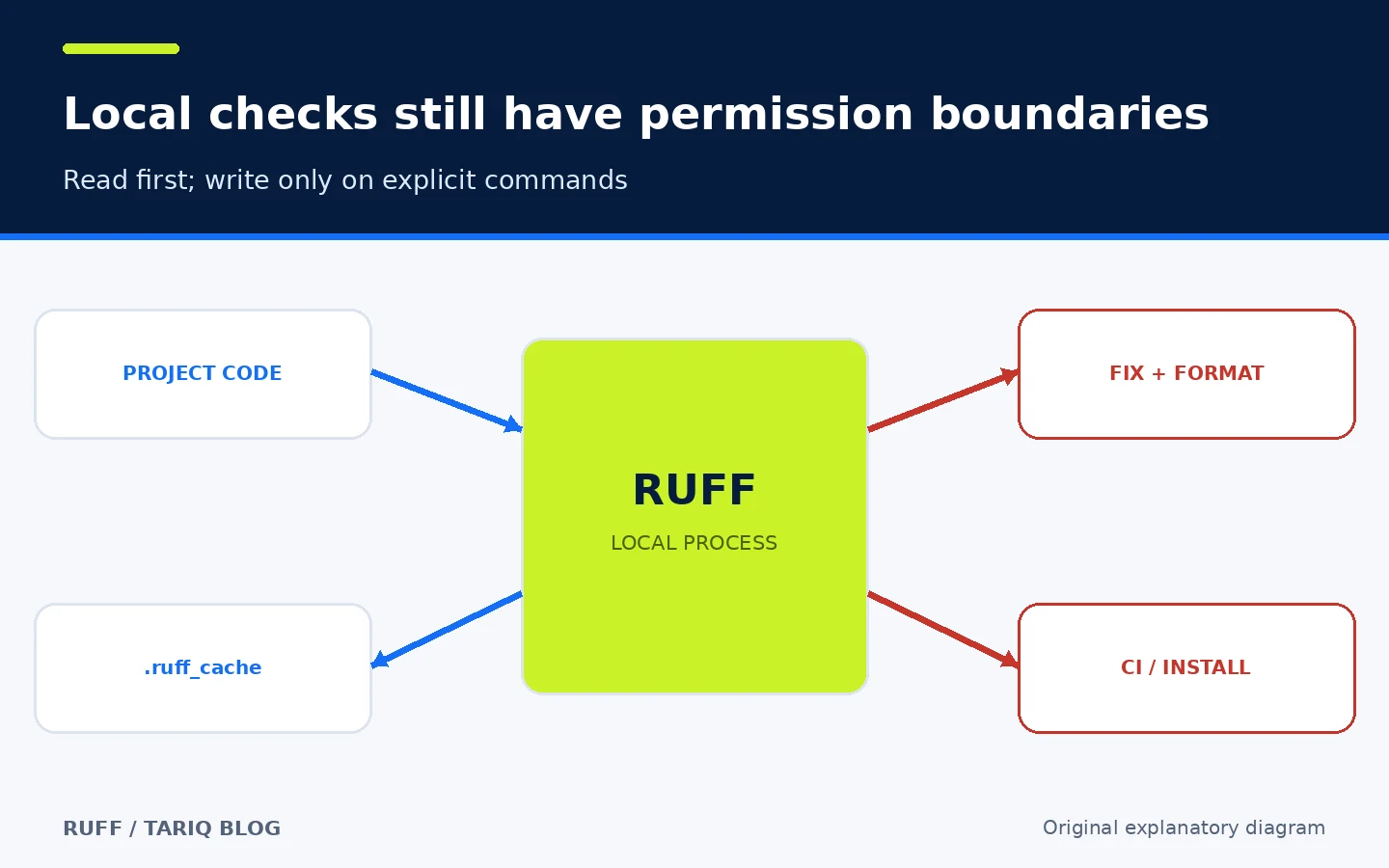
Original permission-boundary diagram, not a security audit.
⚠️ Limitations and when not to use it
- Ruff does not run your tests or understand business-logic correctness like a human reviewer.
- It is not a complete type checker; use an appropriate tool when type verification matters.
- Black compatibility is very close but not identical; do not alternate both formatters.
- Unsafe fixes can change behavior, and even safe fixes need tests.
- Preview rules and style can change; pre-1.0 releases need deliberate pinning.
- Nearest or user-level configuration can produce different results across folders or machines when paths are not controlled.
- Explicitly passed files can bypass gitignore exclusions unless
force-excludeis configured. - Replacing several tools with Ruff does not prove coverage of every legacy plugin your project uses.
🔎 Why was Ruff selected today?
I compared Ruff in Python quality with Worktrunk in Git worktree management. Worktrunk is active and useful for parallel agent branches, and it appeared on GitHub Trending at inspection time. However, that workflow is close to yesterday’s Cline coding-agent category. Ruff serves a different stage: local and CI code quality, with broader documentation and greater maturity for an individual or small team. The directory already contains uv from the same publisher, but it is older and outside the last seven cards, so the publisher ecosystem is not consecutive.
At inspection time, GitHub displayed about 50.4k stars and 2.6k forks. The latest visible main-branch activity was 5 November 2026 at 00:03:38 UTC. These are changing adoption signals, not quality ratings.
📚 Sources and verification date
Verified on 5 November 2026 against:
- Original repository, README, and license
- Release 0.17.3
- Official installation guide
- Configuration and file discovery
- Linter and safe/unsafe fixes
- Formatter and Black differences
- Editor integrations
- pre-commit and GitHub Actions integrations
- Versioning policy
- Security page
- Official Worktrunk page used for comparison
GitHub Trending/Topics, claudeskills.info, and dshmarket.com were used for discovery only. I did not install Ruff, run the example, benchmark performance, capture network traffic, or perform a security audit, so the card does not present Ruff’s marketing speed claims as our own measured result.