superpowers-dsh
Active and stableRuns locally ✓No paid APIA DeepSeek Harness plugin that adapts Superpowers skills for design, planning, testing, debugging, and review.
npx @deepseek-ai/dsh plugin --profile web add github:LayneChai/superpowers-dshIdeal use for this tool
Best for DSH users who want reusable development workflow skills in their profile. It does not automate model or effort routing.
Details and illustrated features
superpowers-dsh is an independent adaptation of obra/superpowers skills for DeepSeek Harness. It registers a provider in the host layer of ctx.skills, making packaged skills visible in an agent profile and loadable through the skill tool.
🧭 Best use
Use it in DSH when you want structured feature design, planning, tests, debugging and review. It does not select models or effort levels automatically and does not replace DSH tool permissions.
🌟 Features and operation
1. Register skills in DSH
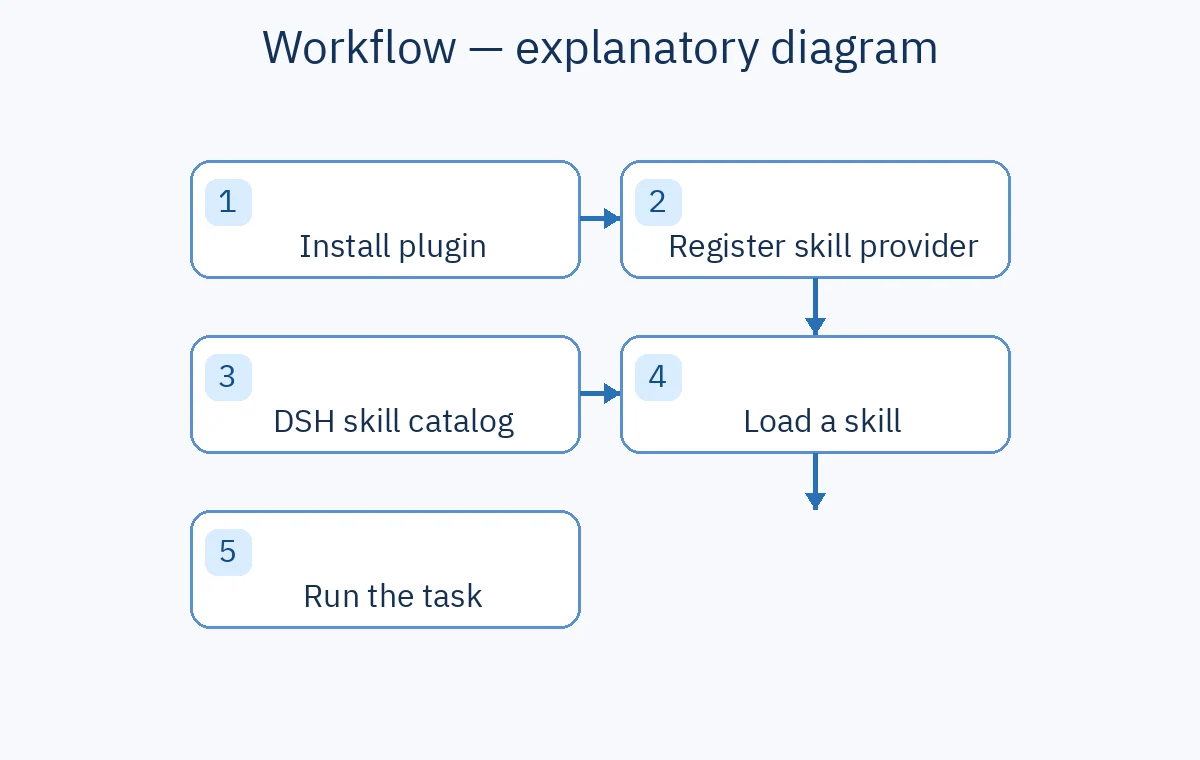
cordis.patch.yml adds a bundle layer and lib/index.js registers a provider in ctx.skills. The provider loads skills/<name>/SKILL.md when requested. Restarting the profile makes skills available to its agents; this does not run every skill at once.
2. Design and plan
using-superpowers is the entry point. brainstorming helps refine a design, writing-plans specifies tasks, and executing-plans works through an approved plan with review checkpoints.
3. Test, debug, verify
test-driven-development guides a test first cycle, systematic-debugging investigates root causes, and verification-before-completion requires evidence before a success claim.
4. Agent collaboration and DSH mappings
subagent-driven-development and dispatching-parallel-agents describe task distribution where useful. The adaptation maps agent references to DSH tools such as subagent and subagent_fork and uses skill names without the superpowers: prefix.
🪜 Illustrative example
Ask DSH to add project charter approvals. Define states and roles, write a file and test plan, implement, then verify. Manually, you would repeat the instructions and sequencing; the plugin puts the skills in DSH's catalog. This example was not run on a real project.
⚖️ Compared with manual work
| Manual DSH workflow | With superpowers-dsh |
|---|---|
| Repeat design and plan prompts | Skills in the DSH catalog |
| Remind the agent to test and diagnose | Dedicated testing, debugging and verification skills |
| Translate upstream tool references | Adapted DSH tool references |
🚀 Installation and verification
The English README lists DeepSeek Harness and pnpm as prerequisites. For the web profile run npx @deepseek-ai/dsh plugin --profile web add github:LayneChai/superpowers-dsh. Restart npx @deepseek-ai/dsh web, refresh the browser, and check dsh --profile web --dump-config for superpowers-dsh. Replace web with your profile name as needed. The npm package route is dsh plugin --profile web add superpowers-dsh; plain npm install does not register the plugin. These commands were not executed here.
⚙️ Configuration, compatibility, cost and privacy
package.json declares version 0.1.0 and the MIT license. The README says the plugin uses Node built in modules and DSH's injected ctx.skills service, with web and headless profile examples. Licensing the plugin does not make the host or models free. Sources do not establish the network path of all DSH data; configure file and command permissions for your project.
⚠️ Limitations
The README claims 14 skills but visibly lists 13 names; verify the installed skills directory before relying on that count. This is a separate adaptation that may differ from upstream. It does not route models or set effort levels.
📚 Sources and metrics
Plugin repository, English README, package.json, and upstream project. Checked 2026-09-23: 93 GitHub stars and 3 forks, not user ratings.