Task
Active and stableRuns locally ✓No paid APICollect checks, tests, and builds in Taskfile.yml, then run named tasks with explicit sequencing or independent parallel prerequisites.
brew install go-taskIdeal use for this tool
Best for a developer or small team whose project commands span languages, folders, and tools. It provides documented entry points that people and agents can use and review in Git. Existing scripts may be enough for a simple project; Task does not install project tools or sandbox their commands.
Details and illustrated features
Every time you open a project, you have to remember which command starts it, where to run tests, and whether checks should happen before the build. Task collects these steps in a Taskfile.yml with clear names, so you can run task check instead of reconstructing a command sequence. It is particularly useful when a project spans languages or folders, or a developer and a coding agent alternate on the work: both can read the same instructions and review their changes in Git.
🧭 What is Task and how does it work?
Task, maintained by go-task, is an open-source command runner and build tool. You describe named tasks in YAML, a text format for task definitions and settings, and invoke them from a terminal. Each task calls tools you already use, such as pnpm lint, go test, or a Python script. Task does not implement those tools or automatically install your project's requirements.
It reads the file, resolves the chosen task and its dependencies, and runs the commands. Start with a small file and split it later if necessary. Local execution does not require a server, management dashboard, or AI service.
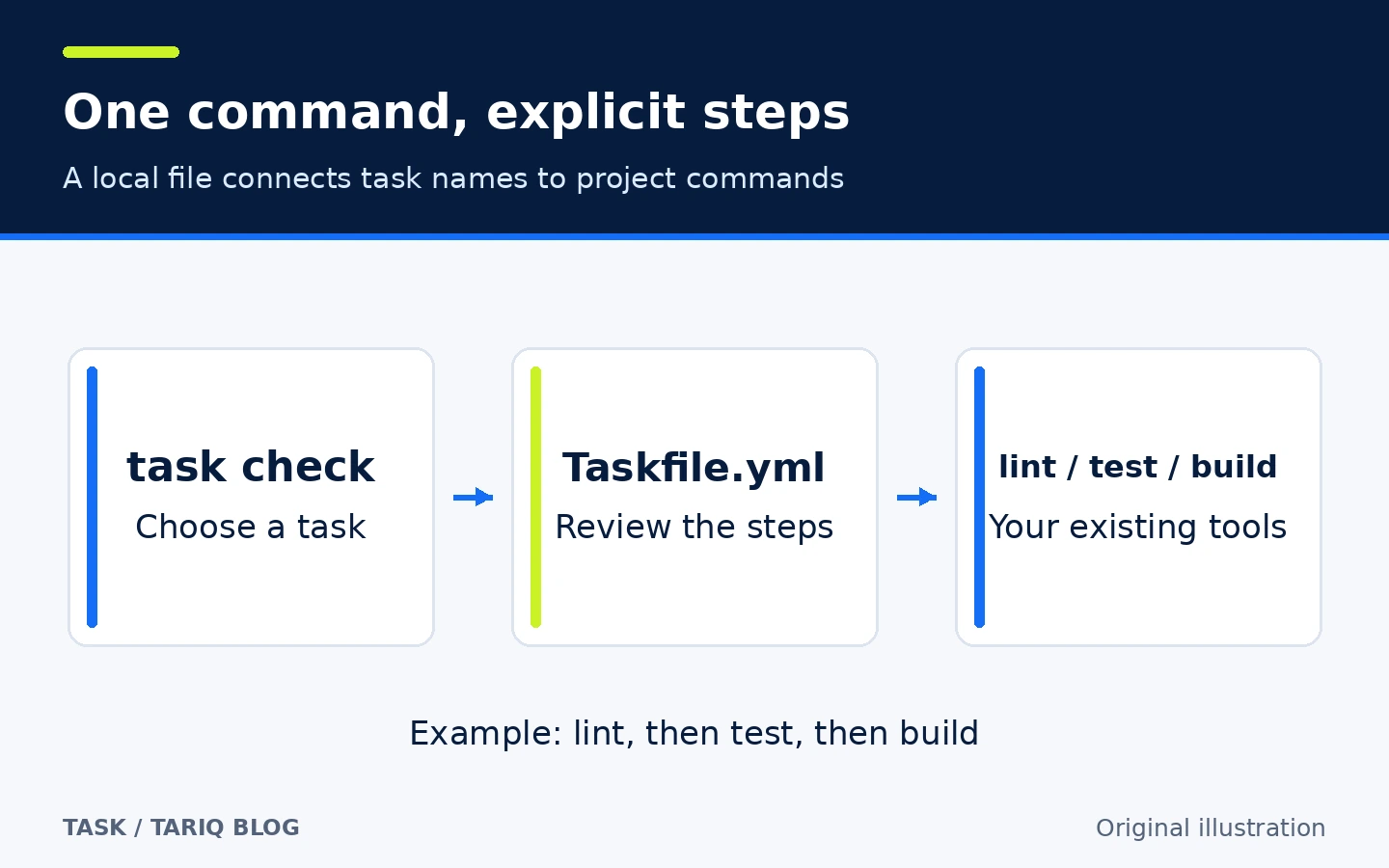
Original illustration. Names are examples, not a product screenshot.
🎯 How does it help a small team?
The problem is inconsistent operation: one person forgets lint, another runs tests from the wrong folder, and an agent chooses a different command sequence. Keeping stable names such as task check and task build in the repository makes the steps discoverable and reviewable. If the underlying test tool changes, you can update the command behind the same task name.
This organizes work; it does not guarantee test quality or identical environments. If a small JavaScript project only needs two clear package.json scripts, those existing scripts may be sufficient without an additional runner.
🌟 Key features
1. A documented command catalog in the project
Define a task under tasks, its commands under cmds, and its description under desc. task --list shows tasks with descriptions. task --summary check explains a task without running its task commands. A new contributor can discover the check entry point without searching old conversations.
- Where:
Taskfile.ymlat the project root. - How: give each public task a stable name and a description of its effect, then list tasks before running one.
- Illustrative example:
checkgroups the team's agreed verification steps, whilebuildremains an independent build-only task. - Limit:
--listomits tasks without descriptions, and internal tasks remain hidden. The list is not a complete review of the file.
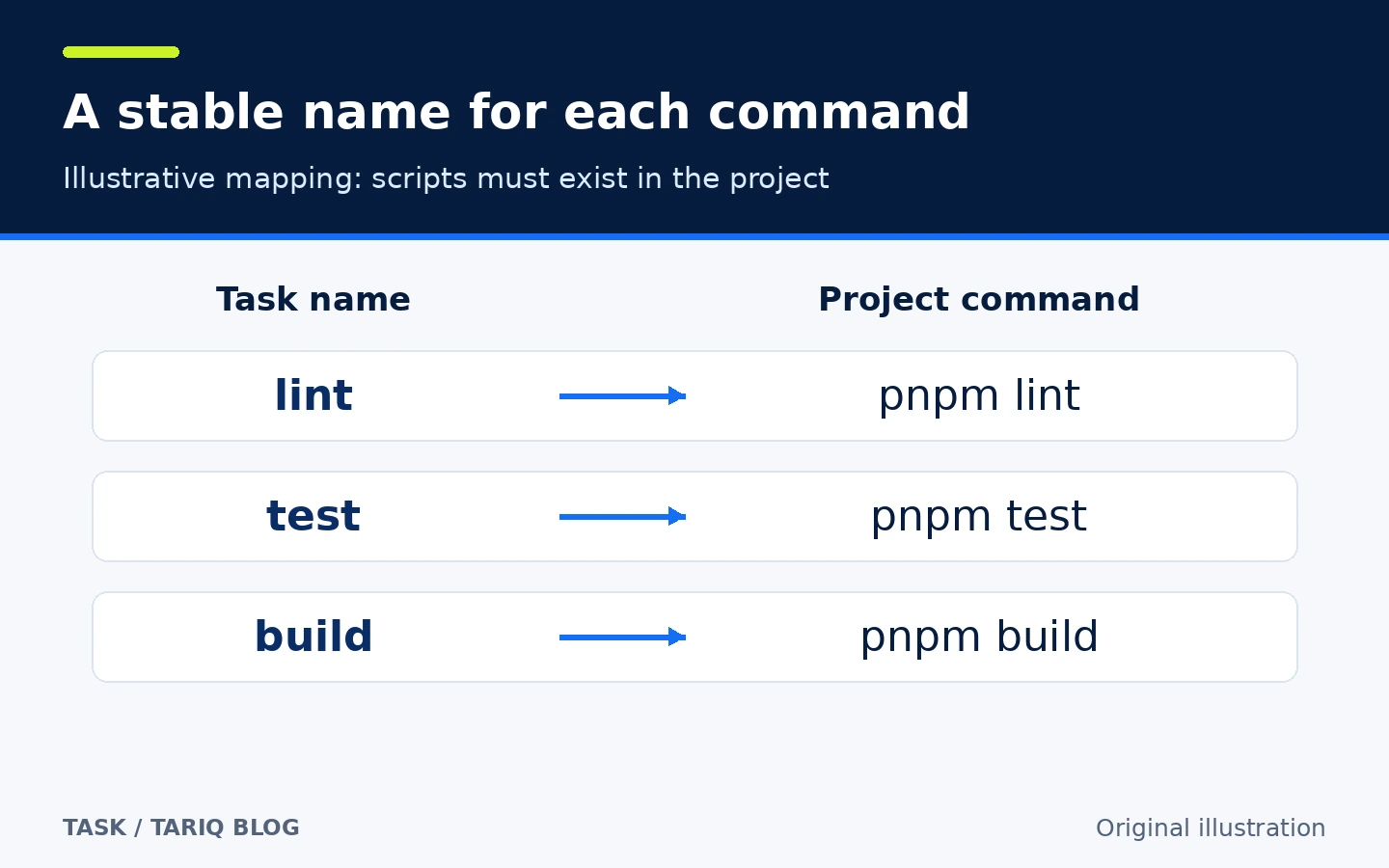
Diagram of names and commands. The pnpm examples assume corresponding scripts exist.
2. Sequential steps or parallel prerequisites
Task calls under cmds wait for the previous step to succeed. In contrast, deps starts dependencies concurrently and only proceeds to the parent task's commands after they all succeed. The order of names in deps does not establish execution order.
- Where:
cmdsfor a sequence;depsfor independent prerequisites. - How: use sequence when tests consume files produced by a build. Use concurrency only when tasks are independent and do not contend for shared resources.
- Illustrative example: independent lint and tests can run together before building. For lint, then tests, then build, use task calls in
cmds. - Limit: a failed dependency prevents the parent's commands, but does not undo work already completed elsewhere.
--concurrencycan limit parallel work without imposing dependency order.
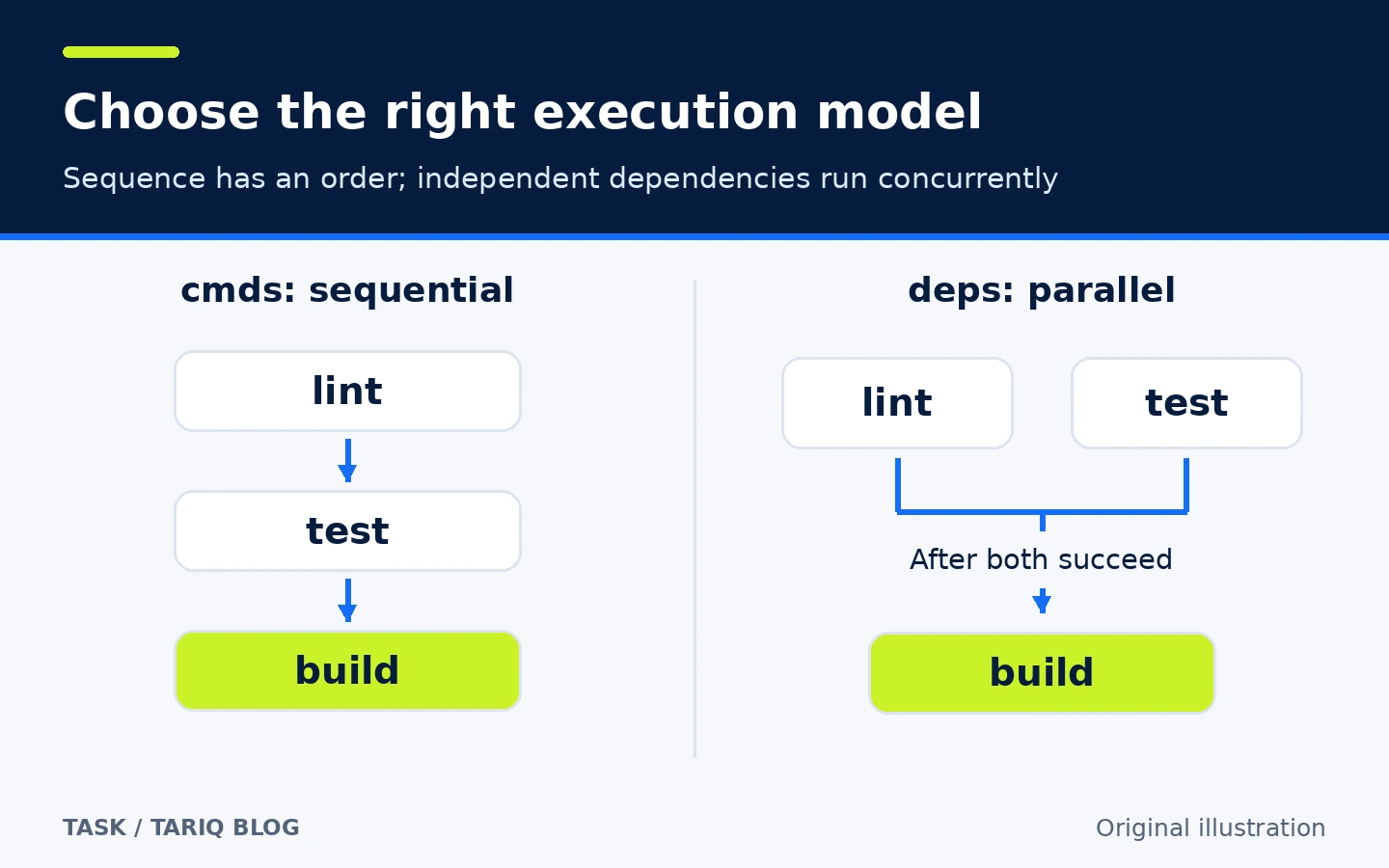
Illustration of documented relationships, not a promise that parallel execution is faster or lighter.
3. Skip work when declared inputs have not changed
With sources for inputs and generates for output paths, Task can skip a task's commands when sources are unchanged and declared outputs exist. The default method fingerprints source contents and checks output existence; it does not compare output contents. That distinction matters if another program modifies an output file.
- Where: the task's
sources,generates, andmethodfields. - How: include everything that influences the result, including source, configuration, and dependency lockfiles. Revisit patterns when adding folders.
- Illustrative example: compile a Go executable, then skip another build if the inputs remain unchanged and the executable exists.
- Limit: omitting an influential input can cause incorrect skipping. Dependencies are evaluated first even when the parent's commands are skipped. Fingerprints are normally stored in
.task/.
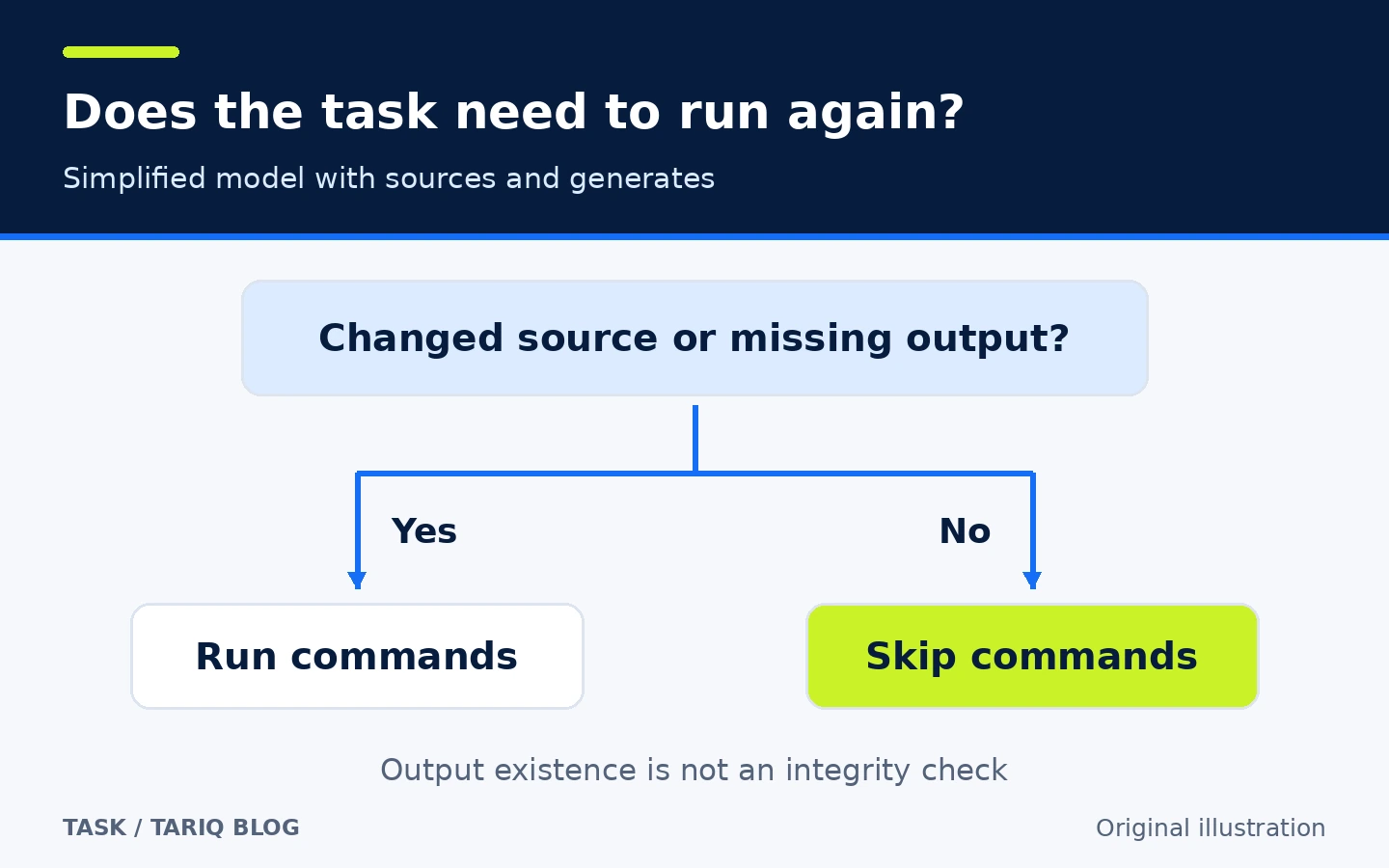
Simplified sources/generates logic, not a performance measurement or output-integrity check.
🪜 Example: one command to check a web project
Illustrative example, not run on a real project. Assume Node.js and pnpm are installed and package.json contains lint, test, and build scripts. Create this file at the project root:
version: '3'

tasks:
  lint:
    desc: Check code style
    cmds:
      - pnpm lint

  test:
    desc: Run project tests
    cmds:
      - pnpm test

  build:
    desc: Build the application
    cmds:
      - pnpm build

  check:
    desc: Run lint, tests, and build in order
    cmds:
      - task: lint
      - task: test
      - task: build
Then follow these steps:
- Read the Taskfile and the package scripts it calls. A short name does not reduce a command's actual effects.
- Run
task --listto discover the public tasks. - Inspect
task --summary checkfor the workflow summary. - Run
task check. This example runs lint, tests, then build; a failed step prevents later steps from starting. - Review actual output and the exit code. A successful Task run means its commands reported success, not that your tests cover every requirement.
- Review future Taskfile changes in Git so contributors and agents see the same update.
An agent with permission to run terminal commands can use this entry point, but Task grants it no new permissions. This is a workflow pattern, not a claim of an official AI extension or a required MCP server.
⚖️ What changes compared with manual work?
| Before | With Task |
|---|---|
| Commands scattered across README, scripts, and conversations | Named tasks and descriptions beside the code |
| Each contributor reconstructs the sequence | Explicit sequence or dependencies in a file |
| An agent may choose a different command chain | It can be directed to the agreed task |
| Rebuild without input-change rules | Optional skipping when declared inputs and outputs are accurate |
Task does not replace the README or test tools, and does not automatically create identical environments. The practical benefit is more consistent operating instructions, without an unmeasured time-saving claim.
⚙️ Configuration and gradual expansion
Use dir for the task's working directory and env or dotenv for environment values. Every cmds entry gets its own shell context: a cd or export in one entry does not carry into the next. Explicit dir and env settings are clearer than relying on terminal state.
When the file becomes large, use includes and namespaces such as web:build and api:test. Placing an included file in a subfolder does not automatically set its execution directory; configure the include's dir where needed.
task --watch build reevaluates a task when sources change. Do not treat it as a universal replacement for a development server's live reload. The project documents a known issue where watch mode can leave child processes running. Start with checks that finish rather than long-running servers.
🚀 Installation and compatibility
On macOS with Homebrew, the documented command is:
brew install go-task
task --version
The official npm route is available on macOS, Linux, and Windows:
npm install -g @go-task/cli
Packages and binaries cover multiple systems and architectures. A prebuilt binary does not require installing Go; building from source has separate Go requirements. Project tools such as pnpm, Docker, or Python must still be available where a task runs. Task's platform support does not make every command you write portable.
For GitHub Actions, the official setup action is go-task/setup-task@v2, after which a job can invoke the same task. Pin the intended Task release in CI and review the action version and project requirements before integration. The verified stable release is v3.54.0. The v3.55.0-nightly visible on the verification date is a prerelease and is not the basis of this entry.
💰 Cost, privacy, and permissions
Task is MIT licensed and needs no account, Task subscription, or paid API for local tasks. Compute and services invoked by your commands have their own costs. YAML files and fingerprint data are local, but commands can access the network, publish files, or read secrets available to the process.
Treat a Taskfile as executable code. Review commands, includes, and dynamic variables before running one from another source. --dry prints planned commands but still resolves templates and variables: a variable declared with sh can execute during a dry run. Preview is not a security sandbox.
Loading remote Taskfiles over HTTP or Git is separate from local use. Review their source and contents and pin a reference or checksum for reviewed files. Avoid blanket approval of future changes. v3.54.0 includes a fix for remote Git Taskfile cache poisoning on shared hosts. I did not independently audit the code or test network traffic, and make no zero-network claim for every configuration.
📚 Sources and verification date
Verified 15 October 2026 against the original repository, v3.54.0 release dated 1 October 2026, MIT license, and official installation guide. Feature evidence comes from task definitions, running and previewing tasks, dependencies, up-to-date checks, includes, platforms, watch mode, and remote Taskfiles.
GitHub displayed approximately 16.3K stars and 928 forks at inspection. These changing popularity counters are not user ratings or a quality certificate. I did not install Task or execute the example. Discovery included GitHub Topics. It was compared with Lazygit, a Git management tool, and selected to diversify the directory toward project-command automation. Skill directories are discovery sources, not evidence of Task's features.