Vale CLI
Active and stableRuns locally ✓No paid APIA local prose linter that applies terminology and writing rules to documentation and code comments from the CLI, editor, and CI.
brew install valeIdeal use for this tool
Best for an individual developer or small team that wants consistent product names, terminology, and documentation style before merge. It applies the same rules to human- or AI-written prose locally and in CI. It is not a translator, semantic fact checker, or Arabic grammar checker through English packages.
Details and illustrated features
When every developer or AI agent writes documentation in a different style, the same feature gets multiple names, sentences grow longer, and unapproved terminology reaches review. Vale CLI is a prose linter that works like a code linter: it reads Markdown, MDX, HTML, and other formats, applies your team's rules, and reports the file, line, severity, and rule name. Its value is not writing for you. It makes writing rules repeatable on a laptop, in Git, and in CI.
🧭 What is Vale CLI?
Vale is an open-source command-line linter for prose: documentation pages, READMEs, code comments, OpenAPI descriptions, and Git messages when configured for them. Unlike a plain text search, it understands document structure. It can inspect a paragraph or heading while leaving a code block or URL alone. It does not impose one editorial voice: choose a published package such as Microsoft, Google, or Red Hat, or write YAML rules for your own terminology and house style.
Vale runs on macOS, Windows, and Linux. You can use it from a terminal, an LSP-enabled editor, pre-commit, or GitHub Actions. Local linting needs no account and does not upload documents, although vale sync uses the network to download the packages named in your configuration.
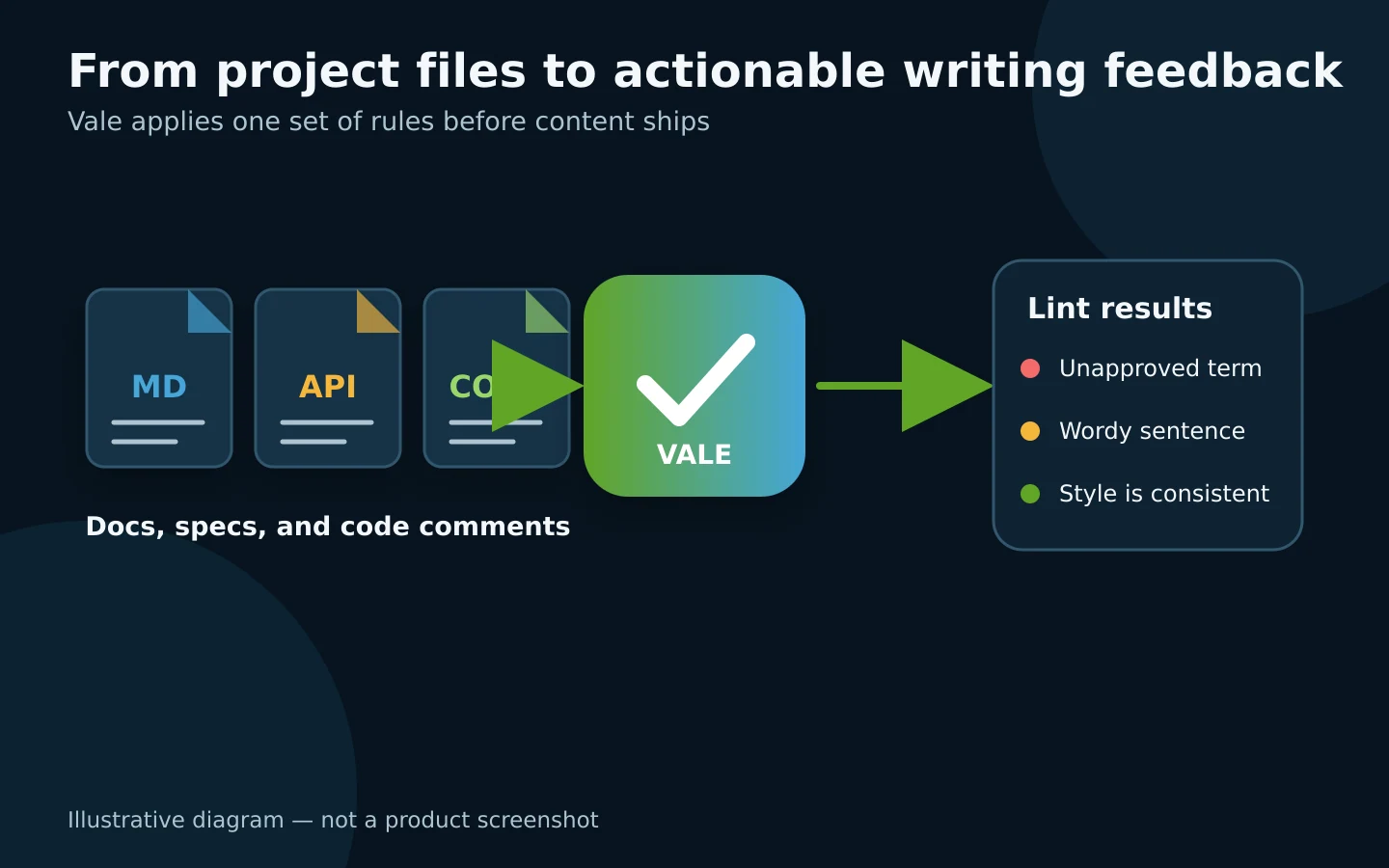
Original explanatory diagram; not a product screenshot.
🎯 How does it help you?
Vale fits an individual developer or small team that publishes documentation, READMEs, operating instructions, or AI-generated copy. Instead of reminding an agent in every conversation that the product name is “NASQ,” not “Nasq,” or manually finding discouraged wording, keep the rule in the repository. The developer, the next agent, and CI then see the same result.
For example, a bilingual documentation project can apply a published English package and maintain internal terminology rules for both languages. Before a pull request merges, Vale checks the relevant files. Errors send the author to a specific line; suggestions can remain advisory rather than blocking the merge.
The added value is turning editorial preference into visible, versioned rules. Vale is not a human editor: it cannot validate a business decision, guarantee a translation, or use an English package to judge Arabic grammar.
🌟 Key features
1. Structure-aware Markdown, MDX, and HTML linting
Vale parses a document before applying rules. A rule can target a heading, paragraph, or comment while URLs and code blocks are skipped according to the format and configuration. Documented formats include Markdown, MDX, AsciiDoc, reStructuredText, HTML, XML, DITA, Org, Quarto, Typst, Jupyter, and others.
Views can extract prose from files that are not conventional documents: a description inside an OpenAPI YAML file, a Markdown cell in a notebook, or the body of a commit message. For source code, tree-sitter Views can extract comments and docstrings from documented languages such as Go, Rust, Python, JavaScript, TypeScript, and Java.
- Where to use it: run it against a file or directory, for example
vale docs/. - Value: fewer false alerts from treating code and links as sentences.
- Limit: advanced formats may require a View or an extra converter. A format appearing in the documentation does not mean every framework-specific construct needs no setup.
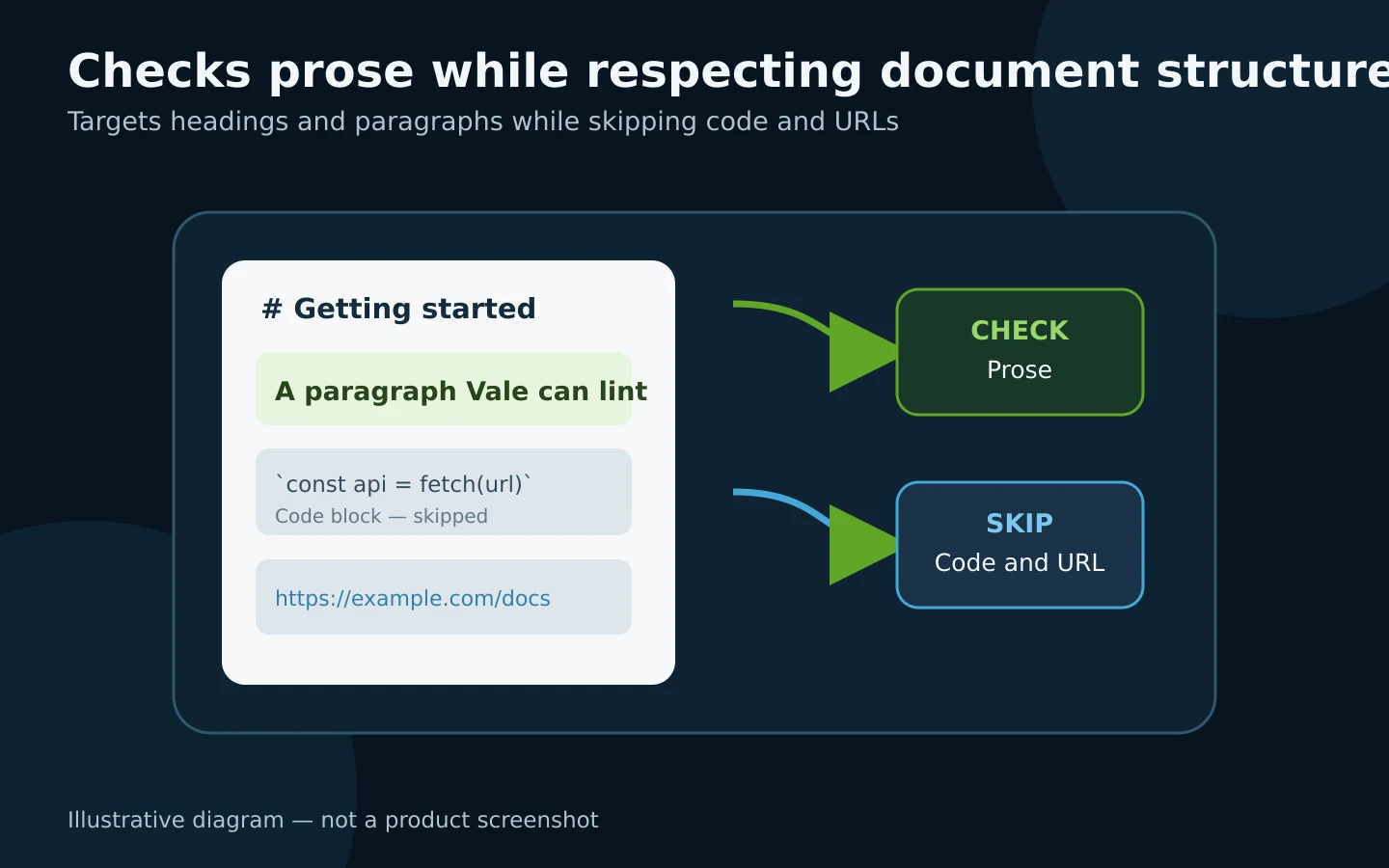
Illustration of the parsing model, not an interface screenshot.
2. Published style packages and your own rules
Vale ships without mandatory editorial opinions. A .vale.ini file names the styles directory, minimum displayed severity, packages, and rules enabled for each group of files. You can begin with a published package and add YAML rules for your project.
A basic terminology rule uses substitution: when an old name appears, the rule reports the approved replacement and may include a fix action. Extension points cover existence, repetition, spelling, sequences, readability, and relationships across content. Version v3.24.0 added vale test, a test runner for rules. Test cases can pin expected alerts, and coverage can fail when no test makes a rule fire.
For Arabic, I did not find a published Arabic style package in the official sources reviewed. Exact terminology and pattern rules can be built for Arabic content, but an English package such as Microsoft should not be presented as an Arabic grammar checker. Arabic rules were not executed during this review.
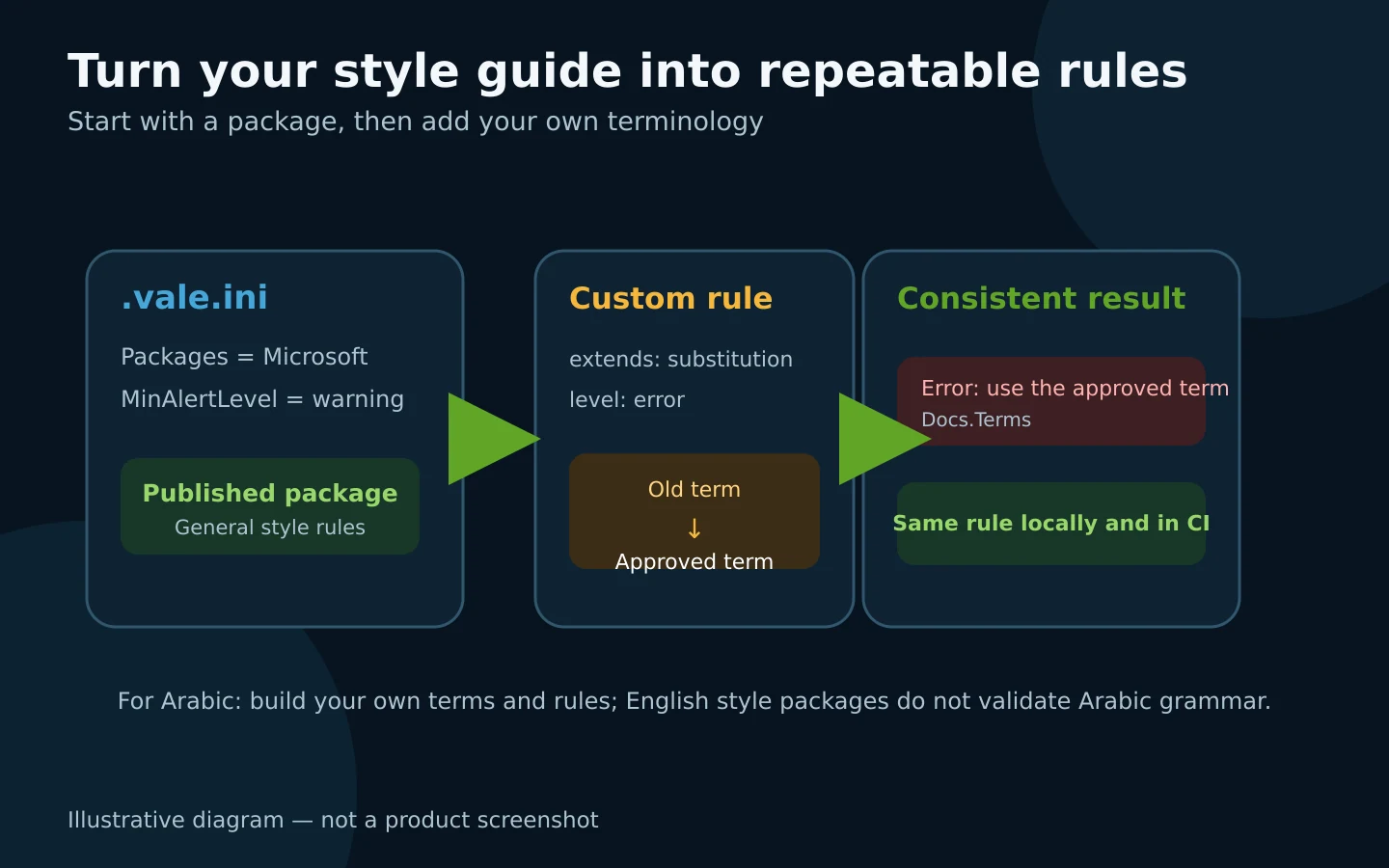
Explanatory diagram; it does not claim that an official Arabic package exists.
3. The same checks in an editor, pre-commit, and CI
Vale can run from the terminal, editor integrations, a pre-commit hook, or the official Vale GitHub Action. Keeping .vale.ini and project rules in the repository helps the laptop and merge gate use the same definitions.
The project lists integrations for VS Code, Cursor, Windsurf, Neovim, JetBrains IDEs, Obsidian, and others. Not every integration is part of the Vale executable; some are separate extensions. Review each publisher and its permissions before installation.
One automation detail matters: according to the Quickstart, only an error severity returns a non-zero exit code. Warnings and suggestions are reported but do not fail CI by default. Use that difference to separate mandatory terminology from editorial guidance.
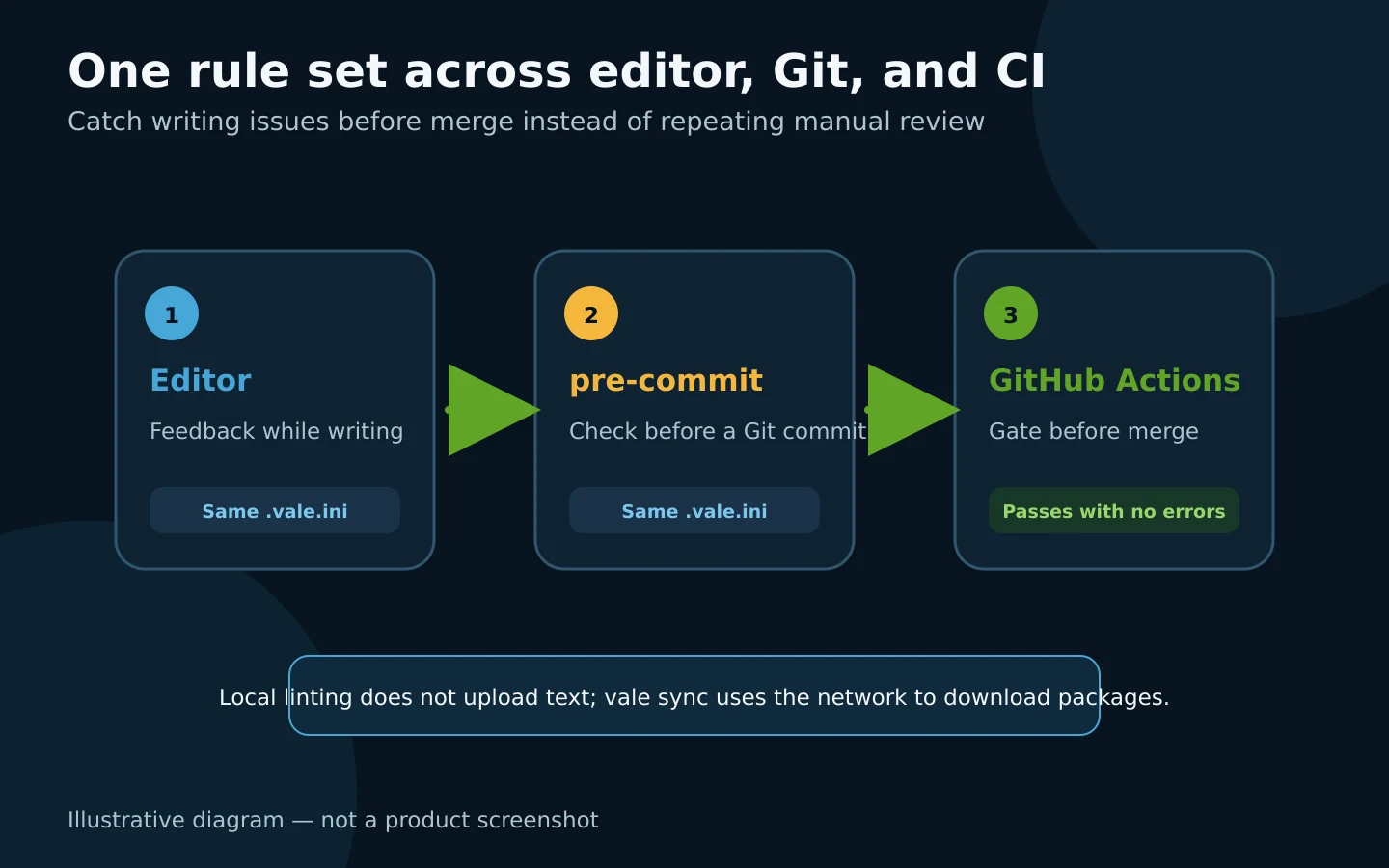
Illustrative integration flow; installing the CLI does not configure CI automatically.
4. Local operation with a clear privacy boundary
The README describes Vale as running without uploading prose to a service: no account, no document upload, and no training on your writing. That makes the CLI suitable for private documentation when the executable and rules run locally.
Network access still appears at defined points: downloading Vale, running vale sync, package-manager updates, CI, or the editor itself. Vale Studio and Vale CMS are separate optional services and are not required for local CLI use. Treat Packages as dependencies. The security policy explains that vale sync fetches what the configuration names and that an untrusted package can change what Vale reports.
🪜 Step-by-step illustrative example
Not run on your project: standardize terminology in a bilingual documentation repository.
- Install Vale and verify it with
vale --version. - Create
.vale.iniat the repository root and setStylesPathandMinAlertLevel. - Apply a published package only to English files, and create internal styles for shared terminology.
- Add a
substitutionrule that flags an old product name and proposes the approved name. Start with three important rules instead of dozens of untested checks. - Run
vale sync, thenvale docs/. - Make merge-blocking terminology an
error; keep judgement-heavy feedback aswarningorsuggestion. - Add
vale testcases for internal rules so a later edit cannot silently disable them. - Once local results are stable, add pre-commit or the Vale GitHub Action. Do not turn CI into a gate before handling false positives.
Simplified configuration:
StylesPath = styles
MinAlertLevel = suggestion

Packages = Microsoft

[docs/en/*.md]
BasedOnStyles = Vale, Microsoft, House

[docs/ar/*.md]
BasedOnStyles = Vale, HouseArabic
This demonstrates separating English rules from an internal Arabic style. Paths and style names must match the actual repository.
⚖️ Compared with manual review
| Manual review | With Vale |
|---|---|
| Repeat terminology feedback in every review | Store the rule in the project and report the exact line |
| Different reviewers apply the guide differently | Use one configuration locally and in CI |
| Text search may inspect code and URLs | Structure-aware parsing focuses on prose |
| A broken internal rule can remain silent | vale test adds cases and coverage for rules |
| Private copy may be sent to a web service | The CLI checks it locally without an account or upload |
This compares workflows; it is not a quality guarantee or a measured time-saving claim.
⚙️ Important configuration
StylesPath: where downloaded packages and local rules live. The Quickstart suggests ignoring the downloaded styles directory if it is regenerated by sync.MinAlertLevel: the lowest severity included in reports.Packages: packages downloaded byvale sync. Trust the source and review updates.BasedOnStyles: styles enabled for a matching file section.- Rule overrides: set a rule name to
NOin a section when it does not fit that context. - Views and Scopes: use them when prose must be extracted from a complex structure; avoid configuration that is harder to maintain than the writing rule.
🚀 Installation and first run
On macOS, the documented recommended command is:
brew install vale
Then:
vale --version
vale sync
vale README.md
Packages are available for Windows and Linux, along with Docker and prebuilt amd64 and arm64 archives. Building through Go currently requires Go 1.25.7 or newer and a C compiler. The installation and commands were not executed for this card.
🔗 Integrations and compatibility
- Operating systems: macOS, Windows, and Linux, with documented prebuilt architectures.
- Editors: VS Code/Cursor/Windsurf, Neovim, JetBrains, Zed, Sublime Text, Emacs, Obsidian, and others through listed integrations.
- Git: documented pre-commit and commit-message hooks.
- CI: official Vale GitHub Action, or the CLI in any runner able to download the executable and rules.
- Formats: Markdown, MDX, HTML, AsciiDoc, reStructuredText, XML, DITA, Org, Quarto, Typst, Jupyter, and other documented formats.
💰 Cost and local operation
Vale CLI is open source under the MIT license and requires no subscription or paid API. It runs locally after installation and package sync. GitHub Actions minutes, a CI host, or a separate documentation platform are outside Vale's cost.
At verification time, the repository displayed about 6.2K stars and 229 forks. These changing counters are popularity signals, not security or quality ratings. The project is active, but the README says Vale has a sole developer; include that in dependency-continuity planning, as with any open-source tool.
⚠️ Limitations and when not to use it
- Vale is not a translator or semantic reviewer. A sentence can follow the style guide and still be factually wrong.
- Published packages focus on their language and rules; do not use an English package to judge Arabic quality.
- Broad or numerous rules create noise and false positives. Start with critical terms and expand carefully.
- Editor and CI integrations need separate setup; installing the CLI does not enable them.
vale syncneeds network access, and external packages are dependencies that must be trusted and reviewed.- The security policy supports the latest release only, with no long-term support branch; upgrading is the security-fix path.
- A rarely changed single-page project may be better served by a short checklist.
🔐 Security, permissions, and privacy
Vale reads the configuration, styles, and document paths you pass to it. During sync it writes packages under StylesPath. Run it as a regular user, scope it to project directories, and keep secrets out of rules and CI logs.
Local linting itself does not upload prose according to the README. Still, review every Packages source because sync downloads it, and stay on the latest release because older releases are unsupported by the security policy. Editor integrations and GitHub Actions are separate tools with their own repository access. The minimum need is file reading, while a particular CI integration may request permission to post a check or comment.
📚 Sources and verification date
Verified on 4 October 2026 against the original repository, official documentation, Quickstart, installation guide, formats, Views, security policy, and GitHub releases. The latest stable release is v3.24.0, published 1 October 2026, and the latest visible commit at verification time was dated 3 October 2026. Vale was not installed, the example was not executed, and Arabic rules were not tested.