zoxide
Active and stableRuns locally ✓No paid APIReturn to project directories using short queries and local usage history, with optional fzf selection.
brew install zoxideIdeal use for this tool
For developers switching among many directories in an interactive terminal. It learns from visited paths and helps you return; use explicit paths for scripts and deployments that require a fixed destination.
Details and illustrated features
If you switch between deeply nested project directories every day, typing paths can become an interruption of its own. zoxide learns the directories you visit and lets you return with short queries. Its value is interactive terminal navigation; you still need to know where a command will execute, especially before editing files or deploying.
🧭 What is zoxide?
Created by Ajeet D'Souza, zoxide integrates with your shell and keeps a directory usage database. The usual navigation command is z; zi adds interactive selection when fzf is available. See the official repository, reviewed 28 October 2026.
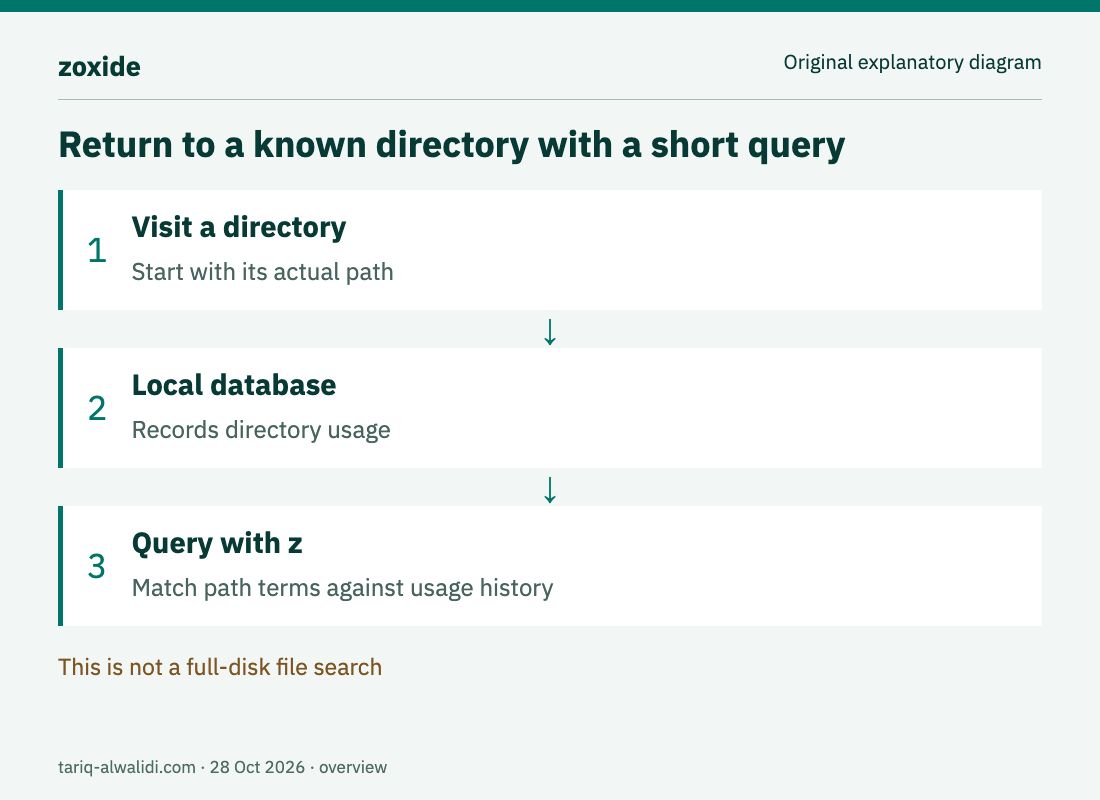
These are original explanatory diagrams, not product screenshots or measured results.
🌟 How do you choose the right directory?
1. Use a short query
After visiting directories normally, z foo navigates to the highest-ranked match, while z foo bar narrows the query. The official matching algorithm documents ordered path terms and ranking based on usage frequency and recency.
This is not a full-disk file search. If a directory is new and absent from the database, visit it by its actual path first. In an illustrative case with two similarly named projects, do not assume the shortest keyword always selects the intended destination. Add distinguishing terms and inspect the resulting path.
2. Choose interactively when names overlap
The zi foo command uses fzf for interactive selection. This can help when several projects or working copies share similar names. Read the selected path rather than remembering its position in a list: usage-based ordering can change.
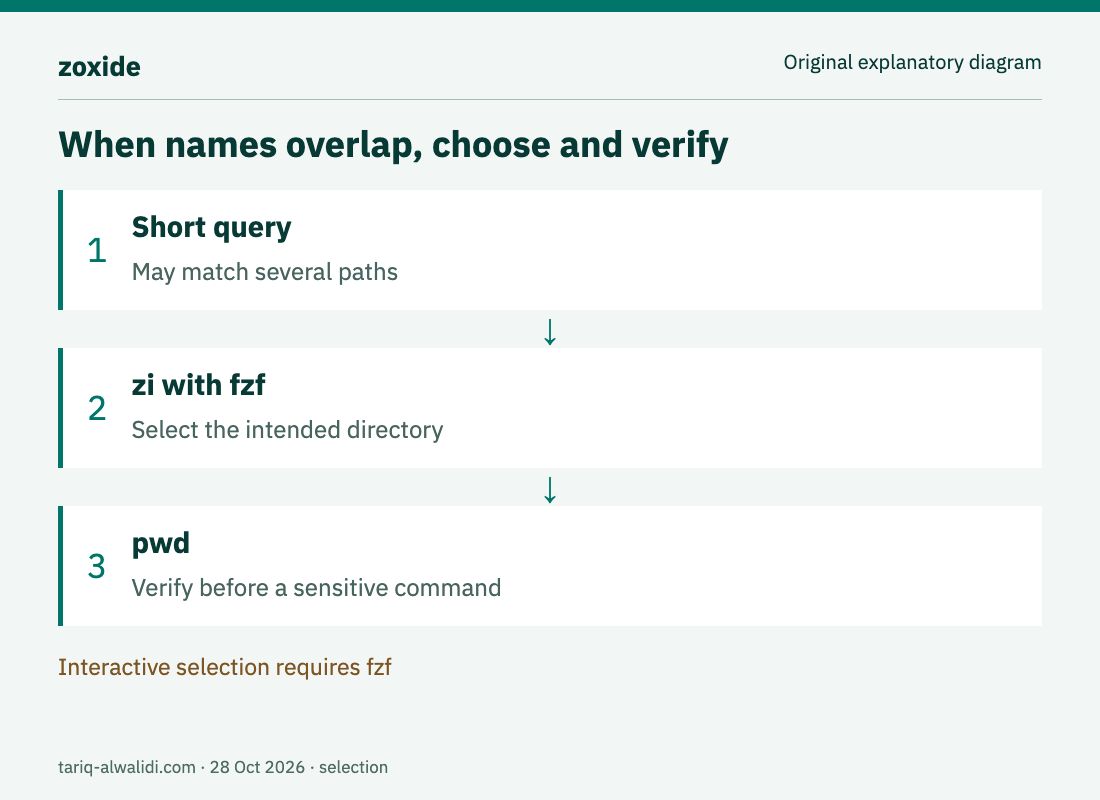
For example, imagine separate experimental and working copies of one project. Search for the name, select the intended copy, and run pwd before a sensitive command. This is suggested operating practice, not a claim that zoxide prevents navigation mistakes.
3. Control the local database
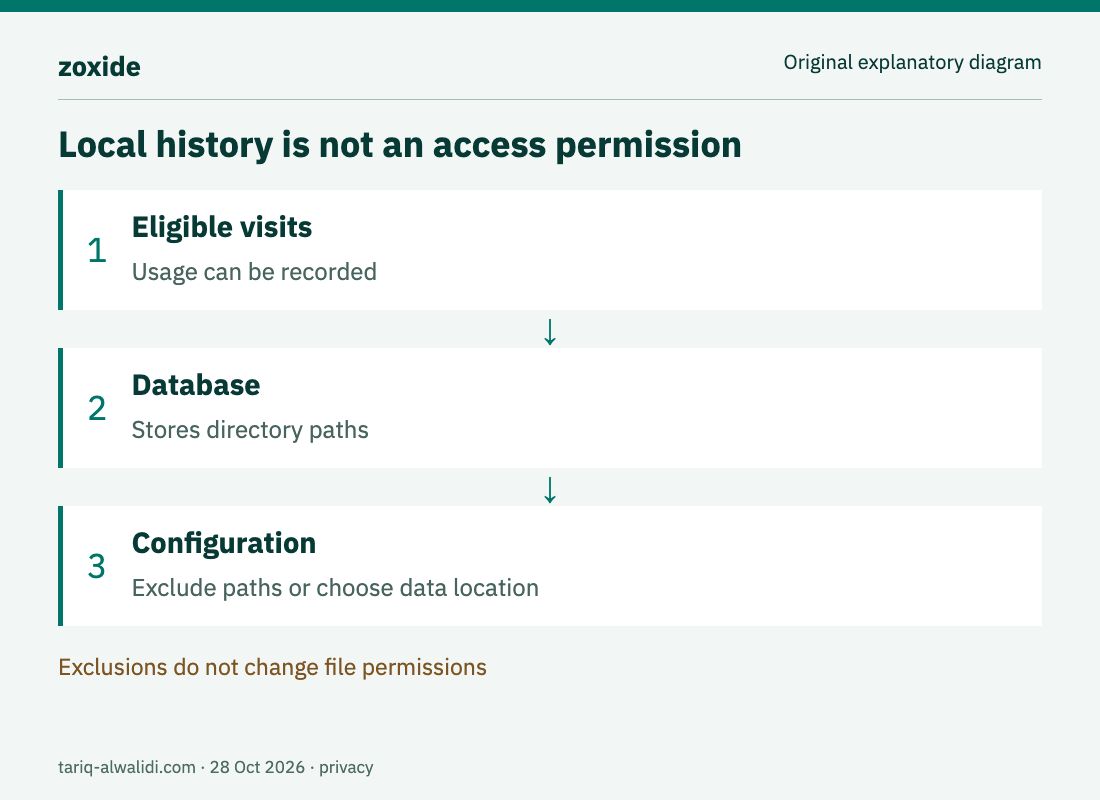
Configuration includes _ZO_DATA_DIR for database location, _ZO_EXCLUDE_DIRS for excluded paths, and _ZO_ECHO to print a matched destination. Set environment options before initialization, as explained in the repository's Configuration section. Excluding a directory controls recording; it does not change file permissions or protect its contents.
🚀 Installation and shell setup
The official guide documents Homebrew installation on macOS. These are instructional commands; we did not install the tool or edit your terminal configuration:
brew install zoxide
zoxide --version
For Zsh, the documented initialization line goes once into its configuration, usually ~/.zshrc. It evaluates shell code produced by the installed zoxide binary when your shell starts, so use a trusted package source rather than an unknown initialization snippet.
eval "$(zoxide init zsh)"
For Zsh completions, the documentation places initialization after compinit. You do not need to erase your shell settings to add one line. Open a new session and check that the command exists. Bash, Fish, PowerShell, and other shells have different initialization instructions; use the section matching your shell.
Interactive selection requires fzf; the README specifies a minimum version of v0.51.0 at review time. Ordinary z navigation is a separate path from interactive selection. Windows installation is documented through winget install ajeetdsouza.zoxide, with additional package-manager options for other systems. Check your actual platform and package version.
🪜 A complete example: return to a known project
This proposed scenario was not executed. Suppose an existing practice directory is named docs-sandbox under your projects directory. Substitute a path that exists on your computer; there is no need to create or remove directories to fit the example:
cd ~/projects/docs-sandbox
pwd
cd ~
z docs-sandbox
pwd
The first step visits the known directory; the final step lets you verify that the short query returned to the intended destination. If it did not, stop before building or changing anything. Navigate using an explicit cd path and inspect initialization and query matching. For ambiguous names, try zi after its dependency is installed.
Once this small exercise works, try a second project with a different name. Evaluate whether the query remains understandable the next day. The goal is reliable navigation, not minimizing characters at any cost.
⚖️ When is it useful compared with aliases?
| Approach | Benefit | What to review |
|---|---|---|
Explicit cd path | A defined destination | Path length and changes |
| Fixed alias | A known shortcut for a stable project | Updating it after moving a directory |
z | Usage-based matching with short terms | Ambiguous destination names |
zi with fzf | Interactive choice among candidates | Selected path and fzf availability |
This is a proposed workflow comparison, not a benchmark or measured time saving. For deployment scripts or automation needing a fixed destination, we recommend explicit, verified paths. One person's usage history is not a reliable contract for selecting projects across a team.
🔗 Compatibility and coding assistants
Shell support does not establish that every terminal session loads your configuration. The z command may exist in your interactive terminal and be absent from a non-interactive session launched by an assistant. Give a coding assistant an explicit working directory and verify it. Installing zoxide does not add an MCP tool or grant new access.
The repository lists third-party integrations, but they are not one uniformly verified capability. We did not test an editor or file-manager integration. Start with basic navigation and assess any extra integration and its permissions separately.
💰 Cost, privacy, and limitations
zoxide is open source under MIT. Navigation and its database are local and require no model subscription or paid API; installation and updates may need a network. The database stores paths that can reveal customer or project names. Do not publish it or upload it casually just because it does not contain the files themselves.
The tool does not move files, manage Git working copies, or establish whether two similar directories target different environments. It gets you to a directory; the commands you execute afterward remain your responsibility. If you use only a few fixed paths, ordinary cd commands and aliases may be sufficient.
📚 Sources and verification date
- Repository, installation, and configuration.
- Matching and ranking algorithm.
- Releases: latest observed version
v0.10.0.
Reviewed 28 October 2026. GitHub reported 40,334 stars and 934 forks, with the latest push on 24 October. Those observations are not quality ratings. We reviewed documentation and release sources; we did not install the tool or perform device-specific acceptance testing.