Docusaurus
Active and stableRuns locally ✓No paid APITurn Markdown files into an organized documentation site with Arabic and English locales, versioned guides, and static output you can host yourself.
npx create-docusaurus@latest my-website classicIdeal use for this tool
Best for a developer or small team maintaining a product or library guide and comfortable with files and Git. It organizes scattered instructions into pages with clear locale and version choices. It does not write or translate your content, and may be excessive for a single page or a team needing direct collaborative editing.
Details and illustrated features
You explain project setup to every new teammate, with instructions scattered across a README, chat messages, and older files. When the product changes, nobody is sure which instructions still apply. Docusaurus helps turn that material into an organized documentation site: write text files, review changes with the team, then build pages you can host. Its value is not writing the explanation for you, but giving it a clear place, reading path, language, and version.
🧭 What is Docusaurus?
Docusaurus is an open-source website generator from Meta and contributors, focused on documentation sites. It uses React and accepts Markdown and MDX. MDX lets you combine prose with React components when you need an interactive example or custom element. You do not need to write a component for every page: start with headings, paragraphs, links, and ordinary command blocks.
It reads content and configuration and generates static files inside build/. Preview them locally and deploy them to static hosting. A basic guide does not need a database merely to display its pages, but authentication, external search, and analytics are not guaranteed simply because HTML files exist. Each addition changes cost, data flow, and operational responsibility.
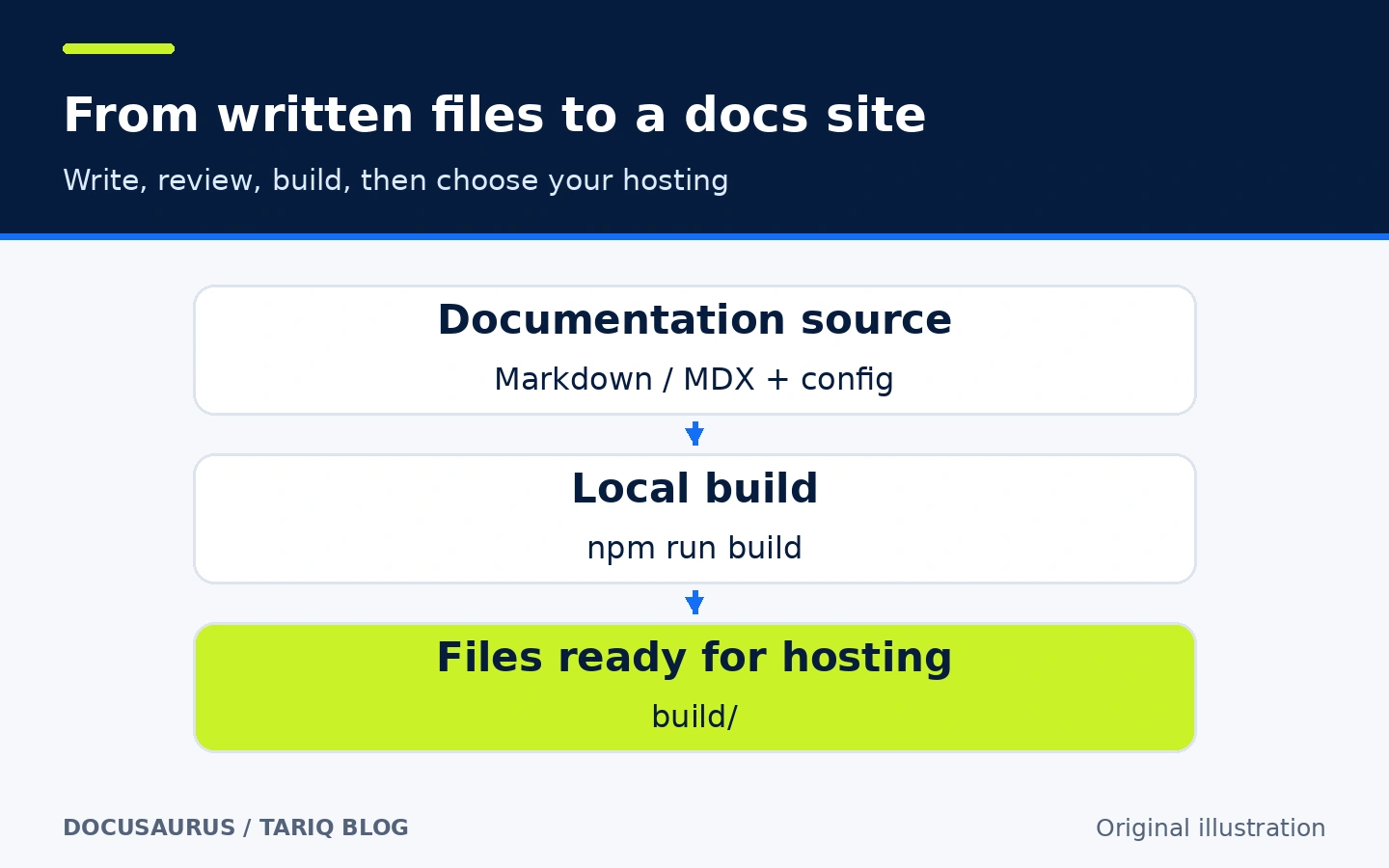
An original explanatory diagram, not a screenshot or the result of an executed build. Deploying to hosting is separate from building files.
🎯 How does it help in practice?
A good fit is a developer or small team creating a product, library, or API guide and comfortable with project files and Git. Put setup, permissions, and troubleshooting in one site instead of repeatedly finding the right chat message. A code review can include a documentation change when setup behavior changes. This is a suggested workflow, not automatic synchronization between code and prose.
The added value is separating knowledge authoring from building navigation and page design from scratch, with independent documentation versions when product users genuinely need different instructions. If a short README already answers the reader's questions, a separate site may add unnecessary work. A team needing simultaneous browser-based editing without Git or builds may find a collaborative document tool simpler.
🌟 Key features and how to use them
1. Derive navigation from files with an Autogenerated Sidebar
Docusaurus can generate sidebar navigation from your documentation directory: folders become categories and files become document links. This helps as a guide grows, letting you add a page in an understandable location without maintaining every navigation link manually.
- Where to configure it:
sidebars.js, using anautogenerateditem with adirNamerelative to the docs directory. - How to use it: group related tasks under a folder such as
docs/guides/, then adjust labels and order where needed. Pages supportsidebar_labelandsidebar_position;_category_.jsoncan customize a category. - Illustrative example:
guides/containssetup.mdandroles.mdfor startup and permissions. They appear under a guides category with labels you supply. The labels in the diagram are not automatic translations of filenames. - Important limit: the default order within an autogenerated slice is alphabetical, not an instructional sequence understood by the software. Review it as a reader. Renaming a file or changing its ID can also change its default URL; use an explicit
slugwhere stable links matter.
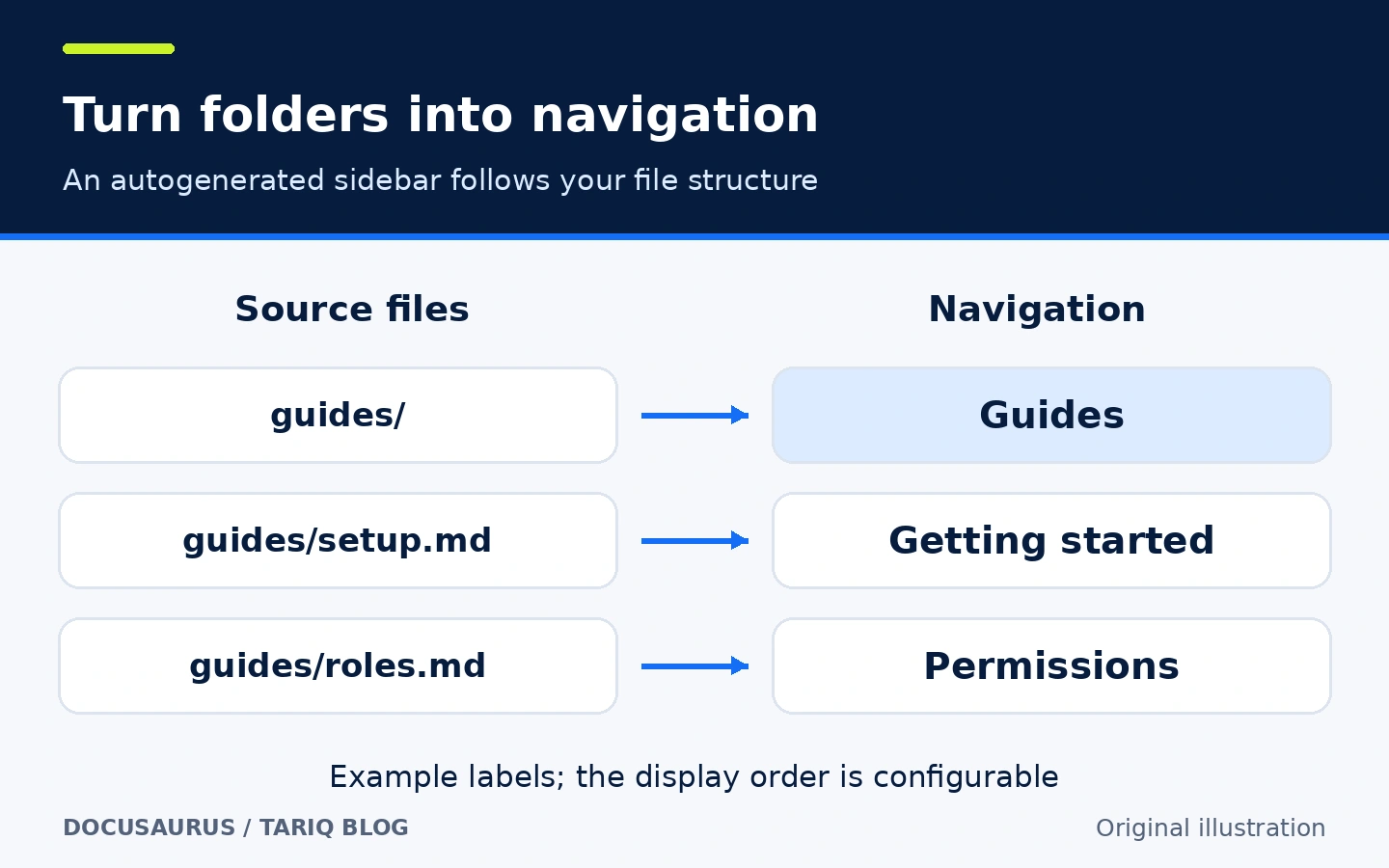
A diagram of the file-to-navigation relationship, not an invented interface. Page titles, content, and reading order remain the author's responsibility.
2. Match documentation to product releases with Versioning
When users of an older product release need different instructions, preserve a snapshot of the current guide and continue writing the next one. The documentation-version command creates a directory such as versioned_docs/version-1.0.0/, records versioned sidebar data, and adds the version to versions.json. It does not create a Git branch or release your application.
- Where to configure it: run the CLI inside the documentation site, then use docs-plugin settings and a
docsVersionDropdownnavbar item if you want a version selector. - How to use it: review the guide first, then create a version only when the differences justify maintaining separate instructions.
1.0.0in this example is a hypothetical release of your product, not the Docusaurus release reviewed here. - Illustrative example: inside the docs project,
npm run docusaurus docs:version 1.0.0creates a snapshot named 1.0.0. Then change the user-creation instructions underdocs/for the next release. The saved snapshot does not change automatically. Correcting an error there means editing its versioned files too, rebuilding, and redeploying. This follows the official command pattern; it was not executed. - Important limit:
currentdescribes files underdocs/, whilelatestdescribes default navigation behavior; they are not always the same version. After versioning starts, current docs default to/docs/next/, while the latest saved version defaults to/docs/. These paths are configurable.
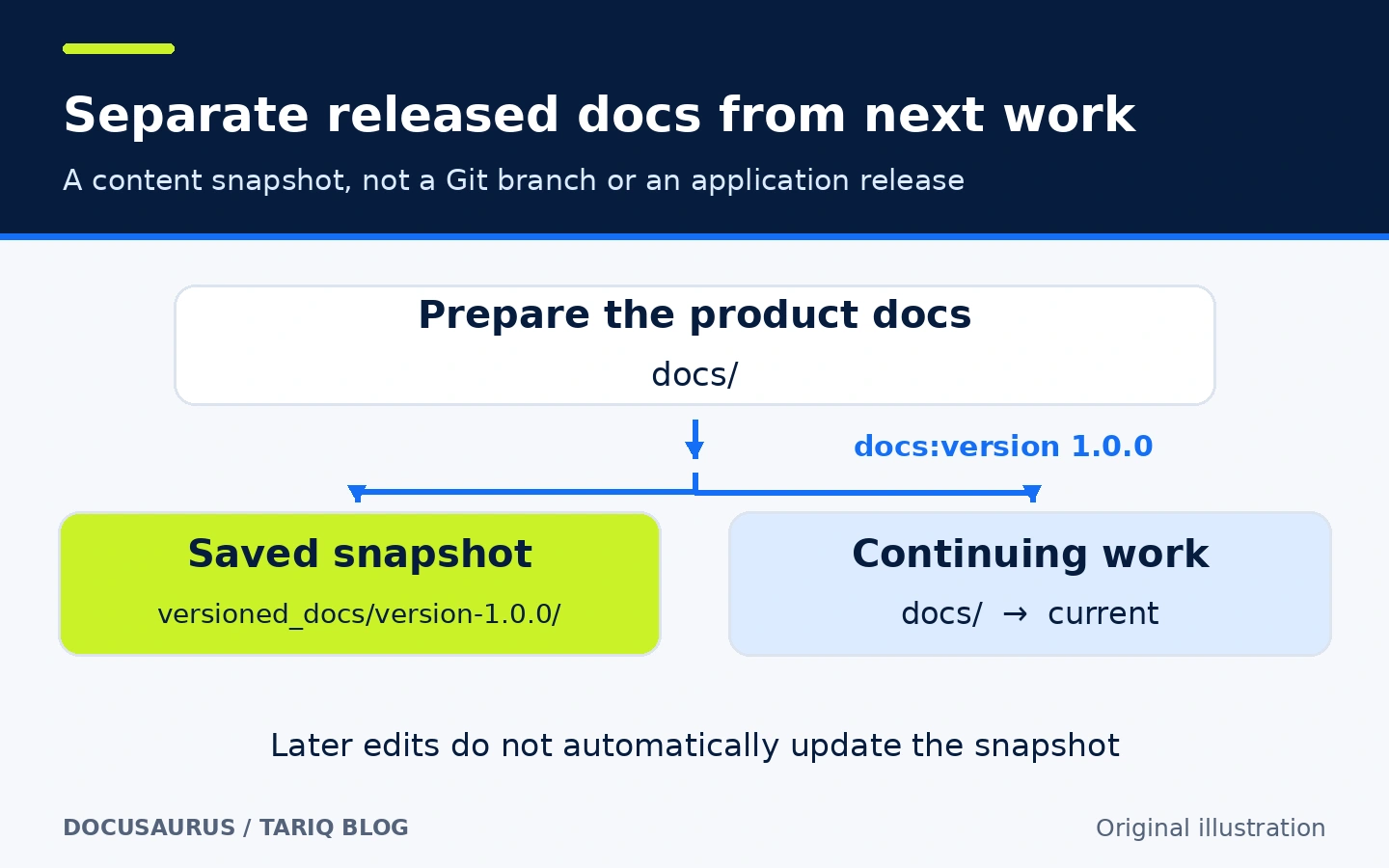
A hypothetical example. Do not create a version for every tiny fix without a real need: the official documentation warns about increased build time and maintenance complexity.
3. Publish English and Arabic content with Internationalization and RTL
Define multiple locales and supply translated content for each. Docusaurus supports right-to-left languages such as Arabic and a mechanism for translating interface labels. Adding ar to configuration does not translate your documentation paragraphs automatically.
- Where to configure it:
i18nindocusaurus.config.js, locale files underi18n/ar/, and alocaleDropdownnavbar item. - How to use it: choose a default locale, add alternatives, and translate complete Markdown documents in the correct location. With English as the default, the Arabic counterpart of
docs/belongs underi18n/ar/docusaurus-plugin-content-docs/current/. - Illustrative example: provide an English setup guide and an Arabic counterpart, configuring
direction: 'rtl'for Arabic. An all-locale build for one domain normally emits the default locale intobuild/and Arabic intobuild/ar/. - Important limit: the development server starts one locale at a time; after configuration, preview Arabic with
npm run start -- --locale ar. This does not prevent a production build from including both. A single-locale build uses different deployment-path assumptions, so do not confuse it with an all-locale build. Check links, translated images, and older pages in every locale.
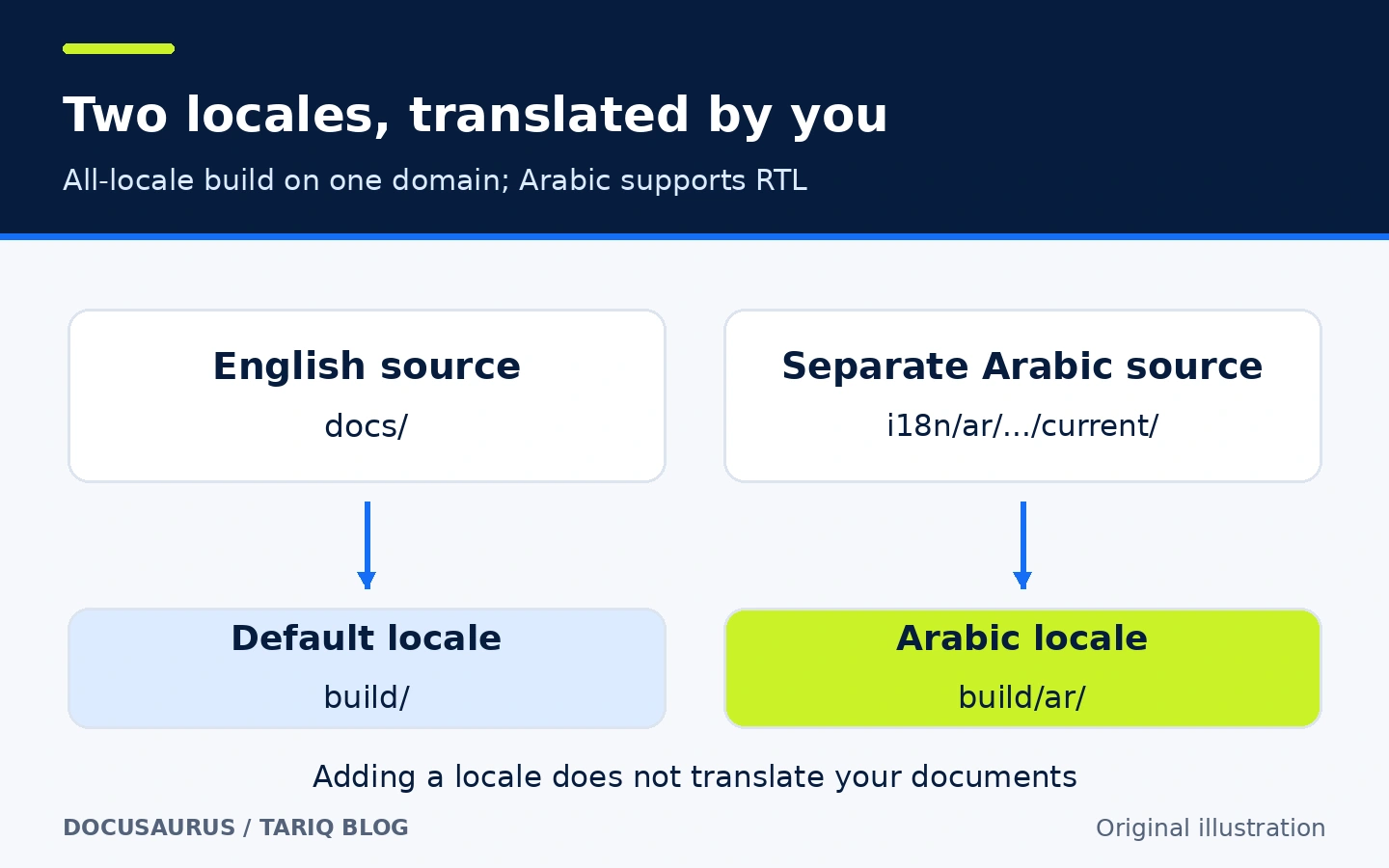
A simplified path diagram; the dots abbreviate the plugin directory spelled out in the text. Translated image annotations explain the workflow, not an automatic translation service.
🪜 Practical example: a small product's setup guide
This workflow is illustrative. We did not run it or create a Docusaurus website during this review. Suppose your web product needs setup and user-permission instructions.
- Choose three pages readers actually need: getting started, managing permissions, and troubleshooting sign-in. Do not begin by copying every team conversation into the site.
- Create a test site with the
classictemplate as described below. Write pages underdocs/, set meaningful titles and descriptions, and arrange their order. Use sample material without customer data. - Follow the sidebar from beginning to end. Check links, commands, and images, and ask whether a new teammate can complete the task without a private message.
- If both languages are needed, add Arabic and translate the corresponding pages, including text embedded in images. Changing page direction does not translate an English screenshot.
- Build the site and preview the production output locally. Check both locales and direct page links before deploying
build/to your chosen host. A working development server is not a substitute for inspecting production output. - When your product ships and its guide later changes, create a documentation snapshot only if both instruction sets need support. Track corrections across relevant versions and languages.
- Include documentation changes in reviews of the next feature. Vale CLI can review writing style in a separate process; Docusaurus does not verify operational facts itself.
Success means readers get correct instructions for their version and language, and can open the deployed links—not merely that the site looks polished. This example claims no measured time saving or reduction in support requests.
⚖️ What changes compared with manual work?
| Task | Without organized documentation | With Docusaurus |
|---|---|---|
| Collect explanations | Scattered messages, files, and links | Pages with shared navigation and an explicit file source |
| Add a page | Update several manual link lists | Navigation can follow folders, with editorial ordering |
| Support different releases | An old file with an unclear audience | A specific docs version, with its maintenance cost |
| Offer Arabic and English | Duplicate files and links without a shared structure | Separate locale content and routes, but you still translate |
| Publish an update | Copy individual pages and formatting | Build static files and deploy the output through your chosen process |
⚙️ Configuration to review before real use
Check url and baseUrl: the first identifies the site origin and the second its base path, such as / or /handbook/. Incorrect values can break links or images after deployment even if local development appears fine. Keep meaningful page descriptions and stable links, and inspect search metadata when your site goes live. SEO defaults do not guarantee search ranking.
The classic template includes documentation, custom pages, and a blog. A blog/ directory does not mean your operations guide must use it; start with the needed surface. Add React components through MDX only when useful. MDX is stricter than ordinary Markdown, and some HTML-like syntax or braces need the appropriate JSX syntax or escaping to avoid compilation errors.
🚀 Installation and first run
On 19 October 2026, the verified stable release was v3.10.2, published on 10 July 2026. Its package manifest and docs require Node.js 20.0 or newer. That is a compatibility floor, not a recommendation to install an old, unsupported runtime; choose a supported Node release satisfying it. You also need npm and a terminal environment able to create project files and download dependencies.
The documented official scaffolding command is:
npx create-docusaurus@latest my-website classic
npx downloads and executes the initializer, which creates project files and dependencies. Check the package name and source and do not use administrator privileges by default. We did not run this or any installation command. @latest is mutable: inspect the versions it actually creates, and do not assume a later run reproduces the release documented here.
To preview from the project directory:
cd my-website
npm run start
To build production output and preview it locally:
npm run build
npm run serve
Inspect build/ and the preview. We provide no successful-build log or build-time figure because this workflow was not executed. When upgrading, keep related @docusaurus/ package versions aligned as documented, and retain the lockfile in your review process.
🔗 Compatibility, integration, and search
Docusaurus is a standalone Node.js/React tool, not a DSH, Claude Code, or Codex plugin. Its sources can live beside your project code, builds can run in CI, and output can be hosted as static files on your own server or a suitable provider. Requirements were checked from the package; every OS, hosting environment, and community plugin was not tested.
The project officially supports Algolia DocSearch; its listed local-search and Typesense options are community-maintained. Do not assume installing the template provides complete search without configuration and indexing, or that every website qualifies for a free external service. We did not check external search pricing or eligibility for this example. Adding search requires a separate review of terms, index location, and data exposure.
💰 Cost and local operation
Docusaurus code is MIT licensed, and building a static guide does not require a paid API or a Docusaurus subscription. That does not remove hosting, domain, build, or plugin-maintenance costs, nor grant rights to republish someone else's content. The project's documentation has a separate license from its code. This card's text and diagrams are original explanations with source links.
You can author, build, and preview locally. Installation and upgrades contact package registries, and deployment sends output to your selected host. External search, remotely hosted fonts, analytics, or third-party images can change readers' network connections and data flows. We did not audit all network activity or dependencies; local operation does not automatically mean no outside connections.
⚠️ Limits and when not to choose it
Docusaurus does not replace task management, a real-time collaborative knowledge base, or a data-permission system. Someone must own content, builds, and upgrades. Every extra language and version adds ongoing maintenance. If the guide rarely changes, start with one version instead of several nearly identical copies.
A successful build does not prove instructions are correct, translations are current, or every hosted route works. Assign human content review and inspect production output. Choose something simpler for a single explanatory page, or another authoring tool if writers cannot work with project files and only want direct editing.
🔐 Privacy and permissions
Treat content files, configuration, plugins, and MDX components as source code requiring review. React support means MDX is more than inert prose; do not add untrusted components or plugins to a build. Run scaffolding and builds with limited privileges, review dependencies, and avoid supplying deployment credentials to a build task that does not need them.
Anything emitted into static site files can reach a visitor able to download them. Do not put secrets in content, static/, or customFields; passing an environment value into client code does not hide it. Removing a navigation link or keeping a Git repository private does not protect a publicly deployed site. Internal guides need real access control at hosting or a suitable gateway, including review of images, attachments, older versions, and search indexes.
📚 Sources and verification date
Last checked: 19 October 2026. This was a repository, documentation, and package review—not an installation or Docusaurus deployment test. The eight original diagrams explain four relationships in Arabic and English; none is a product screenshot.
- Original repository, release-pinned README, and v3.10.2 release.
- Installation, release-pinned package manifest, and license.
- Creating a document, autogenerated sidebar, and versioning.
- Internationalization, translation tutorial, and MDX and React.
- Build and deployment and search options. Source-file references pinned to
v3.10.2are retained in the source package to distinguish stable behavior from development documentation.
At inspection, GitHub returned 66,524 stars and 10,092 forks, with its last recorded push on 16 October 2026. These indicate interest and repository activity, not user ratings or a quality or security certificate. Weekly downloads were not verified; unknown is not zero.
The comparison included Aider, an Apache-2.0 terminal coding assistant that edits code with local or cloud models. Model cost and privacy are separate decisions. Its source reported release v0.86.0 on 9 August 2025 and a last push on 22 May 2026; those dates alone do not prove it is abandoned. Docusaurus was selected for a focused documentation workflow, more recent activity, and a different field after Syncthing, not star ranking. GitHub Topics, claudeskills.info, and dshmarket.com were discovery sources; claims were verified against the original project.