Hurl
Active and stableRuns locally ✓No paid APITurn repeated HTTP requests into text-based tests that check responses, chain requests, and produce reviewable reports locally and in CI.
brew install hurlIdeal use for this tool
Best for a developer or small team that wants repeatable API checks with explicit conditions stored beside the code. It links request data and identifies failing assertions without repeating manual inspection. It does not replace browser tests or test-environment setup; curl may be enough for a one-off request.
Details and illustrated features
After each application change, you reopen a request client, send the same requests, and inspect JSON by eye. The difficult part is not sending a request: it is remembering the success criteria and repeating the same checks. Hurl is a command-line tool that runs HTTP requests from a plain-text file and checks conditions you write against the responses. Keep the scenario beside your code and rerun it locally or in a test pipeline instead of rebuilding the manual procedure.
🧭 What is Hurl and how does it work?
Hurl is an open-source Orange-OpenSource project written in Rust, using libcurl to send requests. Write the request method and URL, followed by an expected response status and conditions on headers or content. Files conventionally use the .hurl extension and can contain a single request or a connected sequence. A simple check does not require scaffolding a complete programming project.
HTTP is the protocol a client uses to communicate with a server. An API is an interface your application exposes to read or modify data. An assertion defines what counts as correct: not merely receiving 200, but receiving the required field with a value that matches the API contract. JSONPath selects data within JSON; for example, $.status selects the top-level status field.
Hurl is not a browser and does not execute the website's JavaScript. It checks HTTP requests and responses, making it suitable for data interfaces and server-sent documents rather than button positioning or a complete interactive UI journey.
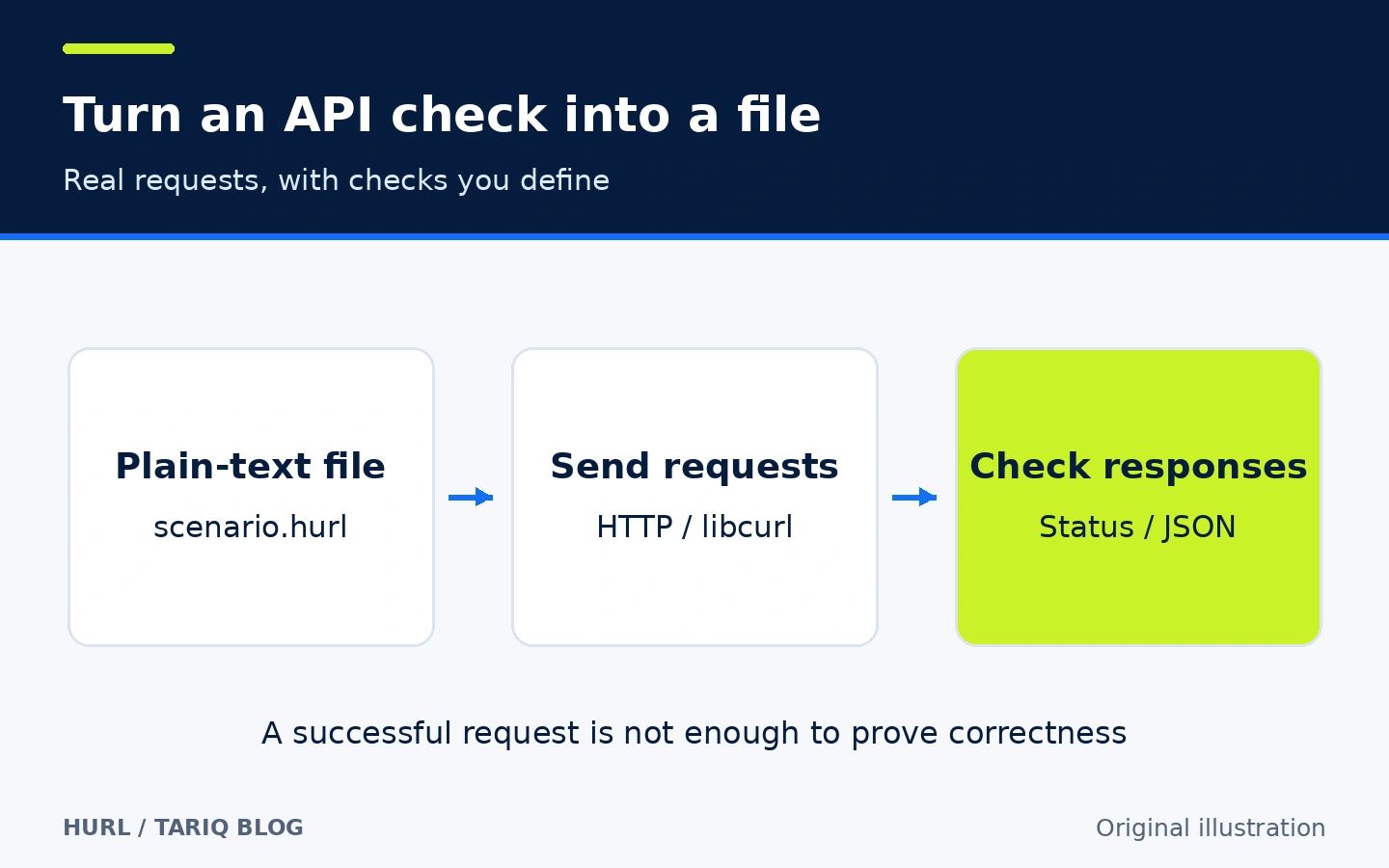
Original explanatory illustration, not a product screenshot. Arabic annotations are added explanations, not evidence of official Arabic interface support.
🎯 How does it help, and what value does it add?
It suits a developer or small team with an API and recurring scenarios such as checking service health, creating and reading a record, or checking rejection of an unauthorized request. Instead of keeping the procedure in a conversation, turn it into a file you can review in Git and run with a consistent command. After a coding agent changes an endpoint, it can run the agreed check if you authorize it. Hurl itself does not use an AI model or require its key.
Its immediate value is making success criteria explicit and shared. Review test changes alongside application changes and identify the condition that failed. It cannot infer your business rules: a weak assertion remains a weak test even when it passes. Nor does Hurl automatically start your application server or provision a test database.
🌟 Features and how to use them
1. Check content, not just connectivity
Place HTTP 200 after a request to require that response status, and add [Asserts] for detailed checks. Select a JSON field or response header, then compare it with a value, check existence, or count items. This can catch a response that succeeds at the transport layer but violates the expected contract.
- Where: inside the
.hurlfile, following the request and expected response. - How: begin with the status code, then add a check on the key data your client depends on. For example,
jsonpath "$.status" == "ok"is appropriate only if the actual API returns that field with that value. - Illustrative example:
/api/healthmust return200andokinstatus. If your server returnshealthyor a different structure, adapt the assertion to the contract; Hurl cannot infer health from an endpoint name. - Limit: check types when they matter. A number and a string are not necessarily equivalent. Merely finding a field does not prove an amount, permission rule, or calculation is correct. Each important rule needs an appropriate check.
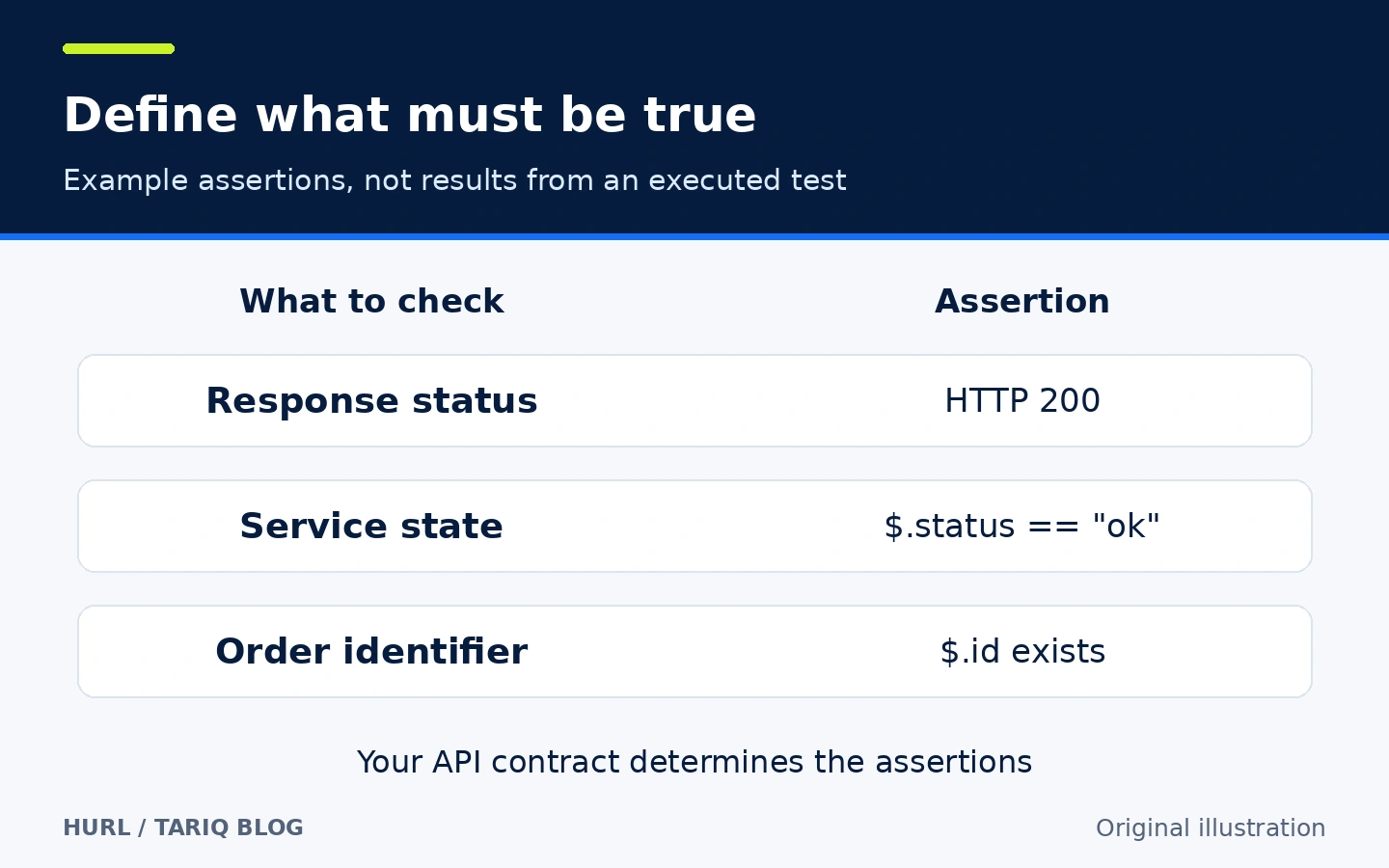
Diagram of illustrative conditions, not a success report from a test run.
2. Capture a response value and use it in the next request
Many workflows need a server-generated identifier: create an order, then retrieve that same order, or obtain a protection token and send it with a later request. [Captures] extracts and names a value. Use it later through a template such as {{order_id}}, avoiding manual copying or a hard-coded identifier that may change.
- Where: a response's
[Captures]section and the subsequent request's variable template. - How: write
order_id: jsonpath "$.id"if the response stores its identifier inid, then include it in the retrieval path. Keep dependent requests in the same file so their sequence is explicit. - Illustrative example:
POST /api/ordersreturns a record, thenGET /api/orders/{{order_id}}retrieves it. The test checks the expected name after retrieval rather than accidentally reading an unrelated record. - Limit: captures belong to the run session, and recapturing the same name replaces its previous value. Do not assume separate files automatically exchange captures. A creating request can create more data each time you rerun the scenario.
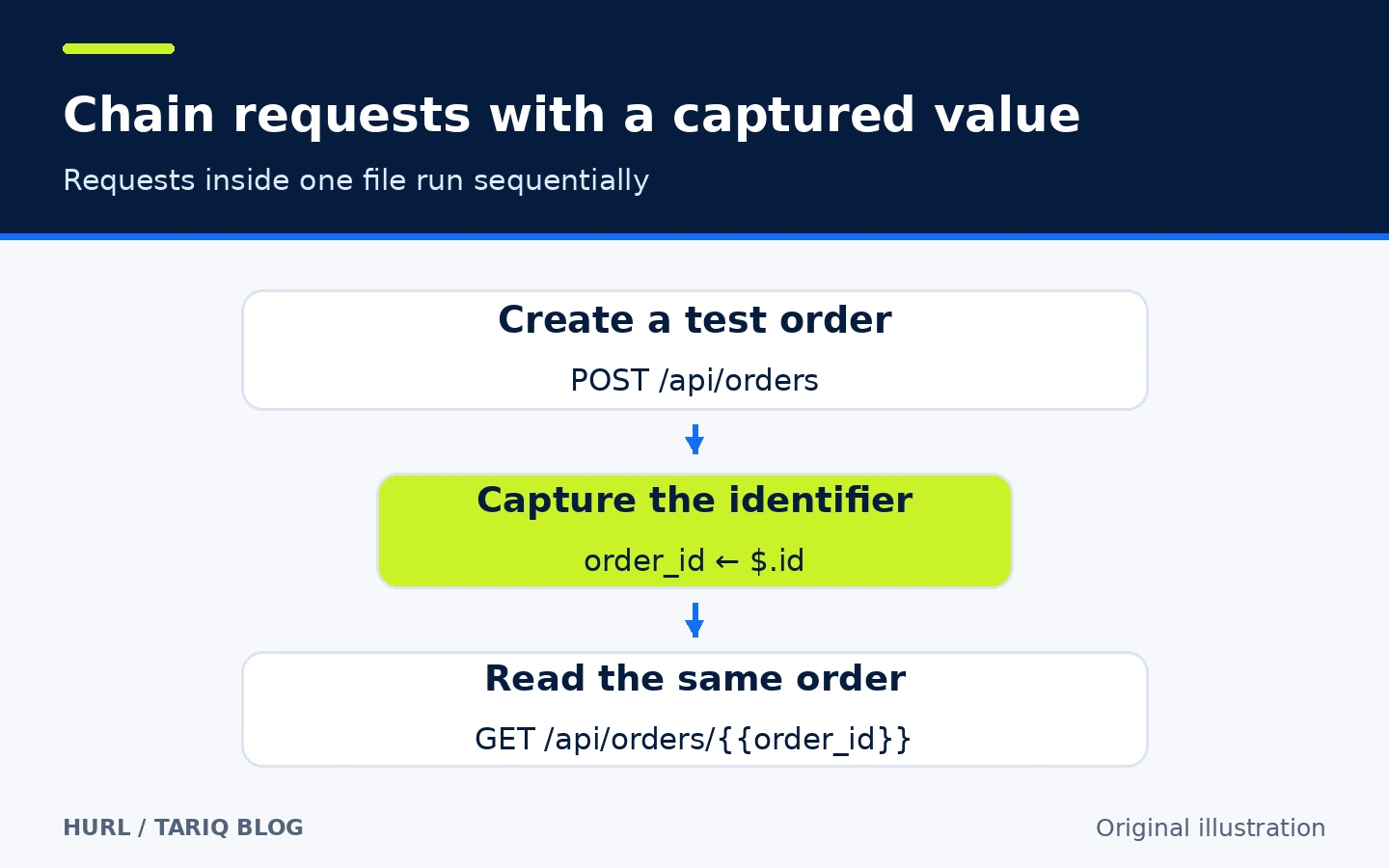
Illustration of request dependencies; the scenario was not executed against a real system.
3. Run test files and retain inspectable reports
hurl --test produces a test recap instead of the usual last-response body output. Assertions run with or without this option; it changes the output and execution mode rather than inventing unwritten checks. Test mode runs files in parallel by default, while requests inside each file remain sequential.
- Where: the
--test,--jobs, and report command-line options. - How: run a reviewed test folder. Use
--jobs 1when files must run one after another. Generate HTML, JSON, JUnit, or TAP reports for human inspection or a continuous integration system. - Illustrative example: run
health.hurlandorders.hurlagainst a test environment and save an HTML report in a directory dedicated to that run. Read the failing condition and line number before fixing the cause; do not change expected values just to obtain a pass. - Limit: avoid parallel files modifying the same record. Reports can contain input files and response content. Reusing an existing report destination can append or update results rather than starting a clean history. You remain responsible for test-data and report isolation.
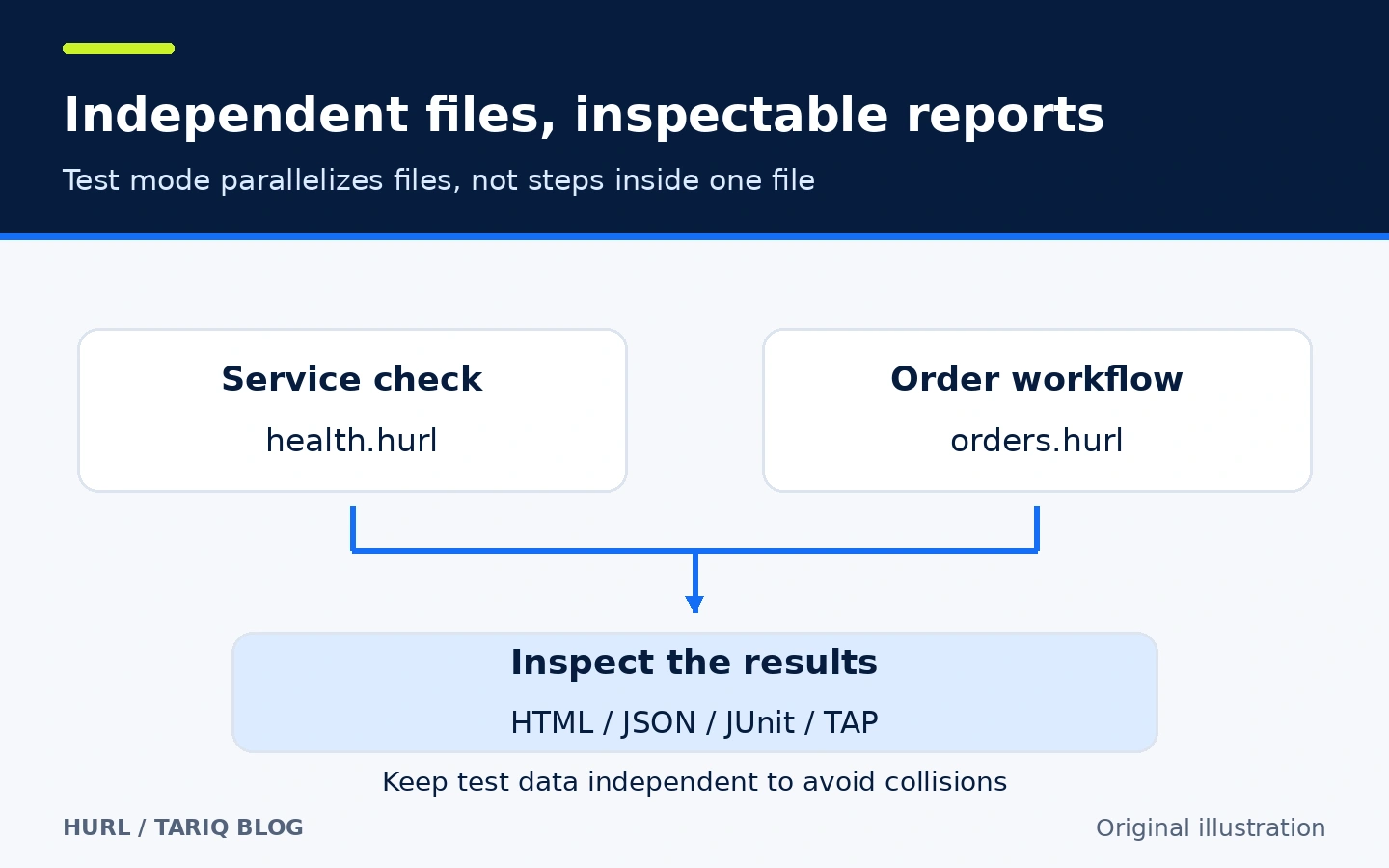
Explanatory diagram, not a report-interface screenshot or execution-speed measurement.
🪜 Practical example: create an order and verify retrieval
Illustrative example, not executed. Assume you own a test API at http://localhost:3000: health returns {"status":"ok"}, order creation accepts name and returns id, and retrieval returns the same name. These are assumed routes and contracts, not endpoints provided by Hurl.
Save this as orders.hurl:
GET {{base_url}}/api/health
HTTP 200
[Asserts]
jsonpath "$.status" == "ok"

POST {{base_url}}/api/orders
Content-Type: application/json
{
  "name": "Hurl demo"
}
HTTP 201
[Captures]
order_id: jsonpath "$.id"
[Asserts]
jsonpath "$.id" exists

GET {{base_url}}/api/orders/{{order_id}}
HTTP 200
[Asserts]
jsonpath "$.name" == "Hurl demo"
Then follow this workflow:
- Start your test server and verify its access rules and response format. If authentication is required, use a limited test account. Removing authentication from the application is not a solution for easier tests.
- Read the entire file before running it.
POSTwrites data; do not point this example at production or a service you are not authorized to test. - Pass the environment URL as a variable rather than duplicating it in every request:
hurl --test --variable base_url=http://localhost:3000 orders.hurl
- Inspect the recap and actual error. The documented exit codes include
0for success,2for input parsing failure,3for runtime errors such as a failed connection, and4for assertion failure. Distinguish an unavailable server from an unexpected response before changing the test. - To generate an independent run report, choose a new output directory, for example:
hurl --test --variable base_url=http://localhost:3000 \
  --report-html reports/orders-demo orders.hurl
- Review created data and clean it through your application's approved process. This example does not imply automatic rollback. Commit the test file after removing secrets, and inspect reports before sharing them.
The intended outcome is a repeatable connected check, not a claim that these commands work without an API matching the assumptions. I did not install Hurl, send these requests, or measure duration or pass rates.
⚖️ What changes compared with manual work?
| Task | Manual checks | With Hurl |
|---|---|---|
| Repeat a stable scenario | Resend requests and read responses each time | A file defines requests and conditions |
| Use a newly generated identifier | Copy it into the next request | Capture it and reuse a variable in the sequence |
| Review expectations with a teammate | Explain them in a message or partial procedure | Reviewable text beside application code |
| Keep evidence of a run | Separate screenshots or notes | Reports and an exit code for automation |
| Explore an unfamiliar request | An interactive client can be convenient | Requires writing the file and suitable checks |
Hurl does not replace every graphical exploration tool. A single curl request can be enough for an ad hoc check. Its value becomes clearer when you have a recurring scenario whose steps and success criteria should be preserved. You can organize the run command inside Task; this is a composition pattern, not a required special integration.
⚙️ Configuration to start with
Pass nonsecret values such as the base URL using --variable, use --variables-file with name=value entries, or use supported environment variables. Keep production tokens out of test files. An [Options] section changes an individual request's behavior, such as redirect following, rather than applying the setting to every request.
The documented precedence is environment variables, then command-line options, then the request's [Options] section. A setting in a copied file can therefore override what you expected from the command. Review requests and options together, particularly destinations, redirects, timeouts, local files, and certificate-verification settings.
Begin with a small number of requests and independent data. Parallelism and repetition do not replace scenario design. More load can affect a shared service or consume its resources; do not turn a basic check into a stress test against a public service.
🚀 Installation and compatibility
On macOS with Homebrew, the official command is:
brew install hurl
hurl --version
Prebuilt releases cover Intel and ARM macOS, Linux, and Windows. The release documentation says Windows requires a separately installed Visual C++ Redistributable, while the referenced Linux binary requires libc 2.35 or later. Choose a package matching your environment; Linux support does not mean one binary fits every distribution and architecture.
A ready-to-run package does not require a Rust or Python project. Building from source has separate native dependencies, including libcurl, libxml2, and libssl depending on the platform. The verified release's manifest specifies Rust 1.95.0. For a first run, a documented package manager or prebuilt release is simpler than a source build.
The latest stable release returned by GitHub at inspection was 8.0.1, published 29 April 2026. Its changelog labels the version 28 April. The inspection date has not been substituted for the release date. Installation was not performed here. Some website installation examples still use 8.0.0; version-pinned 8.0.1 files are the reference for this entry.
🔗 Integrations and coverage boundaries
Run Hurl from CI after preparing the application and test environment, then retain a JUnit or HTML report. REST, SOAP, and GraphQL can be exercised through HTTP, and you can inspect JSON, XML, or server-sent HTML. Particular transport capabilities can depend on the libcurl build. Check hurl --version and the documentation for your environment.
It does not click controls, render pages, or test JavaScript-generated browser output. UI journeys require a separate browser-testing tool. It is not a project manager, API server, or automatic detector of every security flaw. You can write access-denial and invalid-input tests, but permission coverage depends on the scenarios you design.
💰 Cost and local operation
Hurl uses the Apache-2.0 license. Local CLI use requires no Hurl subscription or paid API. Servers, CI time, and external services have their own costs. Requests can target a local server; requests to a remote service connect to that service and send the headers and content you specify.
Local operation means the tool and files run on your machine, not that any target can be tested offline. You do not need to upload a collection to a hosted service just to execute it. I did not inspect every network operation in all configurations, and make no universal zero-network claim for every build and environment.
🔐 Privacy and permissions
Treat a test file as real operating instructions: it can upload local files or create and change server records according to the requests and account permissions. Use a test environment and limited account. Review third-party files before supplying credentials. Preserve proper TLS verification rather than disabling it to work around a certificate problem.
Hurl supports redacting known secret values from logs and reports with --secret. A dynamic capture can become secret by appending redact to its query. Redaction is not encryption or a secret vault: the value is still needed to send the request, and putting it literally in a command can expose it through shell history or process context. Use the documented secret-injection approach for your CI environment and keep credentials out of Git.
Reports, saved responses, cookie jars, and verbose logs can contain sensitive data. Inspect them before sharing or publishing artifacts. Hiding one value does not prove every customer detail has been removed. I did not conduct an independent security audit or use real customer data.
⚠️ When is it not a good fit?
For a one-off request, curl or a graphical client may be enough. To test a React or Vue journey after JavaScript execution, Hurl alone is insufficient. Complex data preparation or guaranteed cleanup after failure requires additional test-environment orchestration; the tool does not design that for you.
Do not treat a few passing assertions as comprehensive proof of product quality or security. Start with a clear case, add an important failure case, and keep the test with the change that justifies it. That creates reviewable criteria without unmeasured time-saving claims.
📚 Sources and verification date
Verified 17 October 2026. Original repository · 8.0.1 release · Version-pinned README · Installation · Running tests and reports · Captures and secrets · License.
The official GitHub API returned 19,258 stars and 750 forks at inspection, with the latest visible push on 17 October 2026. These are changing popularity and activity indicators, not user ratings or security certification. Download counts and execution of the example were not verified.
Discovery included GitHub Topics, publisher repositories, and dshmarket.com. claudeskills.info could not be fetched in this attempt. Hurl was compared with PocketBase in lightweight backends, which uses MIT and showed release v0.40.5, with an official warning that full backward compatibility is not guaranteed before 1.0. Hurl was selected for a narrower addition to an existing project: turning repeated HTTP checks into text-based tests, not because its star count was higher.