Lazygit
Active and stableRuns locally ✓No paid APIReview Git changes, stage selected lines, and create branch worktrees from an interactive terminal interface for clear, reviewable commits.
brew install lazygitIdeal use for this tool
Best for a solo developer or small team that works from the terminal and wants focused, reviewable commits. It helps select changes and open another branch in a separate working folder. It does not replace tests or Git knowledge; your editor interface may already be enough.
Details and illustrated features
You finish a change and realize the same file contains both a needed fix and an experiment you have not approved. Putting everything in one commit makes review and later reversal harder. Lazygit is an interactive terminal interface for Git commands: inspect changes, select what to record, and browse branches and history without repeatedly typing command sequences. Its value is organizing decisions about code. It does not test behavior or decide whether a change should be merged.
🧭 What is Lazygit and how does it work?
Lazygit is an open-source project started by Jesse Duffield. It presents a Git repository through panels for files, branches, commits, and other objects. A terminal is the command window; an interactive interface lets you move between items and invoke actions with keyboard shortcuts. Git still stores history and performs the underlying operations. This is another way to use Git, not a separate version-control system.
Three concepts matter: the working tree contains your current files, the staging area contains changes selected for the next commit, and a commit records a snapshot with a message in Git history. Saving a file in an editor does not record a commit, and recording a local commit does not upload it to GitHub. Lazygit helps make these stages visible so you can inspect a selection before accepting it.
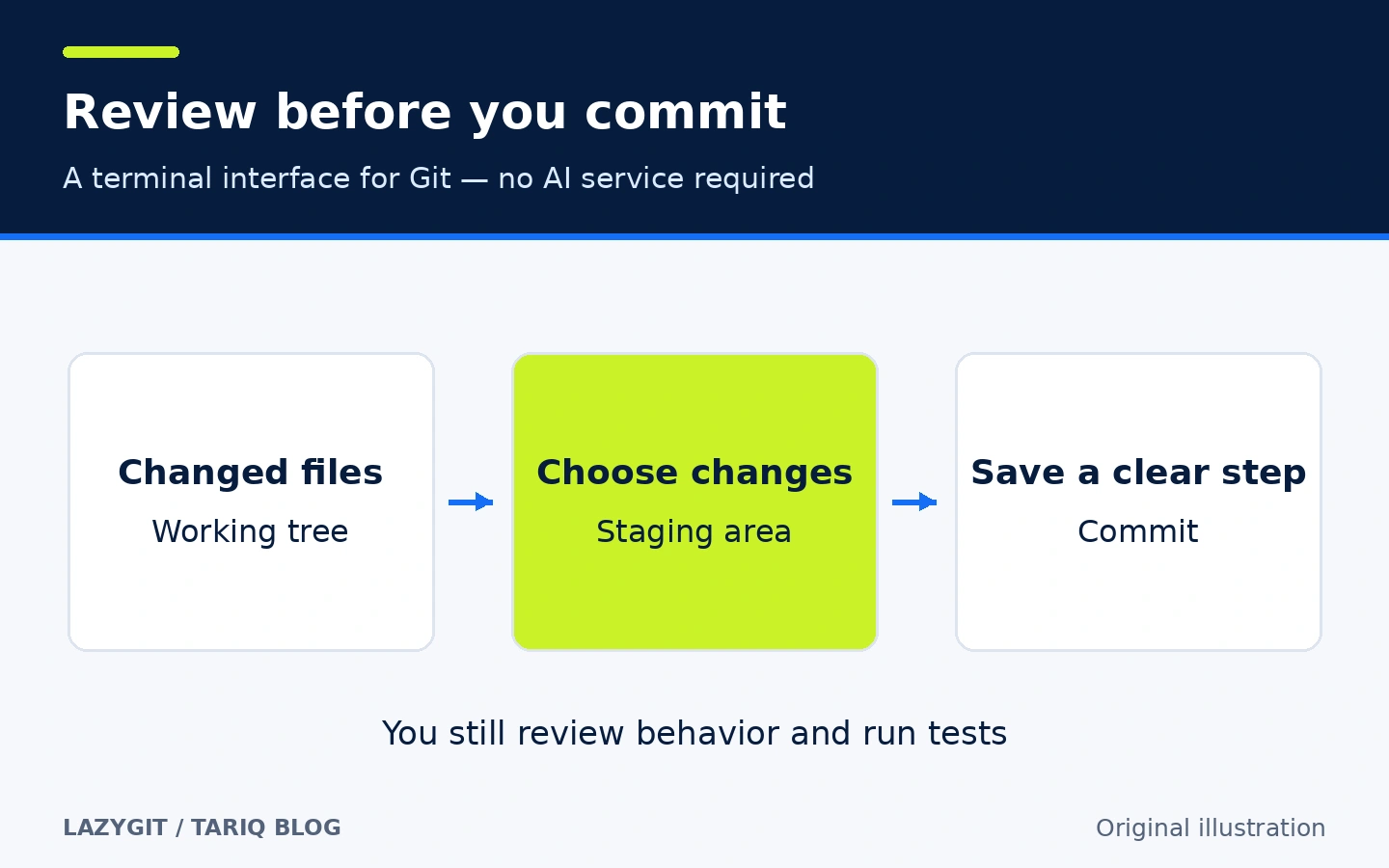
Original explanatory illustration, not a Lazygit screenshot. Arabic illustrations are added explanations and do not establish official Arabic interface support.
🎯 How does it help you in practice?
It suits a solo developer or small team that uses Git daily and wants to review work from the terminal. After a coding agent changes several files, inspect the differences before recording them. Separate a login fix from a color experiment and give each change a clear message. This is human review of agent output; Lazygit itself is not an AI agent and needs no model key.
The added value is keeping file lists, differences, and history close to the decision to commit. If an urgent fix arrives during feature work, worktrees can open the other branch in a separate folder. To understand earlier work, browse commits and compare references. You still need project tests and an understanding of the actions you choose.
🌟 Features and how to use them
1. Stage selected lines instead of the entire file
A file can contain changes for two different tasks. Lazygit can stage a contiguous block of differences, called a hunk, or selected lines within it. This helps create a commit that explains one task without mixing it with unrelated experiments.
- Where: the Files panel and focused diff view. Press
?to see the shortcuts available in the current context. - How: select a changed file and press
0to focus its diff. Selection initially covers a hunk; useafor line selection andvfor a range.Spacestages the selection. Staged changes appear in the lower pane, andTabmoves between panes. - Illustrative example: stage the login-fix lines while leaving the color experiment unstaged. Review the staged selection, then use
cto write the commit message. In the Files panel itself,Spacetoggles staging of the selected file; shortcut behavior depends on the focused context. - Limit: a visual selection does not prove the selected change works independently. It may depend on an import or setting elsewhere. Inspect dependencies and run tests. Leaving a change unstaged is different from discarding it; you do not have to delete an experiment just to exclude it from a commit.
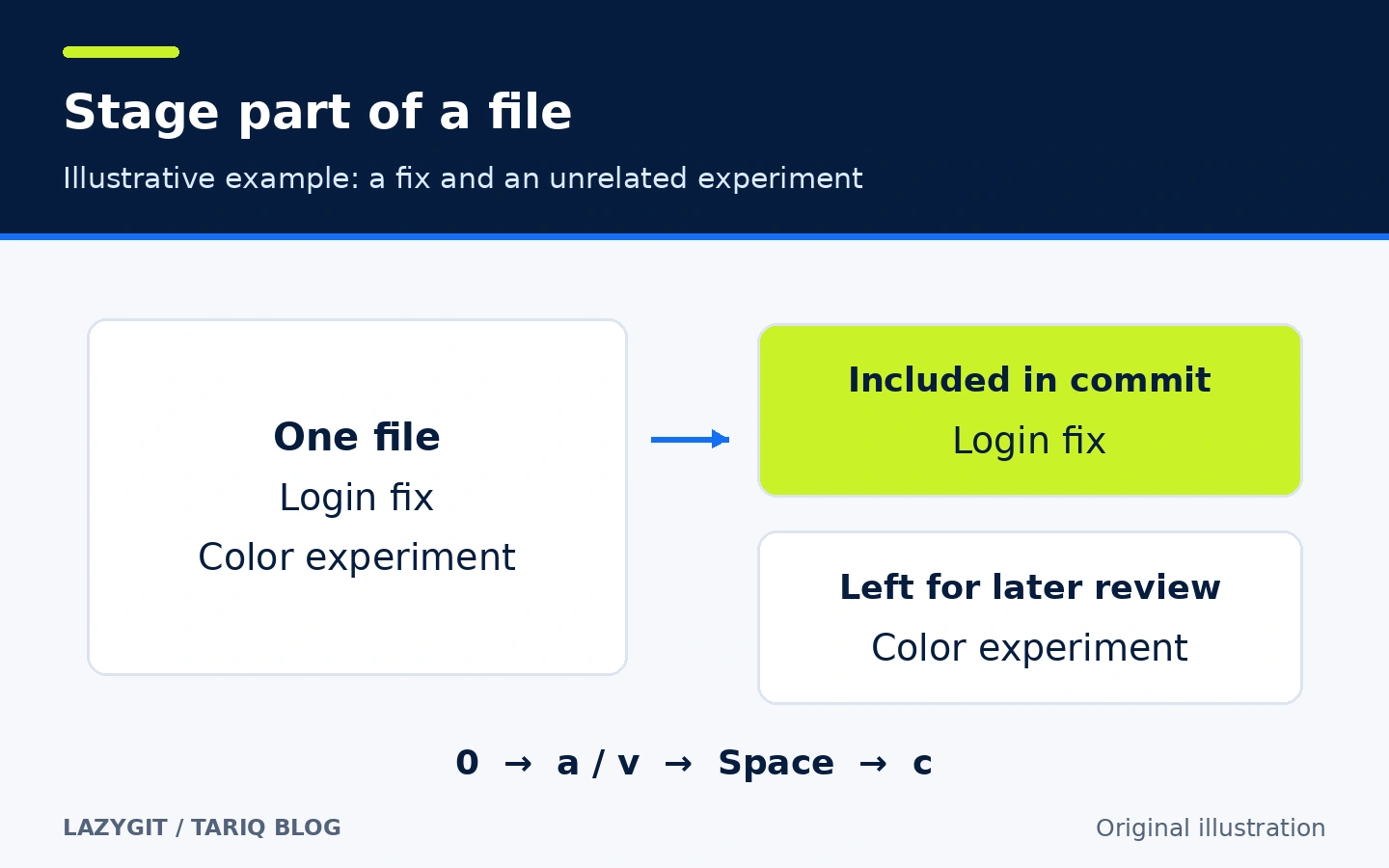
Illustration of an unexecuted example. Shortcuts follow the verified release documentation and can differ with custom configuration.
2. Open another branch in a separate folder with worktrees
A branch names a line of commits. A worktree is a working folder connected to a Git repository that can check out another branch. This avoids repeatedly replacing the files in your current folder when switching between a feature and an urgent fix. Worktrees share repository data while keeping separate working files and indexes.
- Where: the branches view. The README documents
wto create a worktree from the selected branch and switch to it. - How: select the fix branch, invoke worktree creation, and choose the destination path. Verify the branch and folder before editing. Keep feature work in its original folder and work on the fix in the new one.
- Illustrative example:
feature/bookingstays in the feature folder whilefix/loginis reviewed in another folder. Depending on your project, the new folder may need dependencies and environment configuration; worktree creation does not provision those automatically. - Limit: this separates working files, not virtual machines or security boundaries. Development servers can compete for the same port, and both branches can still use the same external database. Normal Git rules also prevent simply checking out the same branch in multiple worktrees. Review outstanding changes before removing a worktree.
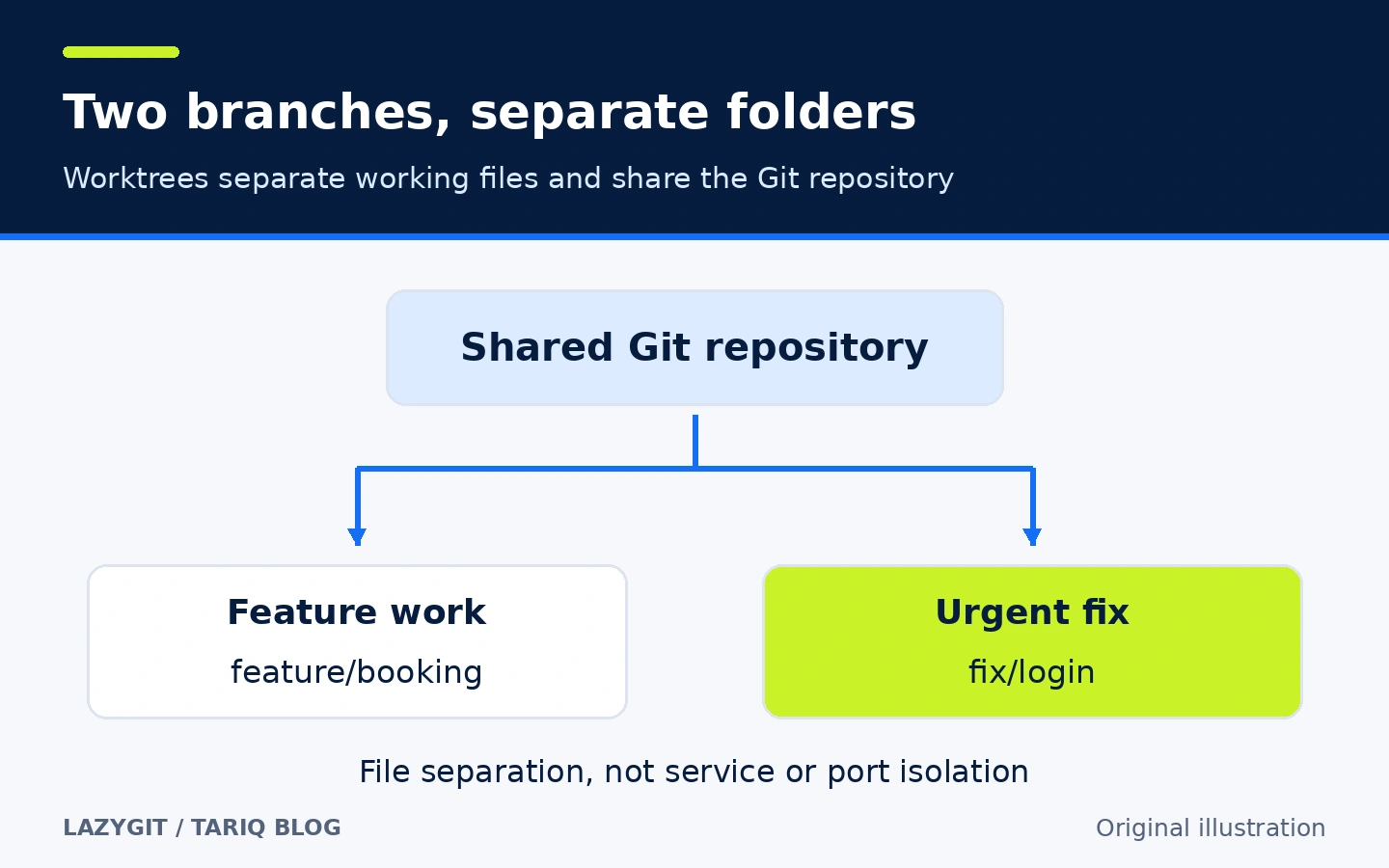
Diagram of the repository and folder relationship, not a network diagram or performance measurement.
3. Understand what Undo can reverse
Lazygit provides Undo with z and Redo with Shift+z. The mechanism uses the reflog, Git's local record of movements of commit and branch references. It can help with commit-related operations, but is not a backup of every file on your machine.
- Where: global shortcuts and the
?help menu. - How: understand the operation you performed, inspect the proposed undo action, and verify the resulting state. During a merge or rebase,
mopens the operation menu for continue, abort, or skip options; do not confuse that workflow with unrelated undo operations. - Illustrative example: after dropping a commit from a local branch, inspect the available action for reversing the reference movement. This describes a capability, not guaranteed recovery in every state.
- Limit: the README explicitly excludes working-tree and stash changes from this undo mechanism. Do not assume
zwill recover discarded uncommitted edits. Rewriting history already shared with teammates affects them even when the local operation succeeds.
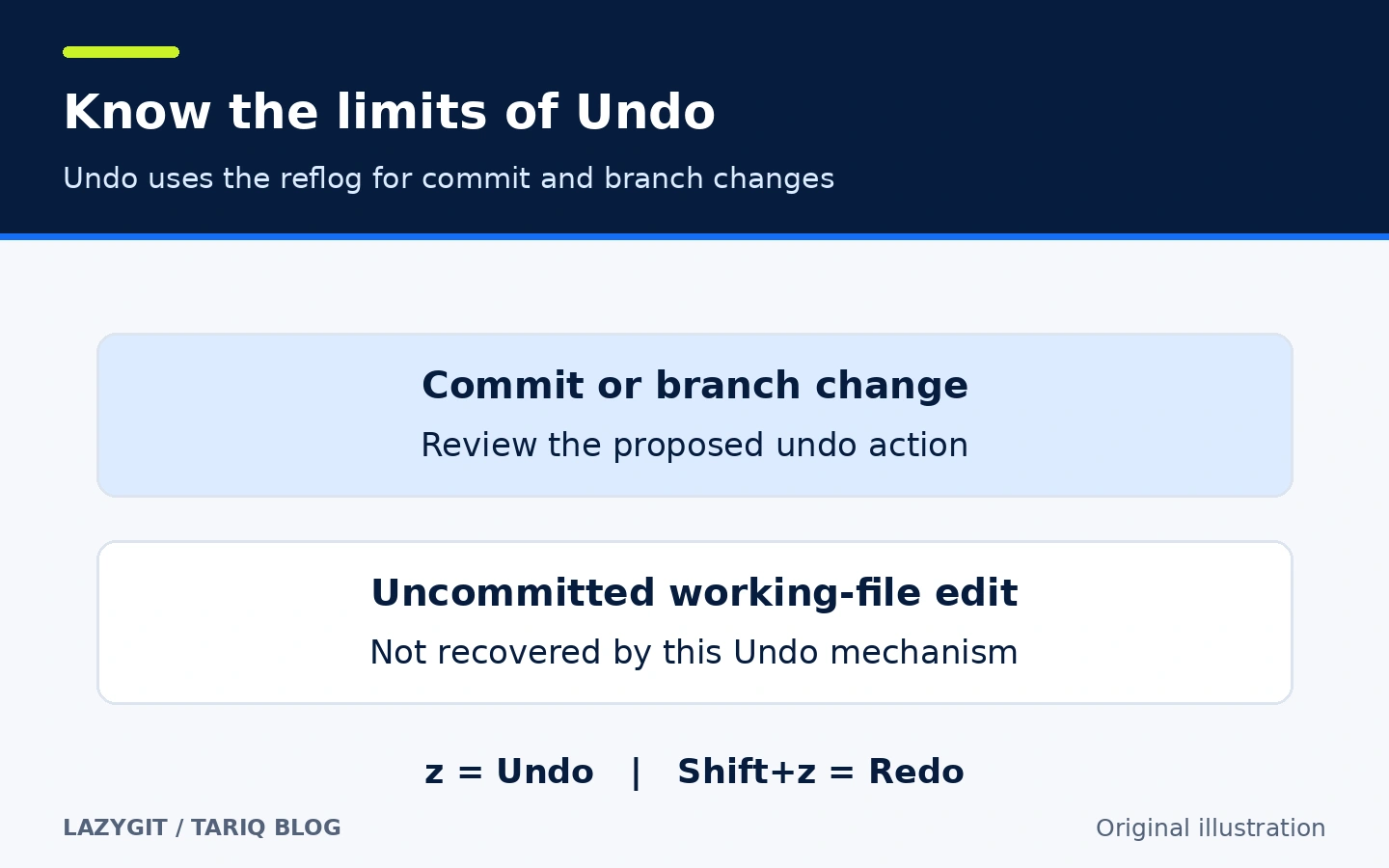
Original diagram of documented limits, not a data-recovery promise.
🪜 Example: separate a fix from an experiment
Illustrative example, not executed on a real project. Suppose your branch includes a login fix and an experimental design change, and you only want to record the fix:
- Open a terminal in the repository and run
lazygit. Verify the current branch. Do not assume your editor and terminal are working in the same checkout. - Move to Files, select the changed file, and read the complete diff before staging. Pay attention to configuration and dependency changes an agent may have added.
- Focus the diff with
0, select the fix lines, and stage them withSpace. If you included too much, switch to the staged pane and unstage the extra selection. Excluding an edit from a commit is different from deleting it. - Review every staged file. Run appropriate project tests from another terminal or after exiting; visually plausible code is not evidence of correct behavior.
- Press
cand create a commit message describing the fix. Inspect the history and confirm that the experiment remains an unstaged change. - If you need a fix on another branch, create a worktree from the branches view instead of manually moving feature files between directories.
- Before publishing, verify the remote and target branch. The documented global shortcuts are
Pfor Push andpfor Pull; a local commit does not automatically upload your files.
The intended result is a focused commit with the experiment kept separate. I did not run this scenario or measure time savings or error reduction.
⚖️ What changes compared with manual Git commands?
| Task | Direct commands | With Lazygit |
|---|---|---|
| Inspect status and differences | Run git status and git diff, then move between results | Files and differences in one interactive session |
| Stage part of a file | Select hunks using git add -p | Visual hunk and line selection |
| Work on two branches | Manage git worktree and paths directly | Create a worktree from the selected branch |
| Understand history | Use git log and reference comparisons | Browse commits, the graph, and comparisons |
| Deal with a mistake | Choose and understand the right Git command | An interface to undo and other actions, with Git's limits intact |
Direct Git commands offer control and fit scripts. If your editor's Git interface already suits you, there is no requirement to replace it. Lazygit is particularly useful for interactive terminal work. It does not host repositories or manage a team's project tasks.
⚙️ Important configuration
Configuration lives in config.yml. The default macOS path is ~/Library/Application Support/lazygit/config.yml; Linux uses ~/.config/lazygit/config.yml; Windows uses %LOCALAPPDATA%\lazygit\config.yml, with additional supported locations described in the documentation. Older installations can use different paths; check the guide rather than creating duplicate configuration files.
To reduce the documented background connections, merge these settings with your existing configuration:
git:
  autoFetch: false
update:
  method: never
These options disable the corresponding periodic fetch and update checks. They do not block Push, Pull, or custom commands from using the network. git.autoRefresh concerns refreshing the displayed files and is not remote fetching. Repository-specific settings can live in .git/lazygit.yml, and .lazygit.yml files in parent folders can also be loaded. Review the configuration sources and commands you use.
🚀 Installation and first run
On macOS with Homebrew, the documented command is:
brew install lazygit
With Git and a local repository available, run lazygit inside the folder. ? opens the shortcut menu and q exits. You do not need Go to run a prebuilt binary. Building from source is a separate route with its own requirements; the verified release's go.mod specifies Go 1.25.0.
Official binary releases cover Windows, macOS, and Linux. The verified release includes macOS arm64 and x86_64 assets. Choose the appropriate file or a documented package manager. Third-party packages may lag behind official releases. The latest stable release verified was v0.66.1, published 11 October 2026. I did not install the tool, run installation commands, or test every terminal and editor combination.
🔗 Integrations and compatibility
Lazygit works with local Git repositories. Remote operations use Git settings and the relevant authentication. Documented actions can open files in your editor, and customCommands can invoke external tools. Those commands run with your user permissions. Reviewing code written by an agent does not establish an official AI integration.
It can review work coming from different editors, but does not coordinate several agents editing the same folder. Use clear working directories and check the branch before changes. Start with built-in operations; add custom commands only when you understand their effects. Basic use needs no additional integration layer or MCP server.
💰 Cost, privacy, and permissions
The code uses the MIT license. Local use needs no Lazygit subscription or paid API. Repository hosting and external service charges are separate. Repositories remain local, but local operation does not imply zero network activity: documented defaults enable remote fetching and periodic update checks. Push sends Git content to the remote you configured and uses its authentication.
The tool reads project files and Git metadata, and its actions can change files and history. Custom shell commands and Git hooks use the process's normal permissions; the interface is not a sandbox. Inspect for secrets before staging. Do not bypass hooks merely because a shortcut permits it. I did not audit the code or capture network traffic, and make no zero-network claim for every configuration.
⚠️ Limits and when not to use it
If commit versus push, or deleting versus unstaging, is unfamiliar, start with a disposable repository. Easy access does not reduce the effects of reset, rebase, or dropping commits. A terminal interface requires learning context-dependent shortcuts. Small commits do not replace behavior tests.
Worktrees do not isolate databases or services, and Undo cannot recover every kind of data. For a small review, your editor may be enough. Team issues and approval workflows need an appropriate service alongside Git. Choose Lazygit when your need is clear, interactive repository-change management.
📚 Sources and verification date
Verified 16 October 2026 against the original repository, v0.66.1 README, release, keybindings, configuration, custom commands, and license.
The official GitHub API returned 83,217 stars and 3,081 forks at inspection, with the latest visible push on 15 October 2026. These changing activity and popularity indicators are not user ratings or quality certification. Download counts and installation were not verified.
Discovery included GitHub Topics, claudeskills.info, and dshmarket.com; original sources establish the product facts. It was compared with Bruno in API testing. Bruno stores request collections locally and supports Git collaboration; commercial editions and feature boundaries need checking for the intended use. Lazygit was selected to cover Git review and branch workflows after Task, which covers project-command automation, rather than chosen on stars alone.